Canvas Developer Guide
 j
jNote: This release is in preview. Features described here don’t become generally available until the latest general availability date that Salesforce announces for this release. Before then, and where features are noted as beta, pilot, or developer preview, we can’t guarantee general availability within any particular time frame or at all. Make your purchase decisions only on the basis of generally available products and features.
Presenting User Error Messages
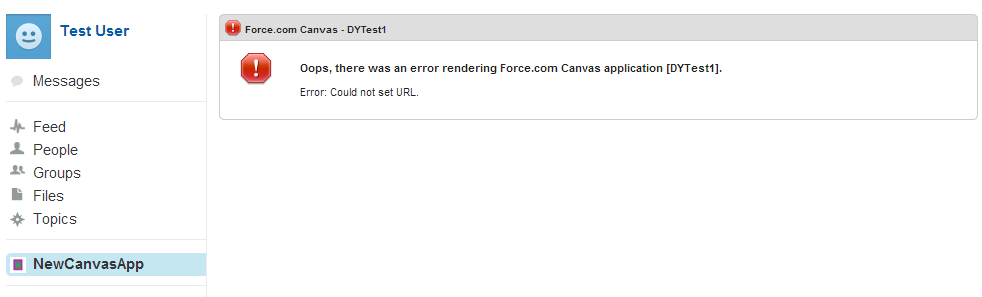
If you throw a CanvasRenderException from your onRender() implementation, the error message in that exception will be displayed to the user in the Salesforce UI. This exception will be managed only within the onRender() method.
CanvasRenderException supports all the standard Apex exception class methods and constructors. See ”Exception Class and Build-In Exceptions” in the Apex Code Developer Guide for more information on Apex exceptions.
1public void onRender(Canvas.RenderContext renderContext) {
2    // Code omitted that determines if the error condition occured
3    ...
4    throw new Canvas.CanvasRenderException('Error: Could not set URL.');
5}