


Health Cloud Administration
 j
Connect Healthcare Practitioners with Facilities
Enable patients to find their healthcare practitioners faster by associating the
healthcare practitioner records with a facility. If the healthcare practitioner provides primary
care to the patient, make sure you select the checkbox for the Primary Care Physician
field.
|
Available in: Lightning Experience Available in: Enterprise and Unlimited Editions with Health Cloud |
| User Permissions Needed | |
|---|---|
| To use Health Cloud | Health Cloud Foundation permission set |
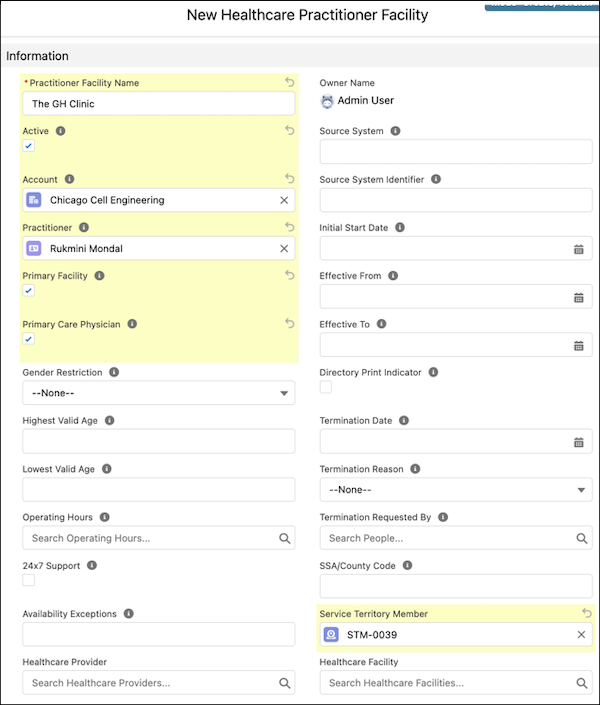
- From the App Launcher, find and select Healthcare Practitioner Facilities.
- Click New.
- Enter a name for the practitioner’s facility.
- Select Active.
- For Account, specify the account associated with the practitioner facility.
- For Practitioner, specify the practitioner that works at the facility.
- If the facility is the practitioner's primary facility, select Primary Facility.
-
If the practitioner provides primary care, select Primary Care
Physician.
-
Add any other information you need, and then save your changes.
Sync data for Provider Search to confirm that the Healthcare Practitioner Facility data is shown in the Care Provider Searchable Field object.