Skip Navigation

Mobile and Offline Developer Guide

control-j is the search shortcutj
Summer '26 (API version 67.0)
Spring '26 (API version 66.0)
Winter '26 (API version 65.0)
Summer '25 (API version 64.0)
Spring '25 (API version 63.0)
Winter '25 (API version 62.0)
Summer '24 (API version 61.0)
Spring '24 (API version 60.0)
Winter '24 (API version 59.0)
Summer '23 (API version 58.0)
Spring '23 (API version 57.0)
Mobile App Development with Lightning Web Components and LWC Offline
Create Mobile-Ready Components
Use Mobile Device Features in Mobile Apps
Request App Review
Scan Barcodes
Access Device Biometrics
Manage Calendar Events
Access Contacts
Scan Documents
Monitor Geofences
GeofencingService User Experience
Use the GeofencingService API
GeofencingService Example
Compatibility and Requirements
Considerations and Limitations
Use Location
Interact With NFC Tags
Tap to Pay
Offline Considerations and Limitations
Offline Environment Details
Use Salesforce Features While Offline
Development Tools and Processes
Quick Start Tutorials
PDF
Use Mobile Device Features in Mobile Apps/Monitor Geofences/GeofencingService User Experience

GeofencingService User Experience

Your component can deliver any user experience you desire. There are a number of geofencing-based features where GeofencingService might be suitable.
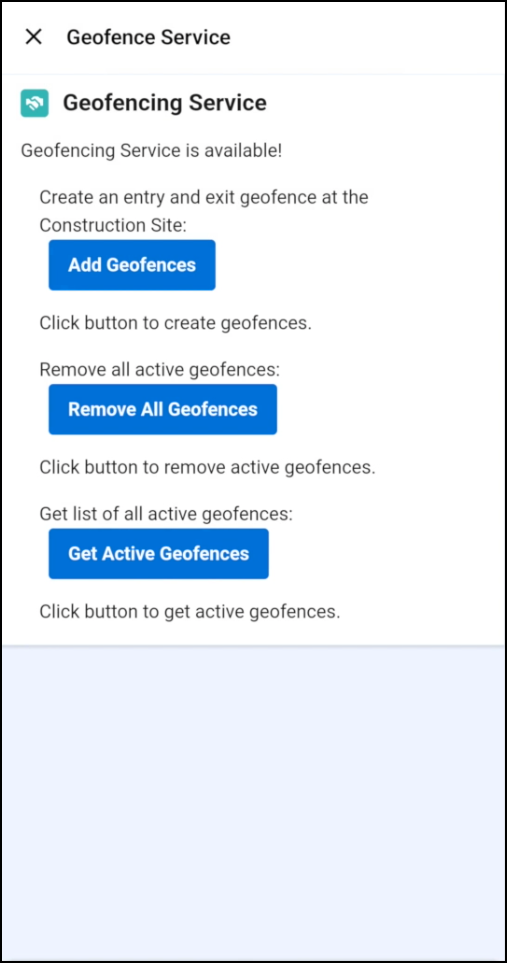
Geofencing Service UI
  • Your user enters or exits a geofence region and triggers an event.
  • Your user enters an area of interest and receives a notification.
  • Display an alert based on user location.
Salesforce logo