Get Started with the Agentforce Operations REST API
Use the Agentforce Operations REST API to access and manage workspace resources, such as blueprints, workflows, and users. This guide shows you how to set up authentication and make an API call.
Before you begin:
- You have an active Agentforce Operations workspace.
- You have an Admin role in your Agentforce Operations workspace.
All REST API calls to your Agentforce Operations workspace require two values: an OAuth access token and a workspace UUID. Get the OAuth access token by using a service account’s client ID and client secret. Access tokens expire after 2 hours. Find your workspace UUID in your browser’s developer tools.
This guide walks you through:
- Creating a service account and saving its credentials
- Finding your workspace UUID
- Requesting an OAuth access token
- Making your first API call
A service account is a dedicated API-only user in your Agentforce Operations workspace. Unlike a regular user account, a service account authenticates programmatically by using a client ID and client secret rather than a username and password. To create the account, use your admin session credentials. After you create it, you use the service account’s client ID and client secret to request OAuth access tokens for all REST API calls.
- Log in to your Agentforce Operations Admin page.
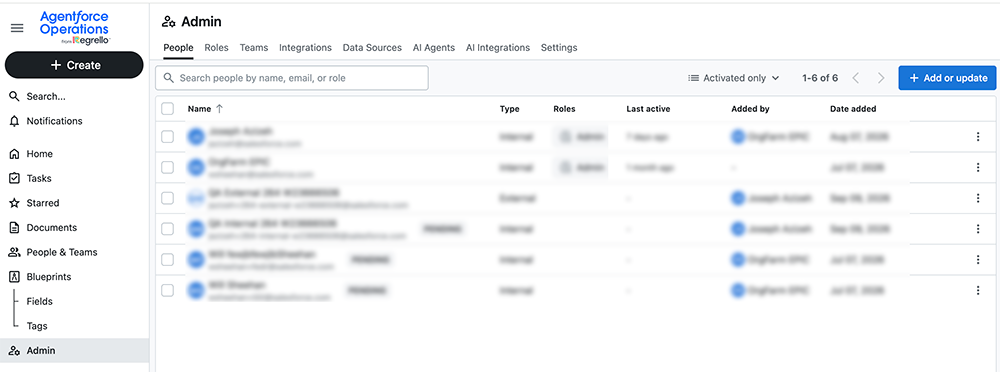
- Select the Add or update button in the People tab.
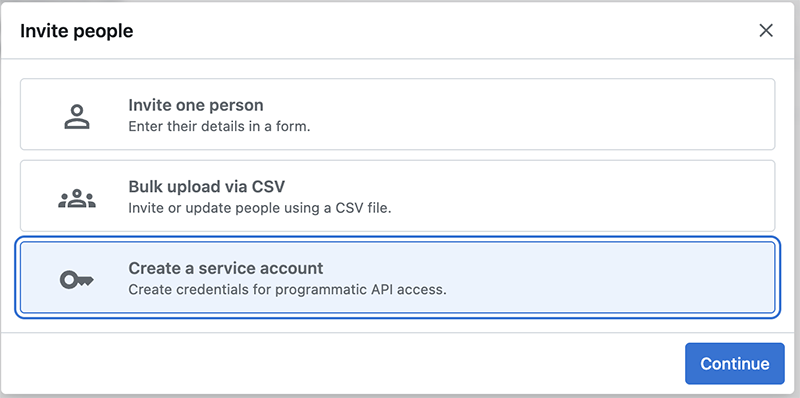
- Select Create a service account and Continue.
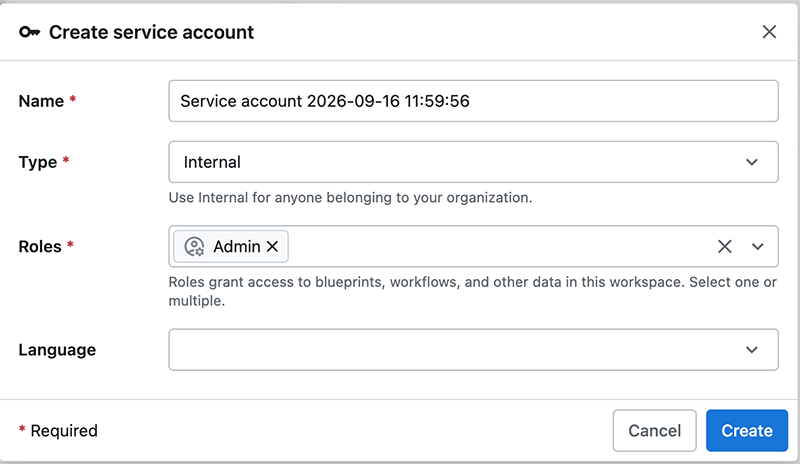
- Configure the Service Account, and click Create.
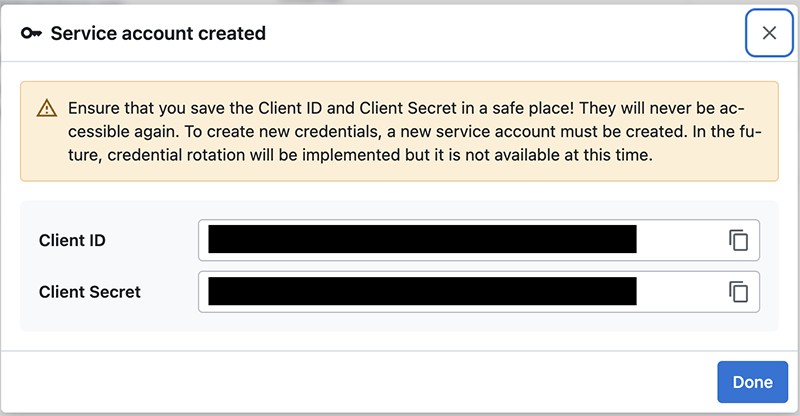
Immediately save your service account’s clientId and clientSecret credentials somewhere safe. Your credentials are only available from this screen and are never accessible again. Salesforce recommends using Keyring or a Password Manager to safely store your credentials.
-
To view and manage your workspace’s service accounts, in the navigation panel, select Admin, click the People tab, and use “service-account” as the filter.
You can edit a service account’s details or deactivate it, but you can’t view its client ID or client secret again.
Every API call requires your workspace UUID.
-
Open your Agentforce Operations workspace in a browser.
-
Open your browser’s developer tools. Press F12 (Windows) or Command+Option+I (Mac).
-
Click the Network tab.
-
Refresh the page.
-
In the filter box, type
CurrentTenantQuery.If
CurrentTenantQuerydoesn’t appear, refresh the page again while the Network tab is open. -
Click a
CurrentTenantQueryrequest, then click the Response tab. -
Copy the value of the
uuidfield. This string is your workspace UUID.
All calls to the Agentforce Operations REST API require a token. Create a token by using the client ID, the client secret, and your workspace UUID. An access token expires after 2 hours.
-
Send a POST request to the token endpoint with your service account credentials and workspace UUID. In the code sample, replace
<your-workspace-uuid>,<your-client-id>,<your-client-secret>, and<your-instance>with the values for your workspace. -
Verify your response. A successful response looks like this:
-
Copy the
access_tokenvalue to use in your API calls.Tokens expire after 2 hours.
With your access token and workspace UUID, you’re ready to call the API.
-
Call an API endpoint. Every request requires two headers:
AuthorizationandX-Regrello-Workspace-ID. This example retrieves a list of published blueprints in your workspace. In the code sample, replace<your-instance>,<your-access-token>, and<your-workspace-uuid>with the values for your workspace. -
Verify the response. A successful response returns HTTP 200. In the get blueprints list example, the response body looks like this:
Pagination details are in the
SFDC-Pagination-Offset,SFDC-Pagination-Limit,SFDC-Pagination-Total-Count, andSFDC-Pagination-Result-Countresponse headers.