The Connect REST API provides programmatic access to Salesforce features like B2B Commerce, CMS managed content, Experience Cloud sites, files, notifications, topics, and more. If you’ve built with this API, you’re likely familiar with the legacy version of its reference docs: one page for the resource, another for the request body, and another for the response body. That’s a lot of clicking and scrolling to answer a simple question like, “What do I send, and what comes back?”
Starting July 2026, we’re introducing a single, unified reference page for the core Connect REST API and other related API families, including Agentforce, Chatter, Chatter Feeds, CMS, Commerce, Experience Cloud, Files and Folders, and Personalization.
In this post, we’ll walk through what’s new, the benefits you’ll notice right away, and a few things that work differently than before.
The old way: Disconnected pages
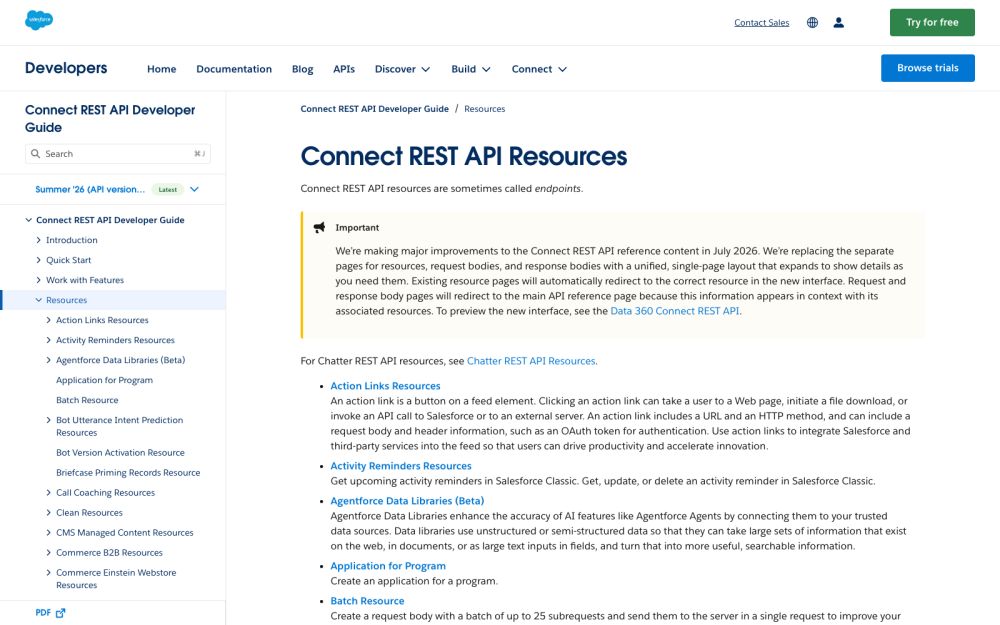
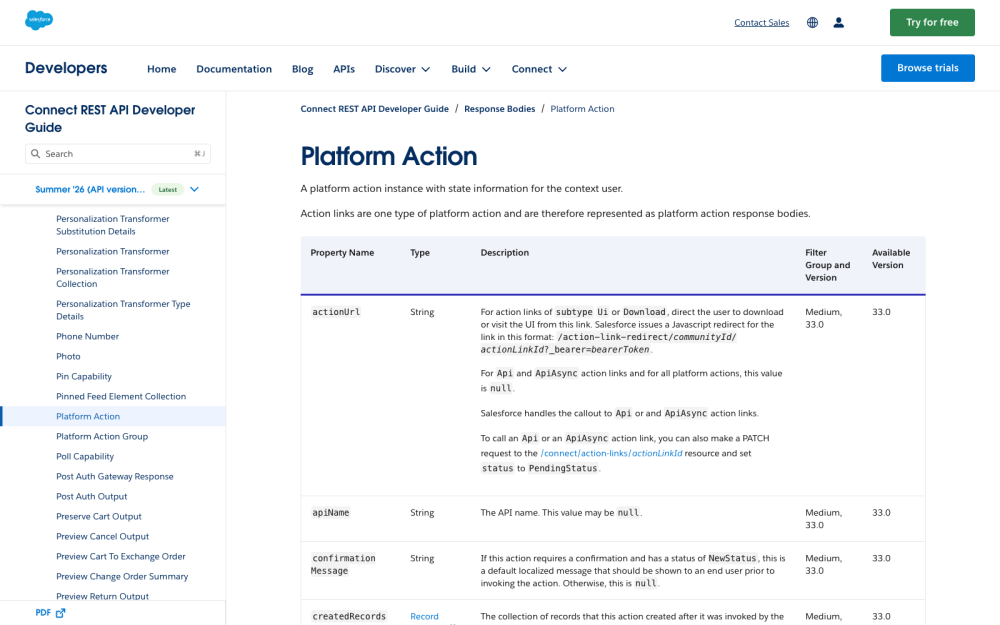
In the previous documentation, the left navigation was a long tree of links, and you chose your API version from a dropdown at the top. Understanding one endpoint required you to assemble the picture from several disconnected pages. And for many people, that meant lots of open browser tabs.
Request and response bodies were documented on standalone pages, separate from the resources that actually used them.
The new Connect REST API reference: One page, three columns
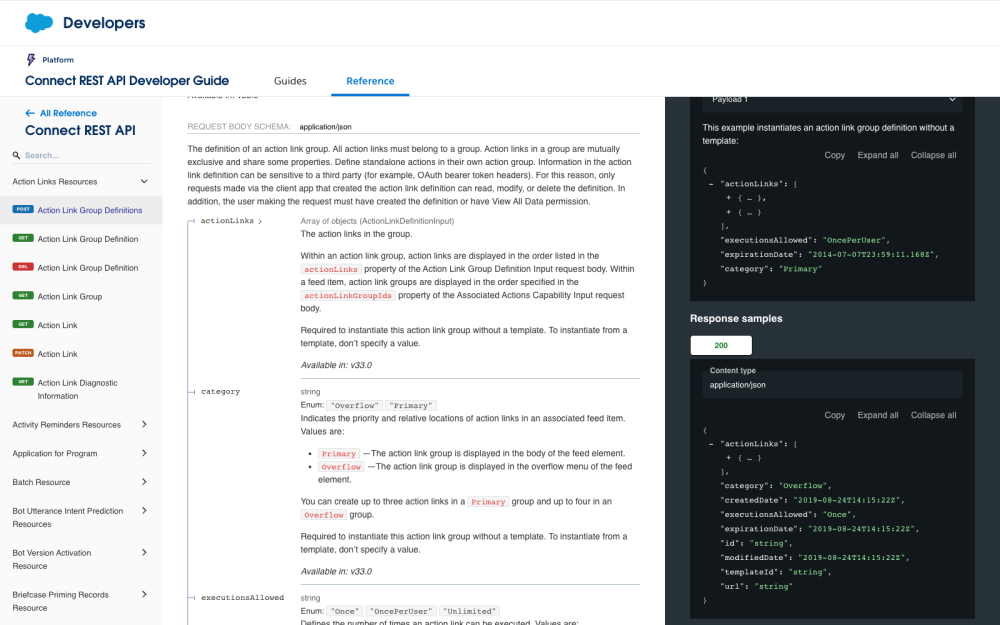
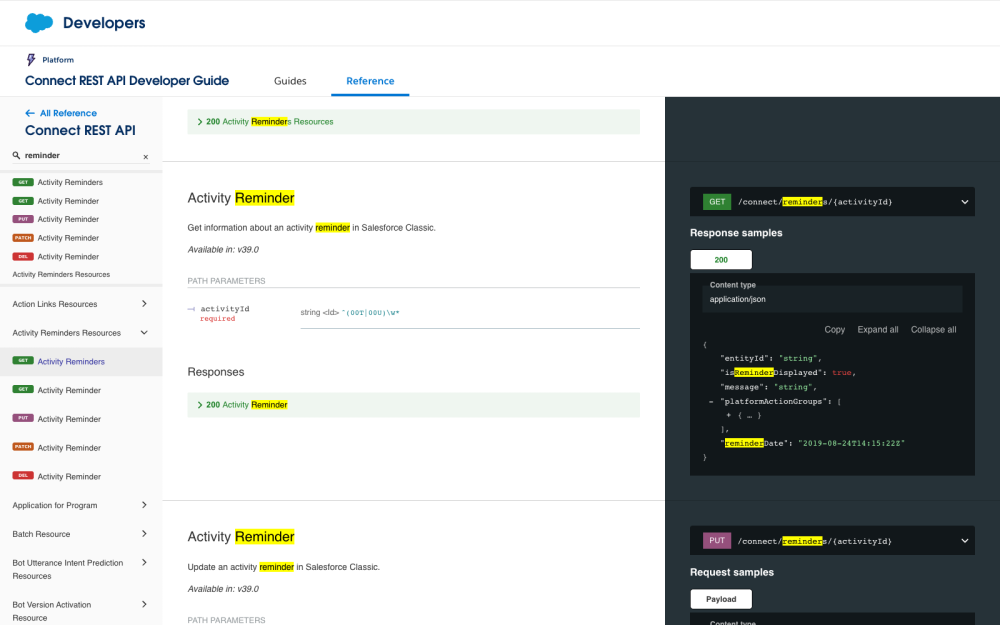
The new API reference brings everything together on a single page with a three-column layout. The left column lists only resources. The center column shows the selected resource. The right column shows request and response examples. Many elements are clickable, so you can expand and collapse details. You can drill down exactly as far as you need into complex objects without ever losing your spot.
Key improvements
We rebuilt the reference around the way developers actually work. Here’s what stands out:
- Everything in context: The request you send and the response you get back now sit right beside the resource that uses them.
- Extensive examples: The right-hand column shows request and response examples for the operation you’re viewing.
- Searchability: You can use the search box in the left nav to filter down the number of endpoints. You can also use your browser’s Find command to locate any piece of text in the whole API reference and highlight every match at once.
Built on OpenAPI
The reference now follows the OpenAPI Specification (OAS), the industry standard for describing REST APIs. Beyond cleaner, more consistent structure, the move to OAS lets us improve the accuracy of the reference itself. And because it’s a standard spec, you can download it directly and use it with AI agents or code generation workflows. Each API family’s reference includes a Download button for grabbing its OpenAPI specification.

Versions throughout
We’ve also retired the per-version snapshots and the version dropdown. In their place is a single, evergreen reference that’s always current. Version information now lives in-line, throughout the page. For each resource and object, you’ll see an Available in note, so that you no longer have to pick a version up front just to find out when something shipped.

What works differently
A redesign this big changes a few habits. Here’s what to know about the new experience.
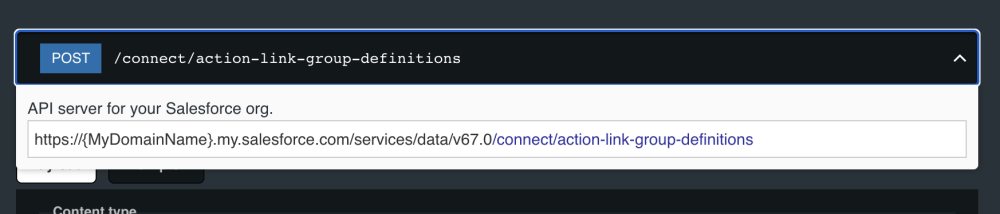
To copy a full endpoint path, click it. Click any operation’s path and a popup appears with the complete request URL, ready to copy and paste.
Field types can include a pattern. Some fields show a regular-expression pattern that describes the values they accept. For example, you might see ^(00T|00U)\w*. Reading it left to right: ^ means the value starts here, (00T|00U) means it begins with either 00T or 00U, and \w* means any letters, numbers, or underscores follow. In plain terms, that’s a Salesforce ID that must start with the key prefix 00T or 00U.

You can’t deep-link to a request or response body anymore. Because request and response bodies are no longer separate pages, you can’t link directly to one. Link to the operation instead, and the body appears right there alongside it.
Navigation. To choose a new API family, click All Reference or the Reference tab.
Conclusion
The new Connect REST API Developer Guide lets you discover the details faster with less context switching. Try it out and let us know what would make it even more helpful by clicking the Share your feedback button at the bottom of the page.
Resources
About the authors
Richard Sexton is a Technical Writer at Salesforce specializing in developer docs. Follow him on LinkedIn.
Ben Sklar is a Director of Product Management at Salesforce responsible for UI API, the Salesforce GraphQL API, the Lightning Data Service, and AI Developer Kit. Ben is a major fan of GraphQL, but when not using GraphQL, you can find him playing ultimate frisbee or skiing during the winter. Follow him on LinkedIn.