


Data Loader Guide
 j
j
No Results
Search Tips:
- Please consider misspellings
- Try different search keywords
Newer Version Available
Step Two: Create the Encrypted Password
| Available in: Enterprise, Performance, Unlimited, Developer, and Database.com Editions |
In this step, you’ll create the encrypted password using the key that you generated in the previous step.
- In the same command prompt window, enter the following command.
Replace <password>with the password that Data Loader uses to log
in to Salesforce.
Replace <filepath> with the file path to the key.txt file that you created in the previous step.
encrypt.bat –e <password> "<filepath>\key.txt"
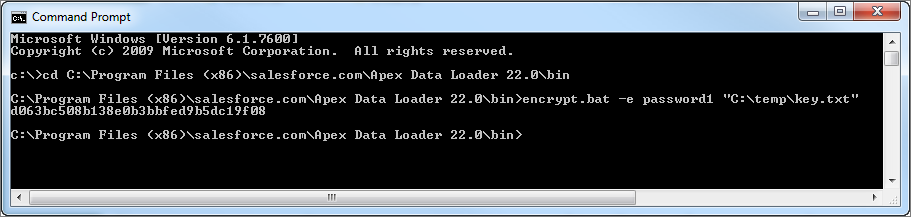
- Copy the encrypted password that is generated by the command. You'll use this value in a later step.