


Salesforce1 App Developer Guide
 j
j
No Results
Search Tips:
- Please consider misspellings
- Try different search keywords
About Action Layouts
Just as object record pages have page layouts that can be customized, publisher actions have action layouts that can be customized too. We do this in the action layout editor.
When you first create a publisher action, its layout is populated with a default set of fields. Use the action layout editor to specify which fields to include in the layout. You can add and remove fields, or simply reorder them on the layout.
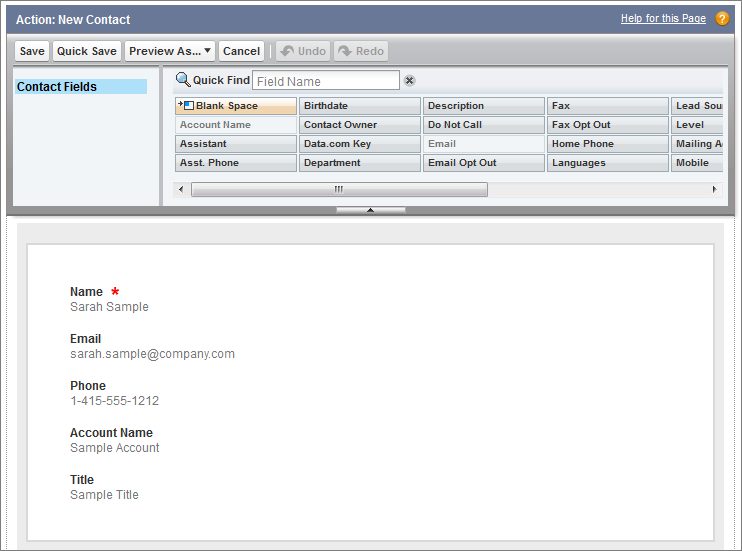
The action layout editor
has a palette on the upper section of the screen and the action layout
below it. The palette contains fields from the action’s target
object that you can add to the action layout. However, the following
field types aren’t supported, and won’t show up in the
palette:
- Record type fields
- Read-only field types such as roll-up summary, formula, and auto-number fields
- Read-only system fields such as Created By or Last Modified By