


Force.com Platform Fundamentals
 j
jTry It Out: Add a Custom List Button to a Page Layout
Let's finish up our Mass Update Status
feature by adding the Update Status list button to our Position page
layouts.
- From Setup, click .
- Click Position.
- In the Page Layouts related list, click Edit next to the page layout you want to edit first.
- Click the wrench icon (
 ) in the Job
Application related list to edit its properties.
) in the Job
Application related list to edit its properties. - In the Related List Properties window, click the Buttons bar at the bottom to expand the Buttons section.
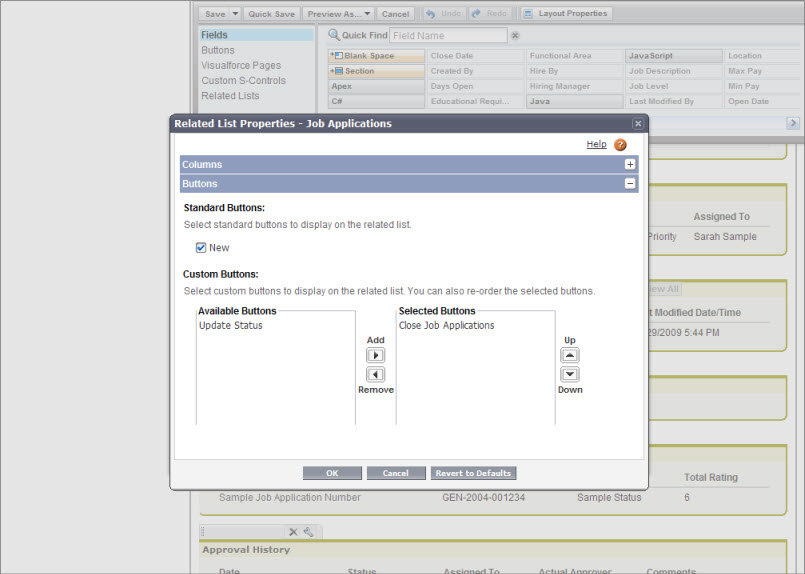
- Select the Update Status button and click Add to move it to the Selected Buttons list.
- Click OK to exit the Related List properties window.
- Click Save.
Repeat the above procedure for the other Position page layout.
Once that's done, the Mass Update Status feature is ready to test!