


Lightning Components Developer’s Guide
 j
jNewer Version Available
Optional: Install the Contact List App
If you want to skip over the quick start tutorial, you can install the Contact List
app as a package.
This packaged app is useful if you want to learn about the Lightning app without going
through the quick start tutorial. If you’re new to Lightning components, we
recommend that you go through the quick start tutorial.
To install the Contact List app:
- Click the installation URL link: https://login.salesforce.com/packaging/installPackage.apexp?p0=04to00000003pLQ
- Log in to your organization by entering your username and password.
- On the Package Installation Details page, click Continue.
- Click Next, and on the Security Level page click Next.
- Click Install.
- Click Deploy Now and then Deploy.
When the installation completes, you can add the custom Level
field to the contact page layout and select the Contacts tab on
the user interface to add new contact records.
You’ll see the Contact List menu item
on the Salesforce1
navigation menu. If you don’t see the menu item in Salesforce1, add it by going
to .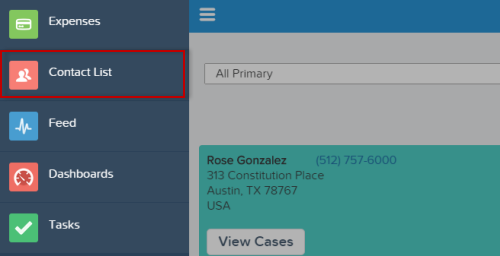
Next, you can modify the code in the Developer Console or explore the app in Salesforce1.