Force.com IDE Developer Guide
 j
jApex Test Results View
The Force.com IDE’s Apex Test Results view displays the
results of your test runs. This view is useful for troubleshooting code, tuning performance, and
checking resource usage.
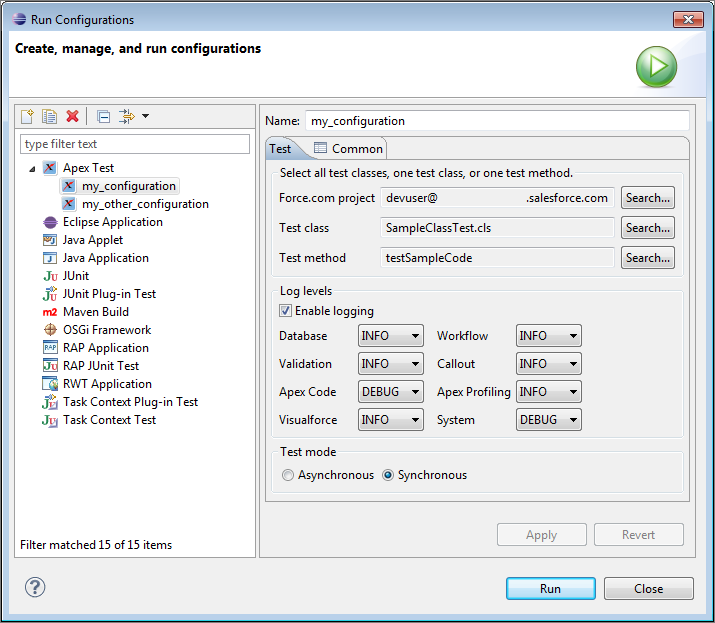
To execute Apex unit tests, select . To create a test run configuration, then select New launch
configuration ( ). To execute the selected test run configuration, click
Run.
). To execute the selected test run configuration, click
Run.
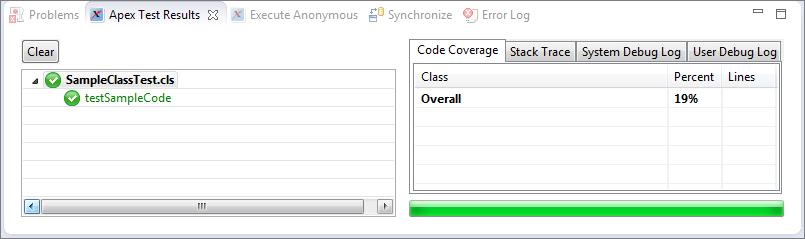
After the a test run, the Apex Test Runner view displays results. The left pane displays test results for each class and method in the test run. The right pane displays code coverage, the stack trace, system debug logs, and user debug logs. Make sure that your code has better coverage than the code in this sample org!