


Force.com Platform Fundamentals
 j
jTry It Out: Customize an Action Layout
We want to minimize the number of fields on the action layout, so that users can focus on the most important information. For optimal usability, eight fields is a good limit. Adding more than 20 fields can severely impact user efficiency. We’ll set predefined field values for Status, Open Date, and Hire By, so we won’t add those fields to the layout.
- Drag the following fields into the first column of the action
layout.
- Type
- Min Pay
- Functional Area
- Drag the following fields into the second column.
- Hiring Manager
- Location
- Max Pay
- Job Level
Layout for New Standard Position Action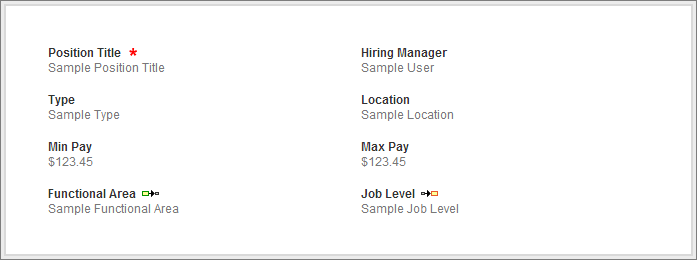
- Click Save.