


Force.com Platform Fundamentals
 j
jNewer Version Available
Look at What We've Done
Now that we've created all those picklists, let's revisit the Positions
tab to see what we have so far.
- Go to the Positions tab.
- Click New.
- In the Functional Area picklist, select Finance.
- Open the Job Level picklist.
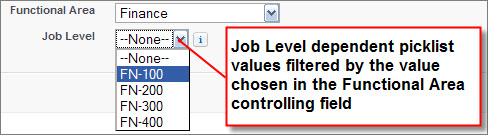
Our Recruiting app users are going to be very happy that they no longer have to deal with a long, onerous picklist. Now let's go add a field that's even more powerful and complex than a dependent picklist: a custom formula field.