To wrap up our first process, we need to add another criteria node and action to our process for
when the status of a job application is set to
Extend an Offer. This is
almost identical to the “Send Rejection Letter” criteria and action, so we'll just
list the values that you'll need in the following two tables.
Keep in mind that a
process evaluates criteria in the order represented on the canvas. Our process will first check
whether the job application status field is set to Rejected. If that’s true, the process
executes our defined action. If not, the process evaluates the next criteria, in this case
whether the status is set to Extend an Offer.
Table 1. Values for Creating the “Extend an Offer”
Criteria
| Criteria Name |
Extend an Offer |
| Criteria for Executing Actions |
Conditions are met |
| Set Conditions |
Job Application: Status equals Extend an Offer |
| Conditions |
All of the conditions are met (AND) |
| Advanced Option |
Yes, execute actions only when specified changes are made to the record |
Table 2. Values for Creating the “Extend an Offer”
Immediate Action
| Action Type |
default |
Create a Record |
| Action Name |
default |
Extend an Offer Task |
| Record Type |
default |
Task |
| Priority |
Picklist |
High |
| Status |
Picklist |
Not Started |
| Assigned To ID |
Reference |
Job Application > Owner ID |
| Subject |
String |
Extend an Offer |
| Due Date Only |
Formula |
NOW() + 1 |
All done! Make sure the “Recruiting Tasks” process is activated, and let's go try it out.
Just click Activate (1).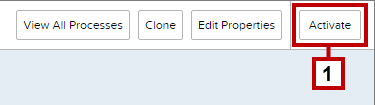


 j
j