


First-Generation Managed Packaging Developer Guide
 j
jInstall Notifications for Unauthorized Managed Packages
When you distribute a managed package that AppExchange Partner Program hasn’t authorized,
we notify customers during the installation process. The notification is removed after the
package is approved.
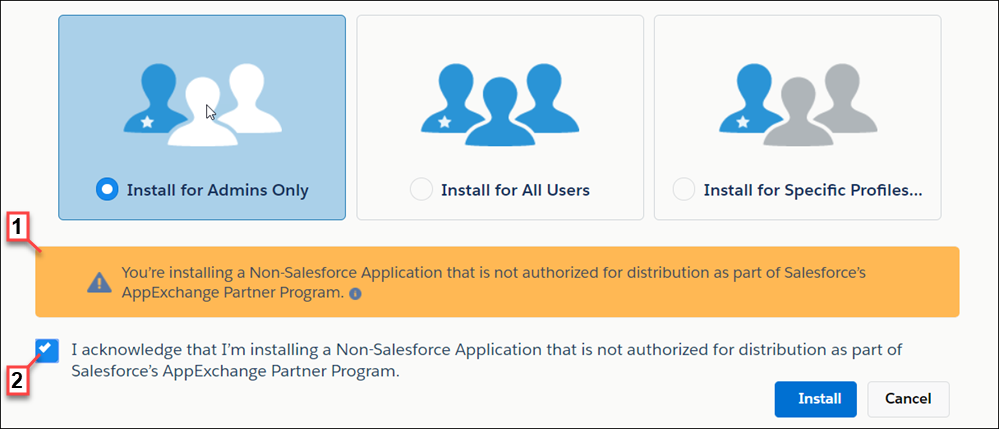
The notification appears when customers configure the package installation settings (1). Before customers install the package, they must confirm that they understand that the package isn’t authorized for distribution (2).
The notification displays when a managed package:
- Has never been through security review or is under review
- Didn’t pass the security review
- Isn’t authorized by AppExchange Partner Program for another reason
For information about the AppExchange Partner Program and its requirements, visit the Salesforce Partner Community.