


Force.com IDE Developer Guide
 j
jUpgrade Project
When you create a Force.com project, it's designed to work with a specific version of the
server. When the server is upgraded to the next version, your projects need to be updated so you
can have access to the latest features and metadata.
To upgrade a Force.com project:
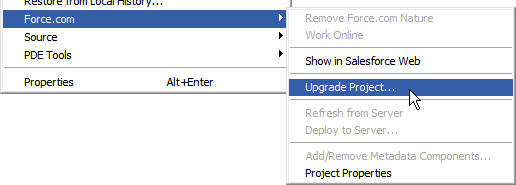
- Right click a project and choose to open the Project Upgrade wizard. (This option only appears if an upgrade is
available.)
- On the first page of the wizard, review the information and click Next to continue.
- On the second page of the wizard, review the full details of what will be changed. If you don’t want to upgrade all of these components, click Cancel. Otherwise click Finish.
- On the final page of the wizard, review your changes.
- Click Finish to retrieve the specified components.