


Visualforce Developer Guide
 j
jNewer Version Available
Best Practices for Using Component Facets
A facet consists of content in an area
of a Visualforce component that provides contextual information about the data
that is presented in the component. For example, <apex:dataTable> supports facets
for the header, footer, and caption of a table, while <apex:column> only supports facets
for the header and footer of the column. The <apex:facet> component allows
you to override the default facet on a Visualforce component with your own content. Facets only allow a single child
within the start and close tags.
When defining an <apex:facet>, it is always used as the child of another Visualforce component. The name attribute on the facet determines which area of the parent component is overridden.
Example: Using Facets with <apex:dataTable>
The following markup shows how the <apex:dataTable> component can
be modified with <apex:facet>:
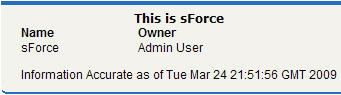
The page displays as follows:
Extending <apex:dataTable> with a Facet
Using Facets with <apex:actionStatus>
Another component that can use a facet is <apex:actionStatus>. The <apex:actionStatus> component
can be extended to display an indicator whenever a page is being refreshed.
For example, you can define a progress wheel with the following markup:
The associated controller updates
the counter:
The page displays as follows:
Extending <apex:actionStatus> with a Facet
