


Chatter REST API Developer Guide
 j
jPersonalization Target Developer Names
Specify target developer names in the targetValue property of the Target Input request body. Your experience variation can be a page variation, branding set, or component visibility. Use this appendix to determine the developer name for each type of experience variation.
- Page Variation
- Formula: route.label_view.label_Page
-
To get the route.label:
- In the site JSON, go to the routes folder.
- Go to the route file, for example, home.json.
The label is the route.label.
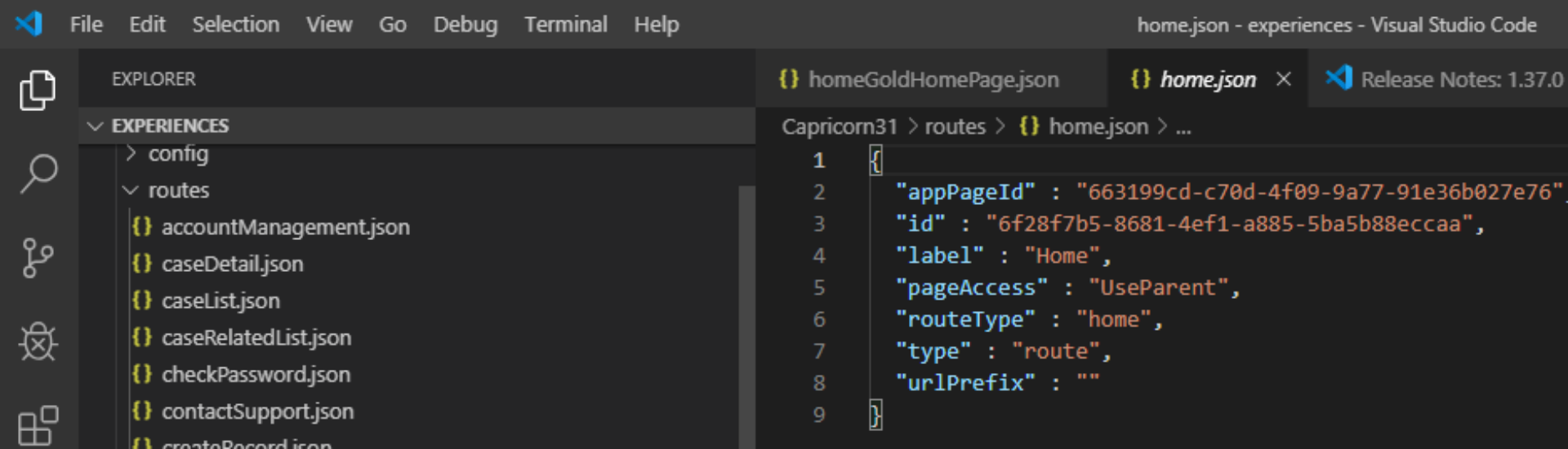
- In this example, the view.label is Gold_Home.
- Example developer name: Home_Gold_Home_Page
- Branding Set
- Formula: theme.developerName_brandingSet.label_Branding
-
To get the theme.developerName:
- In the site JSON, go to the themes folder.
- Go to the file for the theme that owns the branding set, for example,
customerService.json.
The developerName is the theme.developerName.
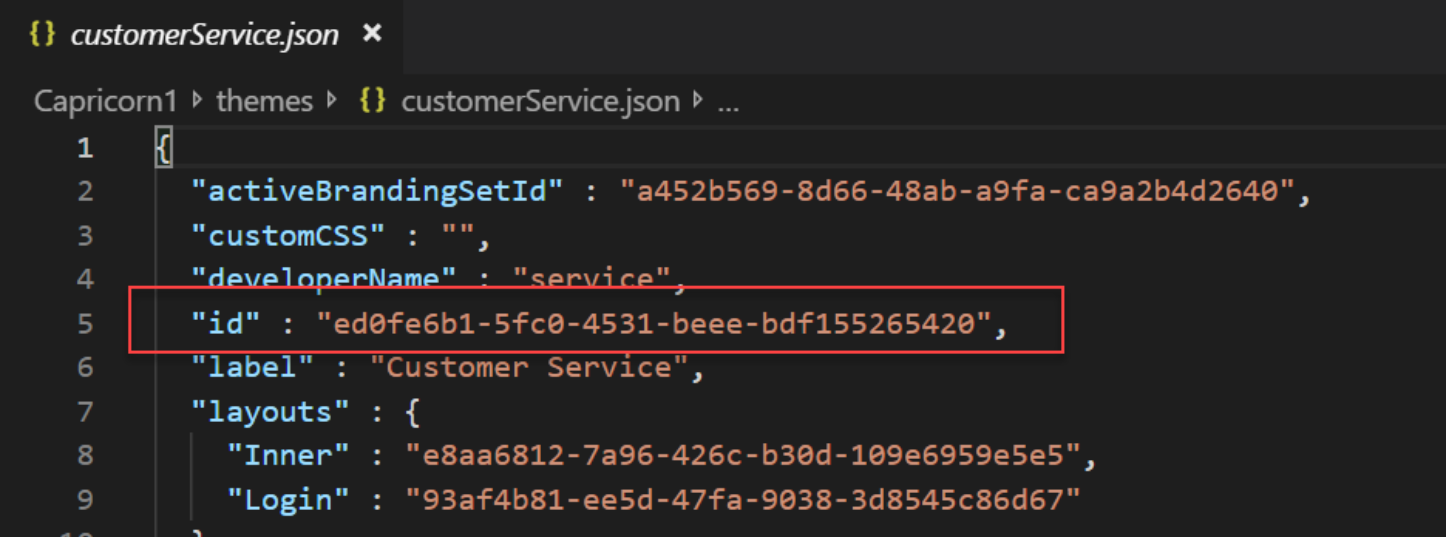
- In this example, the brandingSet.label is Test_Branding_Set.
- Example developer name: Service_Test_Branding_Set_Branding
- Component Visibility
- Formula: view.label_componentName_Component
- In this example, the view.label is Test_Page_Variation and the componentName is Headline.
- Example developer name: Test_Page_Variation_Headline_Component