


Chatter REST API Developer Guide
 j
jPersonalization Target Group Names
Specify target group names in the groupName property of the Target Input request body. Your experience variation can be a page variation, branding set, or component visibility. Use this appendix to determine the group name for each type of experience variation.
- Page Variation
- Format: routeId
-
To get the routeId:
- In the site JSON, go to the routes folder.
- Go to the route file, for example, home.json.
The id is the routeId.
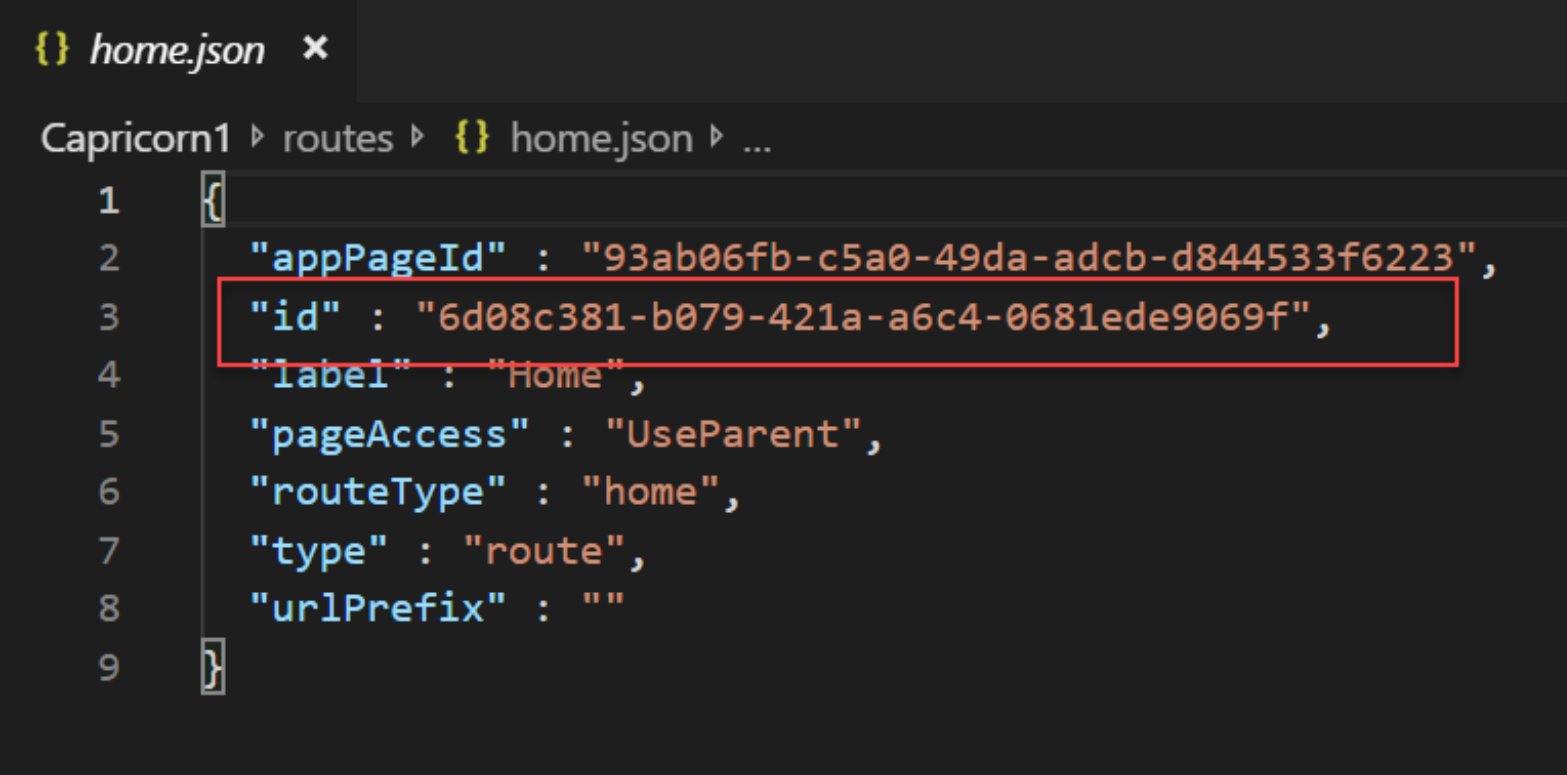
- Example group name: 6d08c381-b079-421a-a6c4-0681ede9069f
- Branding Set
- Format: themeId$#$Branding
-
To get the themeId:
- In the site JSON, go to the themes folder.
- Go to the file for the theme that owns the branding set, for example,
customerService.json.
The id is the themeId.
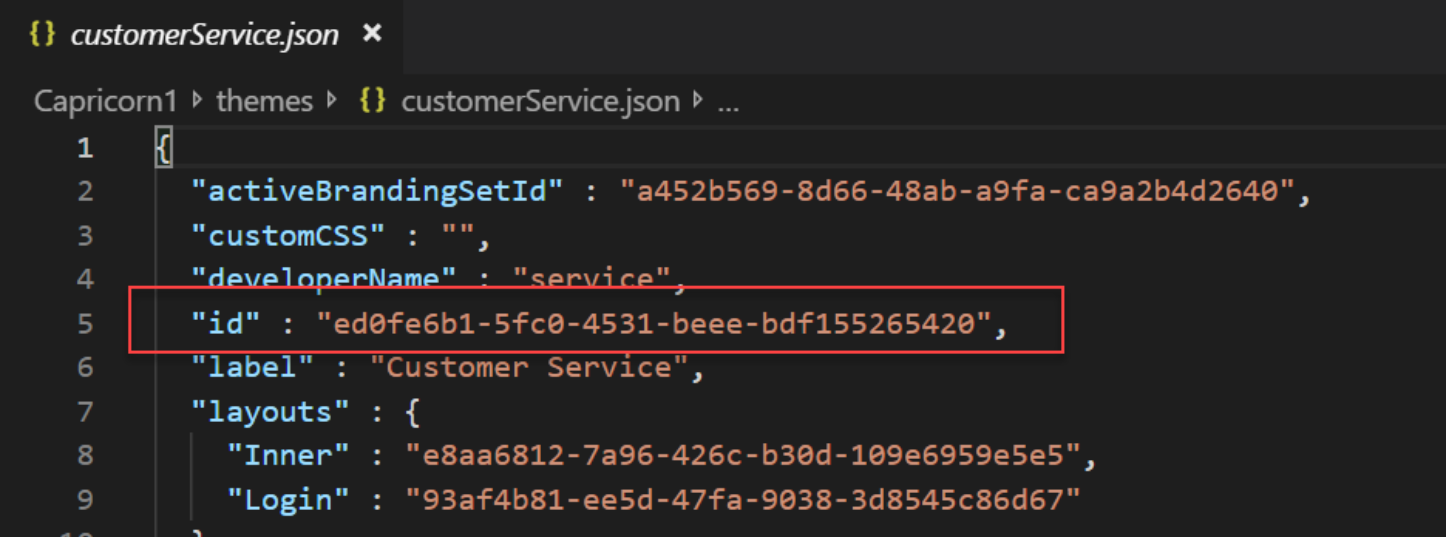
- Example group name: ed0fe6b1-5fc0-4531-beee-bdf155265420$#$Branding
- Component Visibility
- Format: viewId$#$componentId
-
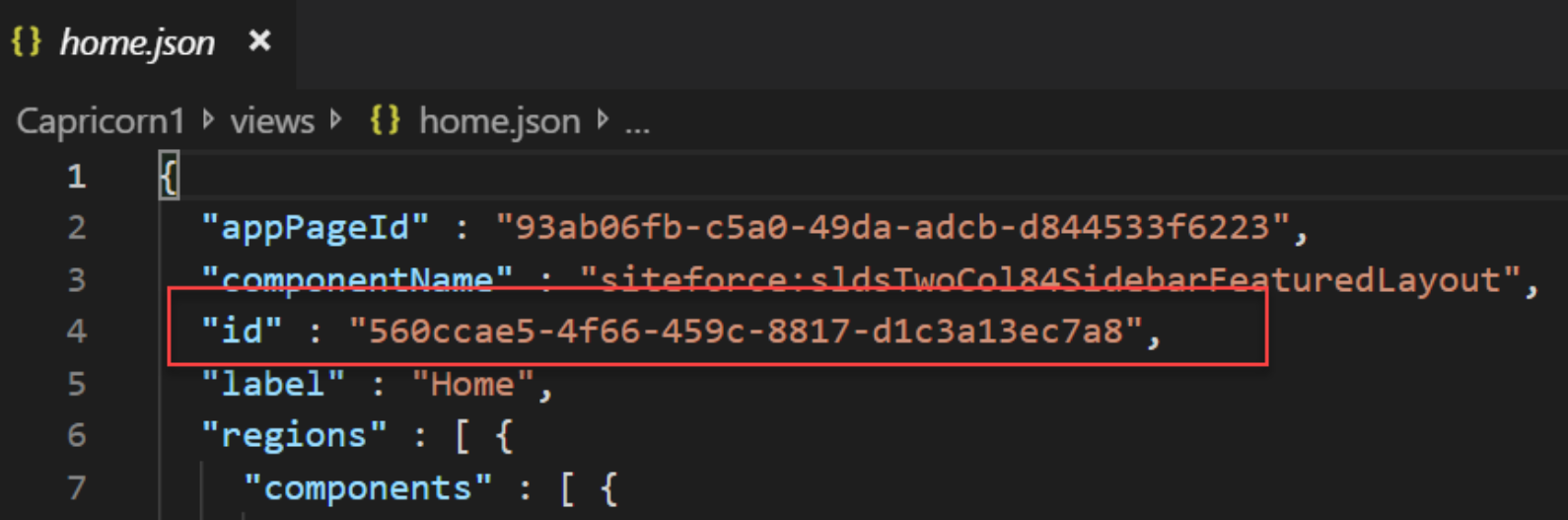
To get the viewId and componentId:
- In the site JSON, go to the views folder.
- Go to the file for the view (page variation) that the component is on, for
example, home.json.
The id is the viewId.
- In the same JSON view file. go to the component.
The id is the componentId.
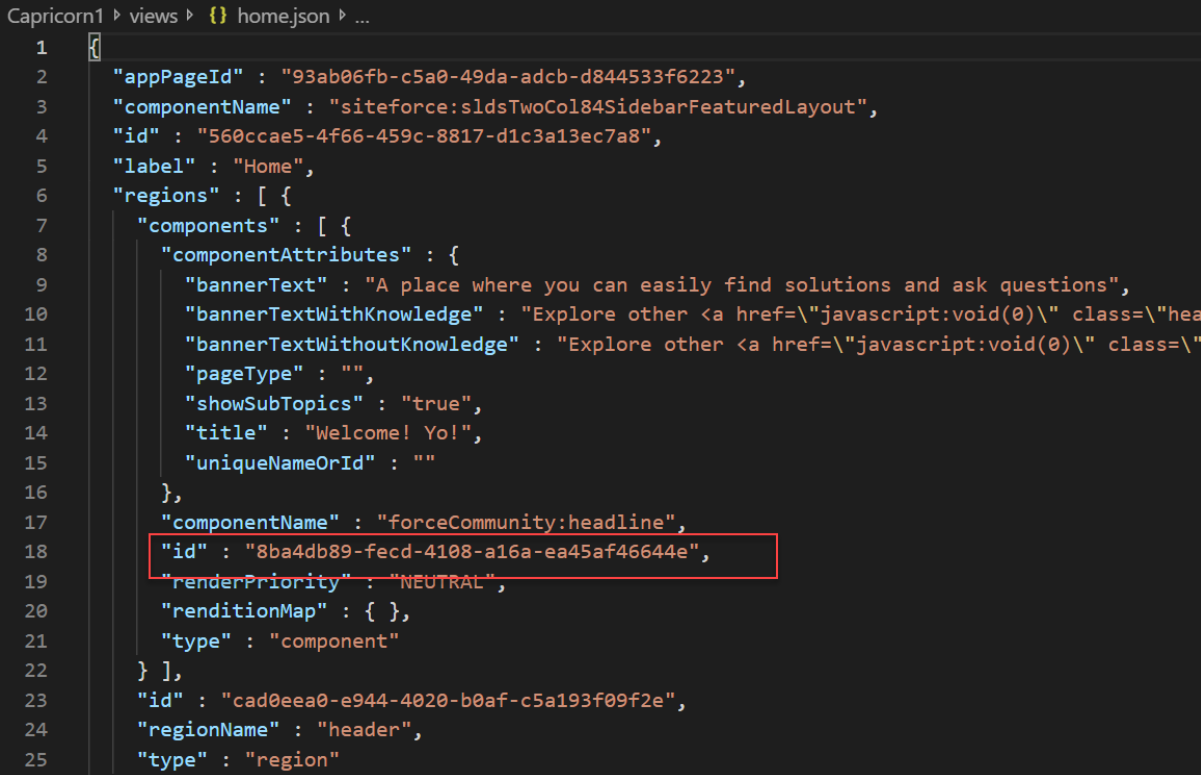
- Example group name: 560ccae5-4f66-459c-8817-d1c3a13ec7a8$#$8ba4db89-fecd-4108-a16a-ea45af46644e