


ISVforce Guide
 j
jNewer Version Available
Enable the SignupRequest API
Log a case in the Partner Community to enable the SignupRequest API in your
org.
- Check to see if the SignupRequest API is enabled in your business org.
- Log in to your business org.
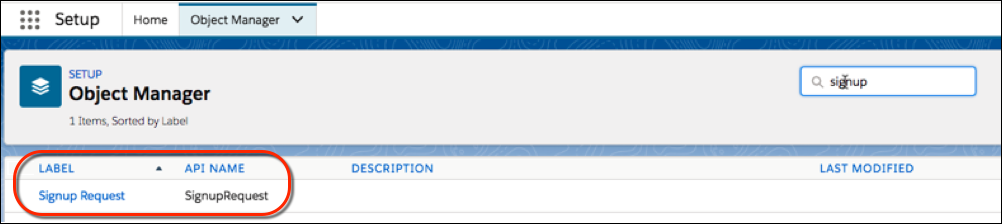
- From Setup, enter Object Manager in the Quick Find box, then click Object Manager.
- Verify that the Signup Request object appears. If you don’t see this object, log a case to enable the SignupRequest API.
- Log a case to enable the SignupRequest API.
- Log in to the Partner Community.
- Under the Support tab, click New Case.
- In the AppExchange Partner (ISV) Technology category, hover over Trialforce and then click Create a Case.
- Select a severity level.
- Enter a case subject.
- In the Subtopic dropdown list, select Signup API Feature Request.
- Provide the required case details.
- Click Submit Case.