


ISVforce Guide
 j
jNewer Version Available
Enable the SignupRequest API
Log a support case in the Salesforce Partner Community to enable the SignupRequest API
in your org.
Enable the SignupRequest API in your business org. Then you can easily integrate sign-up
data with your existing business processes. For example, create a workflow rule to
convert sign-up requests into leads and run reports to track the number of sign-ups in a
given period.
- Log in to your business org to check if the SignupRequest API is enabled in your business org.
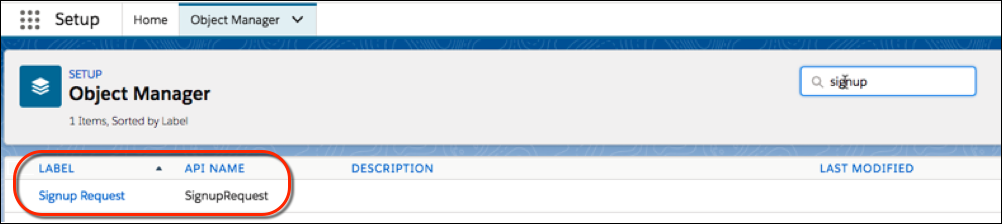
- From Setup, in the Quick Find box, enter Object Manager, and then select Object Manager.
-
Verify that the Signup Request object appears. If you don’t see this object,
log a case to enable the SignupRequest API.
- To enable the SignupRequest API, log in to the Salesforce Partner Community.
-
Click the question icon
 and then click
Log a Case for Help.
and then click
Log a Case for Help.
- Select Salesforce Partner Program Support. If you don’t see the Salesforce Partner Program Support tile, use the org picker to select the org that’s associated with your Salesforce partnership account.
- For product, enter and select Partner Programs & Benefits.
- For topic, enter and select ISV Technology Request.
- Provide any other required details, and then click Create Case.