


Lightning Flow for Service Developer Guide
 j
jNewer Version Available
Keep Steps Visible on Your List
Hide the remove option for actions that you want agents to complete. Agents can’t
remove these steps, so they remain on the list unless they’re completed.
By default, steps on the Actions & Recommendations component are removable. However, if
you choose, you can hide the remove option from users.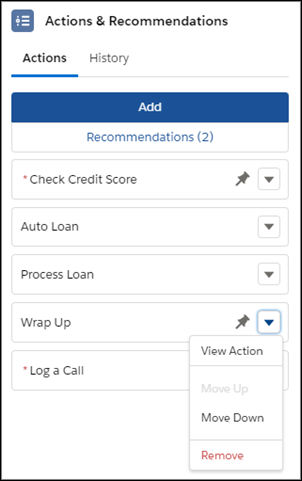
Maria, the Salesforce admin at Awesome Bank, wants to make sure that agents complete the
Check Credit Score flow. In addition to marking the flow mandatory, she can hide the remove
option in one of these ways.
- When Maria configures channel defaults in a deployment, she selects the Check Credit Score flow in the preview area and marks it as not removable.
- If Maria uses Process Builder and creates RecordActions, she can set the Hide Remove Action in UI attribute in the RecordAction to True.
- If Maria uses an API to define RecordActions, she can set the attribute in the RecordAction.