


Service Cloud Voice Implementation Guide
 j
jNewer Version Available
InvokeSalesforceRestApiFunction Lambda Function
Configuration: This function is available to Service Cloud Voice customers who are using an Amazon Connect instance that’s provided by Salesforce. This function uses OAuth, which requires an associated connected app in your org. This app is automatically set up for you when you enable Voice.
This Lambda function uses the environment variable SALESFORCE_REST_API_ENDPOINT_BASE to point to the Salesforce org API endpoint. (For example, https://MY_DOMAIN.my.salesforce.com/services/data/v50.0.) This variable is automatically created when you set up Service Cloud Voice. However, if you get a response of { success: false }, verify that this Lambda environment variable is correct.
Sample Contact Flows That Use This Function: Sample_SCV_REST_Check_For_Open_Cases, Sample_SCV_REST_Link_Call_To_Case. To download these flows, visit our Sample Contact Flows folder in GitHub.
Limitations: This Lambda function is subject to Salesforce API request limits and allocations.
Usage: Use this function to create a record, update an existing record, or query for a record. To learn more about programmatically managing Salesforce records, refer to the Object Reference for Salesforce and Lightning Platform and the Salesforce REST API Developer Guide.
This Lambda takes a “methodName” attribute as an argument. This attribute indicates the specific action that the Lambda must perform.
| Action | methodName Value | Other Required Attributes |
|---|---|---|
| Create a Salesforce record | createRecord |
|
| Update an existing Salesforce record | updateRecord |
|
| Query for a Salesforce record | queryRecord |
soql containing the desired SOQL query.
For
example: |
| methodName | Output Attribute Name | Description |
|---|---|---|
| createRecord | recordId | ID of the newly created record. |
| updateRecord | None | N/A |
| queryRecord |
Names match the names of the fields you queried. |
A list of the selected fields. Each attribute contains a different field. Regardless of your query, only the first resulting record is returned. |
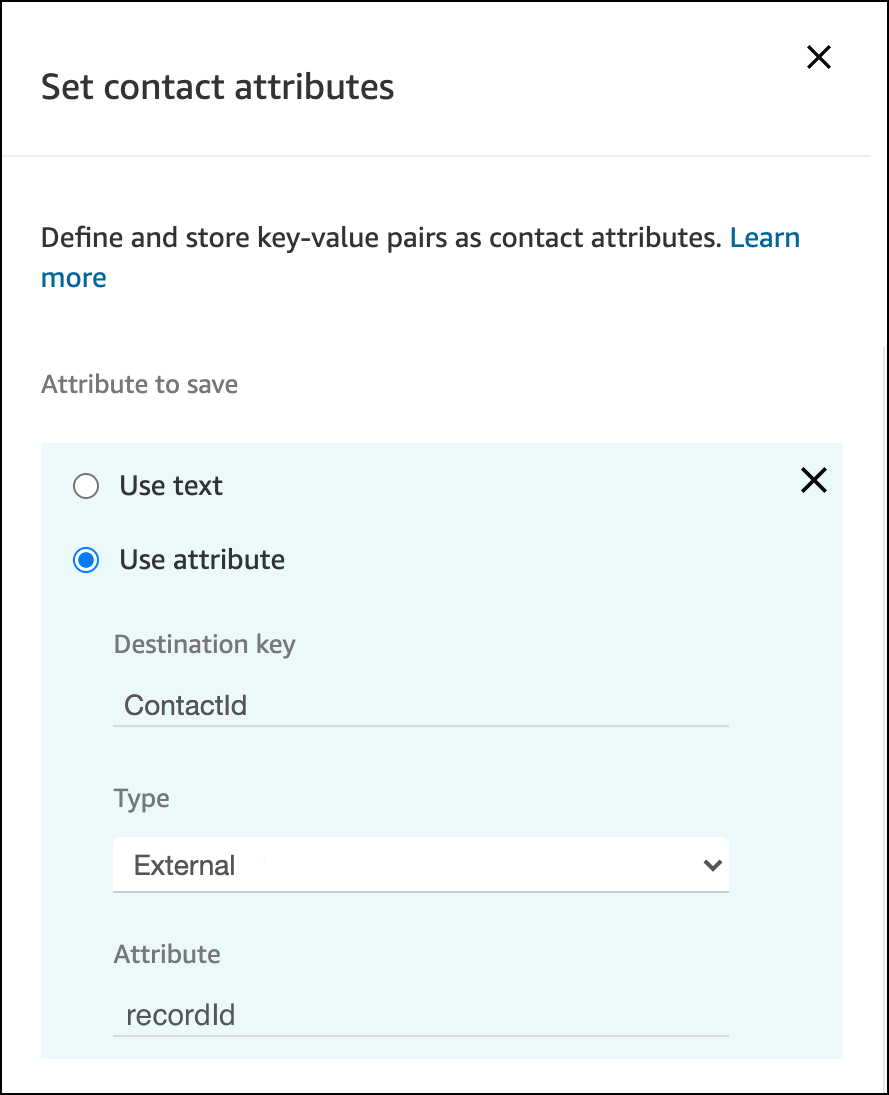
TIP: To check that the function returned information successfully, add a condition to a Check contact attributes block to check an output attribute based on some detail you expect to see in the result. For instance, let’s say you’re creating a contact record. A contact ID always contains “003” in the ID value, so you can use that information to check the success or failure of the call. The first step is to store the return attribute in a user-defined attribute by using a Set contact attributes block:
And then you can use a Check contact attributes block to access this user-defined attribute:
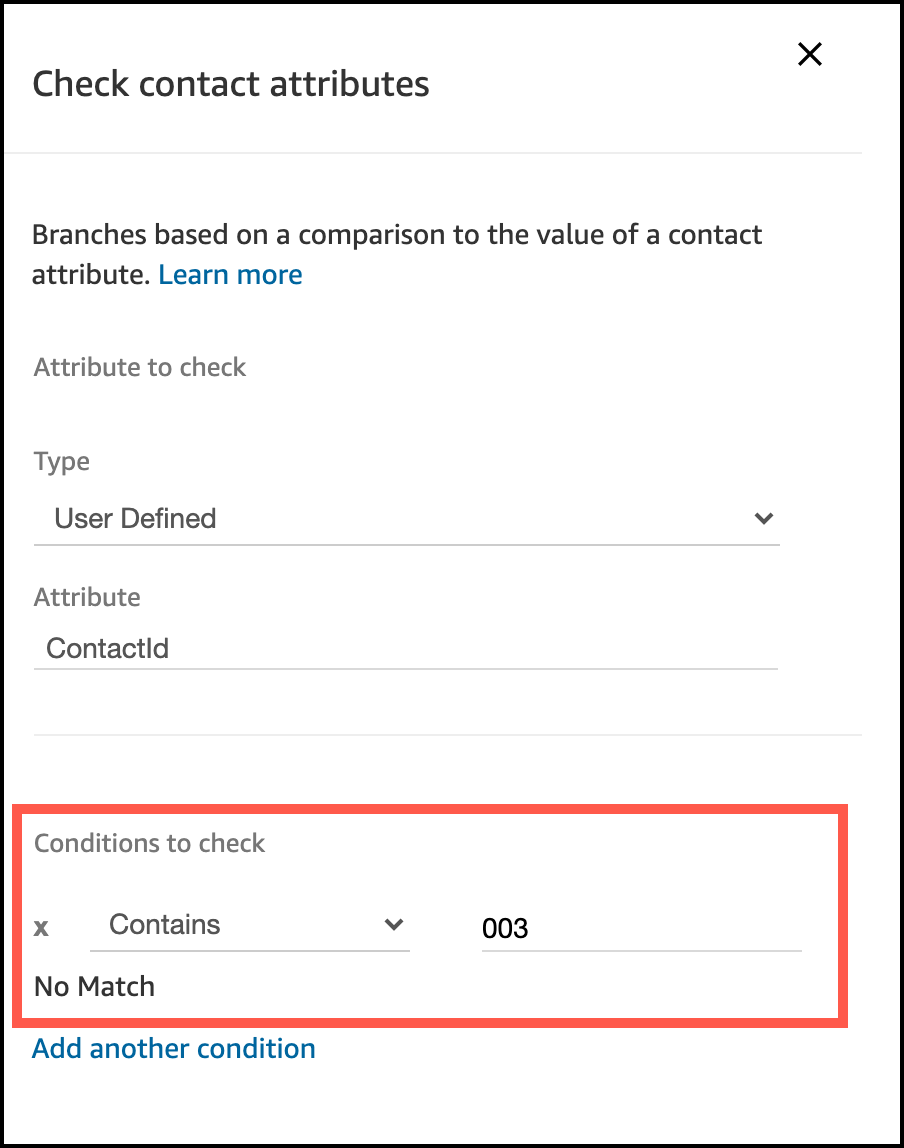
Build your contact flow logic based on this result.
