


Connect REST API Developer Guide
 j
jNewer Version Available
Action Link Group Definitions
Create an action link group definition. To
associate an action link with a feed element, first create an action link group definition.
Then post a feed element with an associated actions capability.
All action links must belong to a group. Action links in a group are mutually exclusive and share some properties. Define standalone actions in their own action group.
This image shows a feed element with one action link group containing two action links,
Download and Order.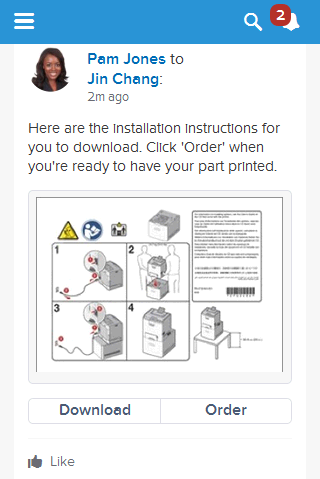
- Resource
-
- Available since release
- 33.0
- Requires Chatter
- No
- HTTP methods
- POST
The Action Link Group Definitions resource doesn’t support query parameters for POST. You must use an Action Link Group Definition Input request body.
- Request body for POST
- Action Link Group Definition Input
- Response body for POST
- Action Link Group Definition
- Example for POST
- To associate an action link group with a feed item, first create an action link group definition:
-
- Next, associate the action link group with the feed item and post the feed item. Grab the action
link group ID from the /connect/action-link-group-definitions response and pass it in a POST
request to /chatter/feed-elements.
- Different types of action links have different workflows to set their status property, whose value displays in the UI. See /connect/action-links/actionLinkId for more information.