


Service Cloud Voice for Partner Telephony Developer Guide
 j
jNewer Version Available
Add a Partner Settings UI to Omni-Channel
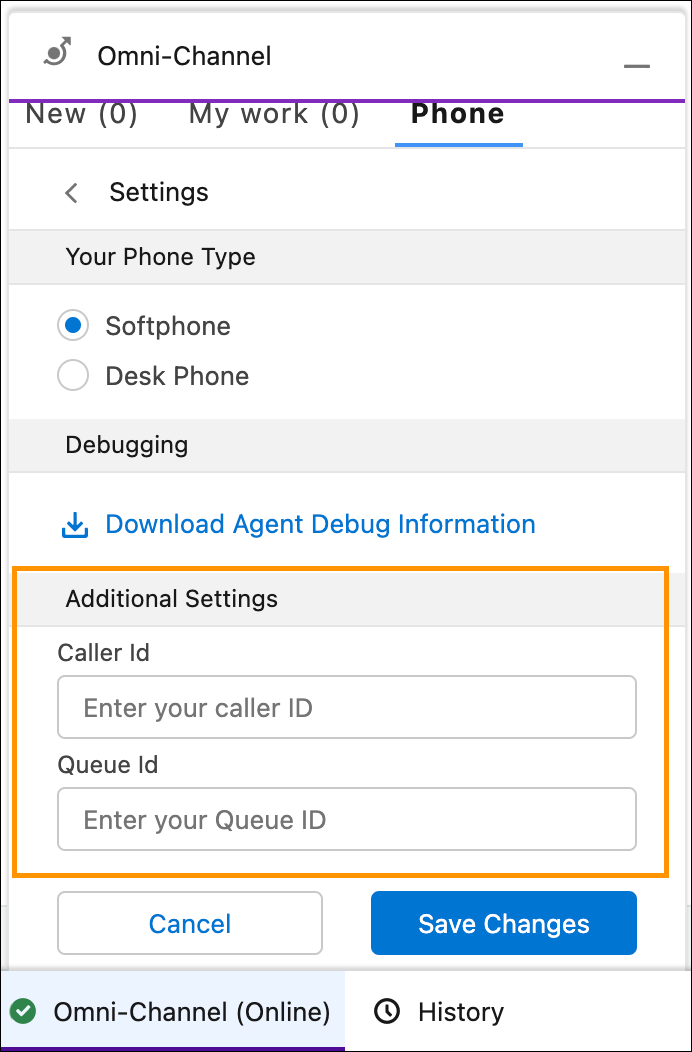
This Lightning web component (LWC) can show any available LWC elements, such as radio boxes, checkboxes, comboboxes, input boxes.
To make this feature available, Partners have to provide the fully qualified name of the Lightning component from within Conversation Vendor Info, along with the LWC component in the published package. Salesforce reads the component name from the Conversation Vendor Info and displays the partner component from within the Omni-Channel widget.
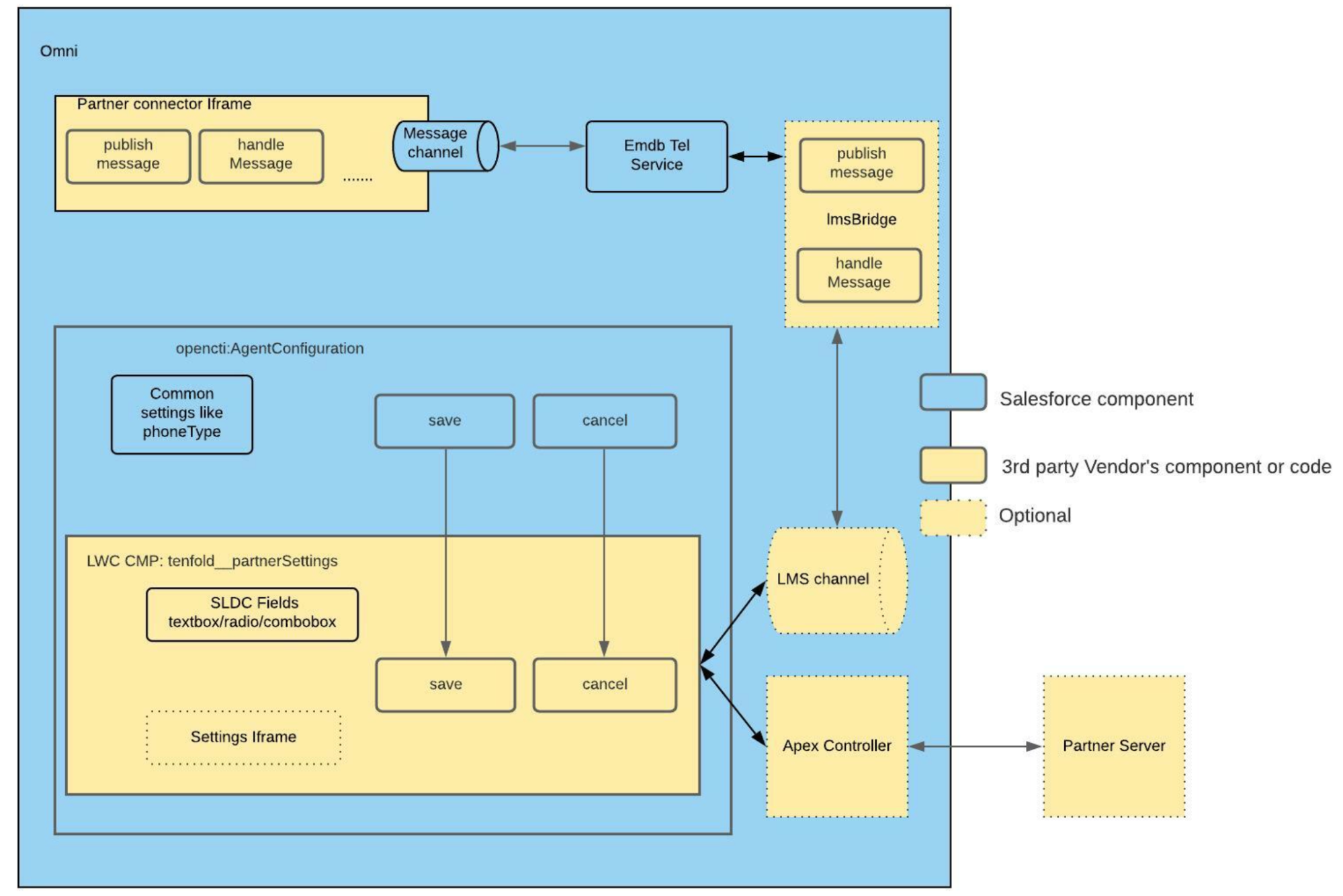
To fully integrate the LWC component, partners must provide the mandatory hooks for Save and Cancel. The following diagram illustrates how the LWC component interacts with other components.
In Conversation Vendor Info, set the TelephonySettingsComponent field to {namespace}:{componentName}.
Sample agentConfig.html:
1<template>
2  <div class="slds-p-left_large slds-p-right_large">
3    <lightning-input type="text" label="Caller Id" onchange={onCallerIdChange} value={callerId} placeholder="Enter your caller ID">
4    </lightning-input>
5    <lightning-input type="text" label="Queue Id" onchange={onQueueIdChange} value={queueId} placeholder="Enter your Queue ID">
6    </lightning-input>
7  </div>
8</template>
Sample agentConfig.js:
1import { LightningElement, track, api } from 'lwc';
2export default class AgentConfig extends LightningElement {
3    @track queueId;
4    @track callerId;
5    _settings = {};
6
7    onQueueIdChange(event) {
8        this.queueId = event.detail.value;
9    }
10
11    onCallerIdChange(event) {
12        this.callerId = event.detail.value;
13    }
14
15    @api
16    save() {
17        this._settings = {
18            queueId: this.queueId,
19            callerId: this.callerId
20        };
21    }
22
23    @api
24    cancel() {
25        this.queueId = this._settings.queueId;
26        this.callerId = this._settings.callerId;
27    }
28}