


Mobile and Offline Developer Guide
 j
jNewer Version Available
Understand the Mobile Development Cycle
Everyone’s development process is different, in ways large and small. But no matter how different, there are common aspects of the active development cycle — the “lather, rinse, repeat” — that every productive developer uses. Developing mobile components is no different in that regard, but there are some differences in the details. In particular, there are unique challenges in examining code during development that require some specialized tools and techniques.
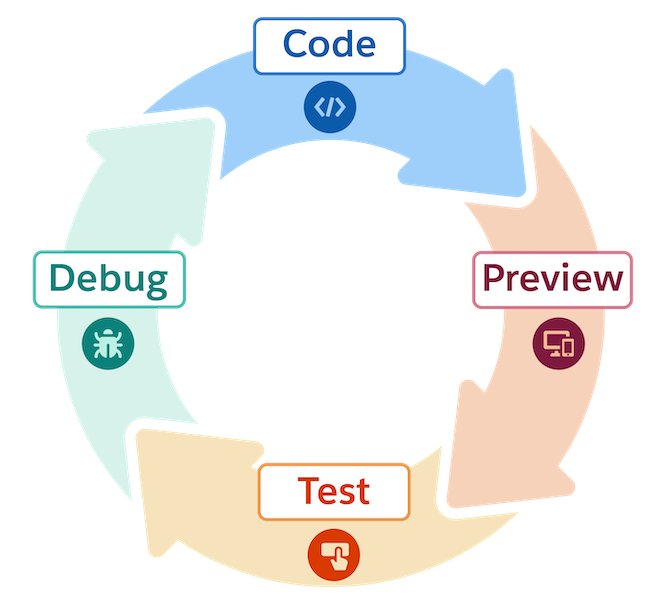
Code
You know what this part is. Actually writing code in your development editor of choice. Coding is the fun part of every developer’s job, and the more time you can spend doing it, the happier you are (usually). For LWC developers working on mobile apps, the editor of choice is VS Code. Salesforce provides multiple extensions for VS Code to make your mobile dev work easier, including Salesforce DX extensions, mobile extensions, and code validation.
Preview
Get the current version of your code into a container that can run it. Previews need to be a fast, lightweight process, not a release ceremony. Salesforce mobile extensions for VS Code make this happen, whether you want to preview your components in development in a local preview environment, in the Test Harness app, or in an official Salesforce mobile app on a virtual or physical device.
Test
Testing is an overloaded term in software development. There are many different kinds of testing. For your daily, interactive development work, the focus is on manually testing the behavior of the code you just added or changed. Once your component is in a preview environment, being able to tap on the app, navigate the user interface, and interactively play with your component or app is straightforward.
Debug
“Where did it all go wrong?” is a question every developer asks, usually many times a day. Debugging is how you answer that question.
“Why doesn’t X happen when I do Y?” and “What does happen when I do Y?” are questions you need real debugging tools to help answer. LWC developers depend on standard debugging tools like Chrome DevTools and Safari Web Inspector to look inside their components to understand behavior. Mobile developers can use these same tools but, because LWC Offline code runs inside a mobile app instead of a web browser, it’s a bit trickier to attach a JavaScript console to the web view. The mobile Test Harness app gives you not only a debuggable web view, but also a collection of specialized tools and functions to inspect the underlying behavior of your component code while running offline.