


Loyalty Management Developer Guide
 j
jNewer Version Available
Walkthrough of the Sample App for Loyalty Management Mobile SDK
- Access the Sample App.
After the sample app is built, Adam accesses the sample app from his iOS or Android mobile device.
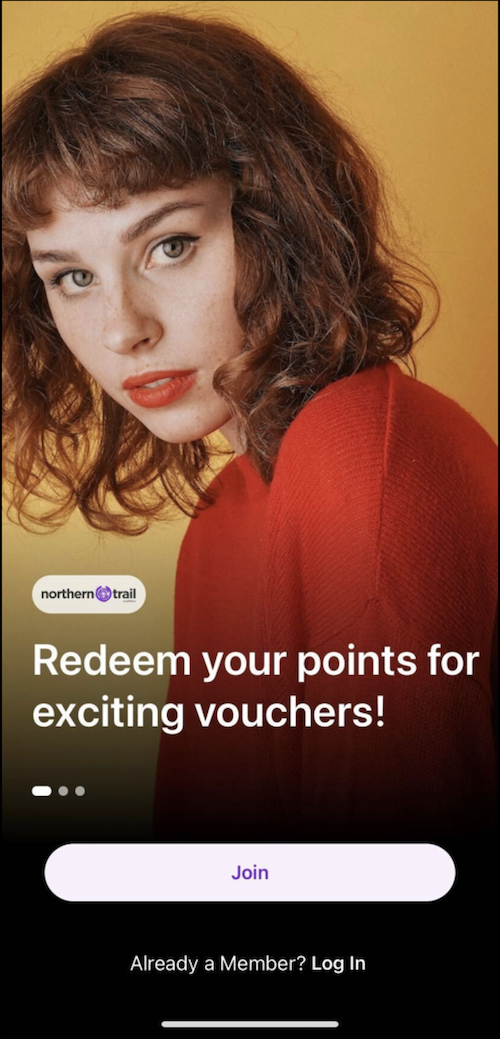
- Enroll as a Member.
Adam is excited to join the NTO Insider program and experience the various benefits available for an NTO Insider program member. Adam uses his Experience Cloud site email address to enroll in the NTO Insider program.
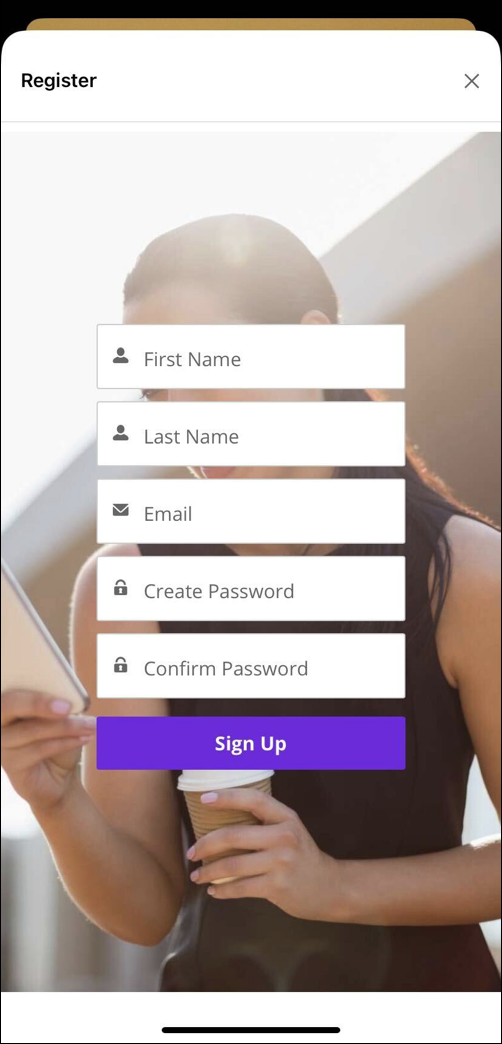
Adam can now earn points and receive exclusive rewards.
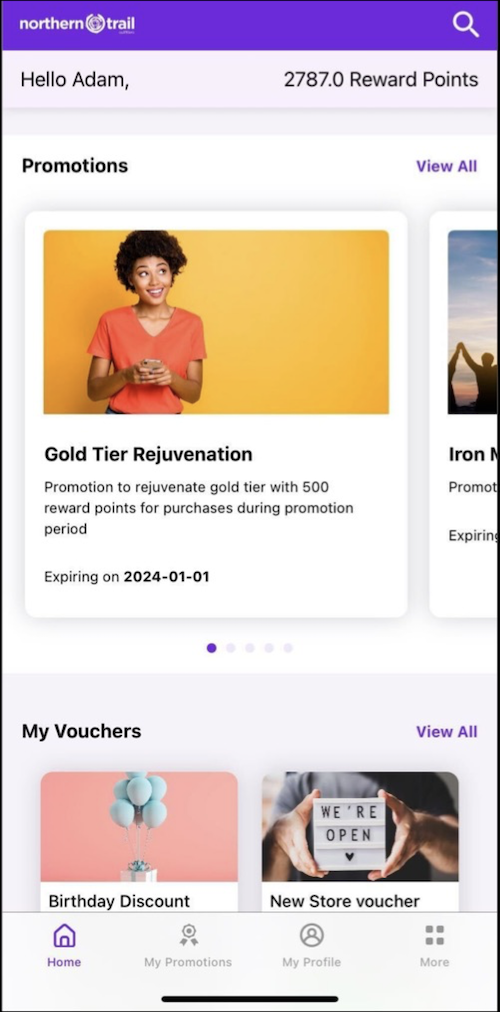
- View the Home Page.
Adam checks his details on the home page. He notices the reward points, the available promotions to opt in and opt out, and his vouchers.
- Opt In for a Promotion.
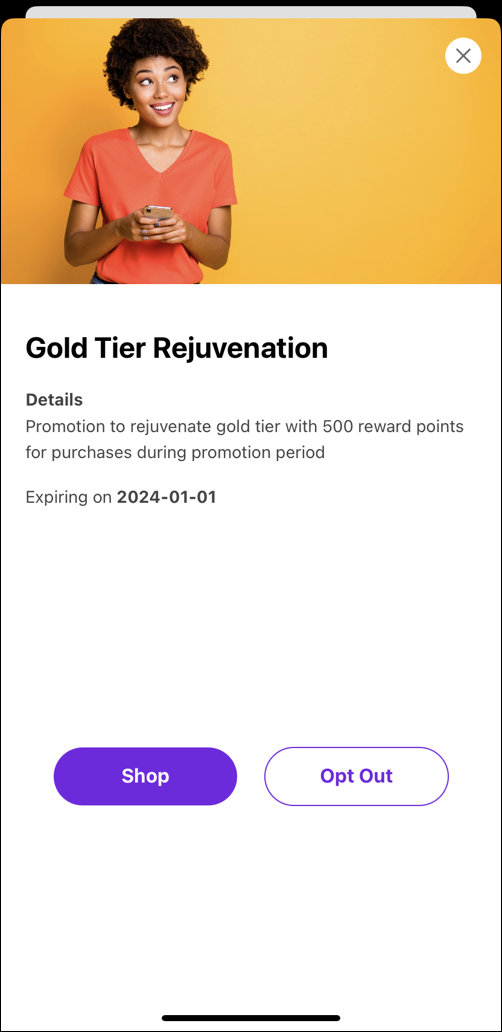
Among the list of promotions, Adam is interested in the Gold Tier Rejuvenation promotion.
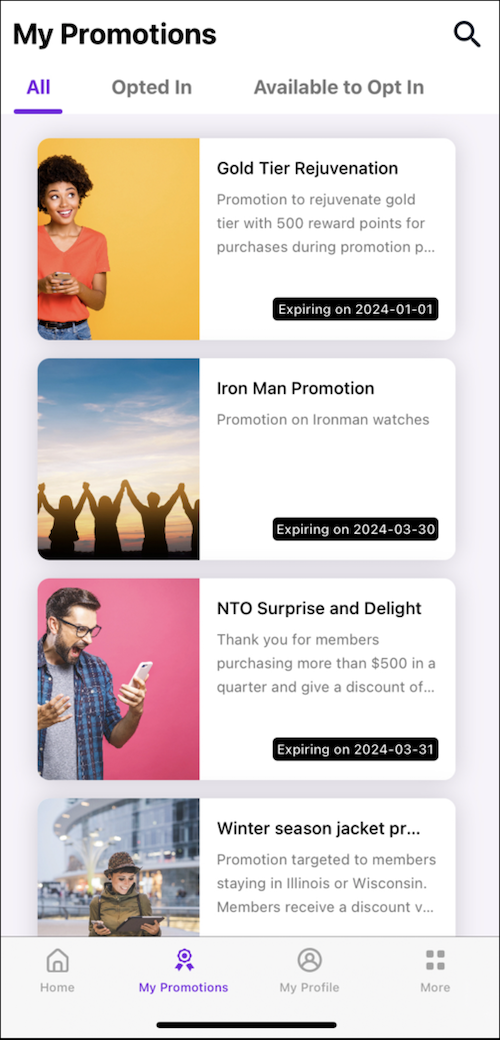
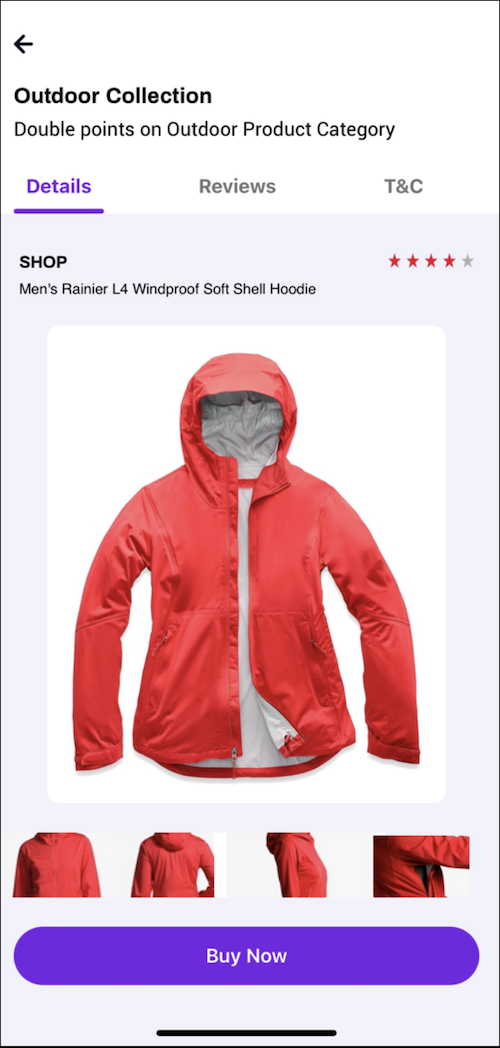
This promotion offers him 500 reward points for purchases made during the promotion period. Adam also has an upcoming travel plan and purchases a jacket.
- Checkout.
Adam enters the shipping and payment details, and buys the red jacket.
- View Transactions.
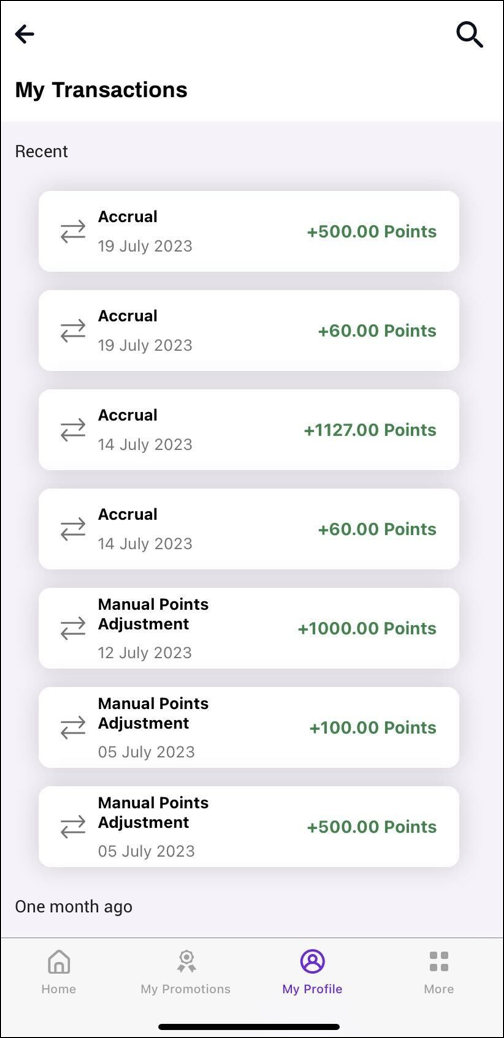
Adam notices an increase in the reward points and the latest transaction accrual of 500 points.
- View Vouchers.
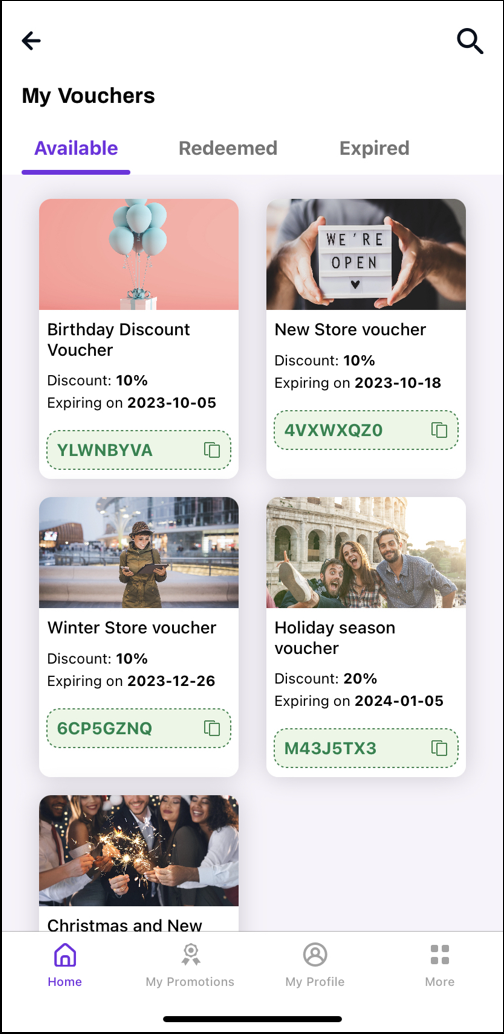
After purchasing the product, Adam is elated to find a Holiday season voucher, which provides a 20% discount on his next purchase.
- View Profile.
Adam wants to shop at a store and earn points for his purchase. He goes to the My Profile tab on his phone and displays the QR code for scanning.
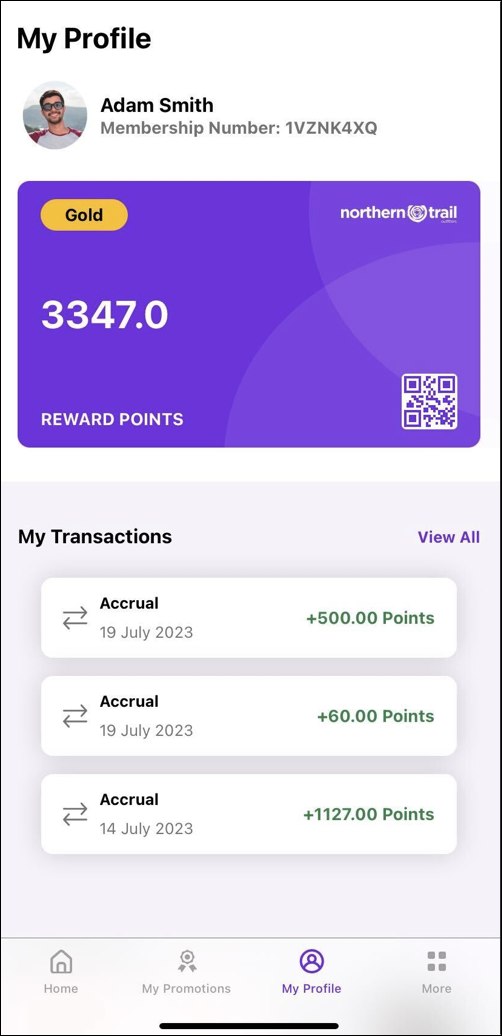
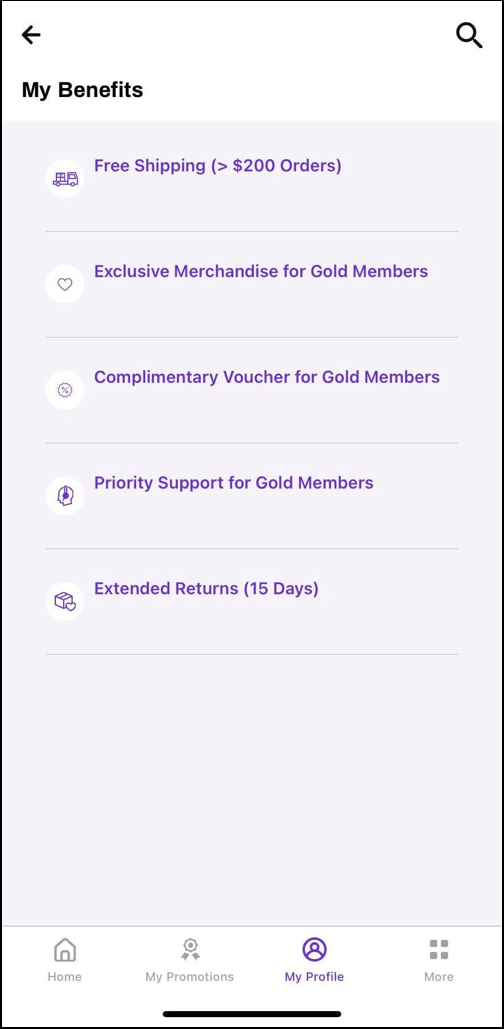
The profile also shows Adam’s transaction history, vouchers, and the member benefits.
- View games
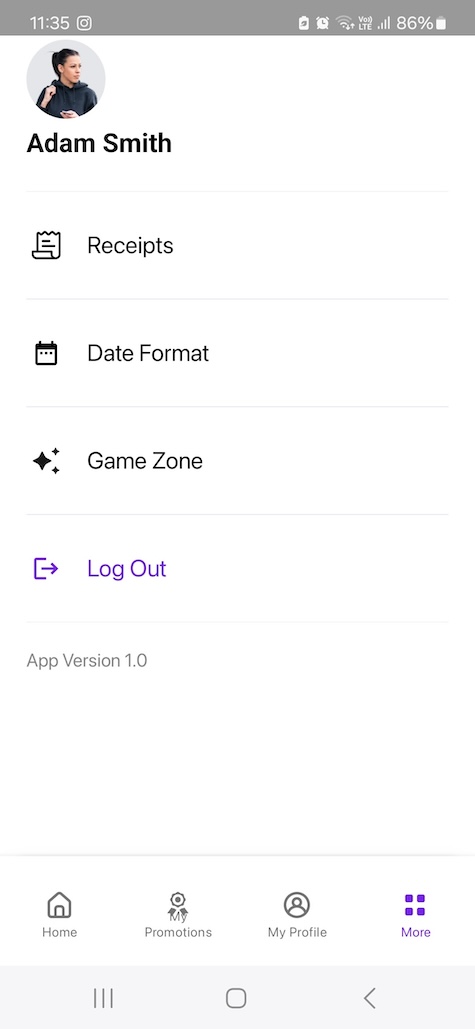
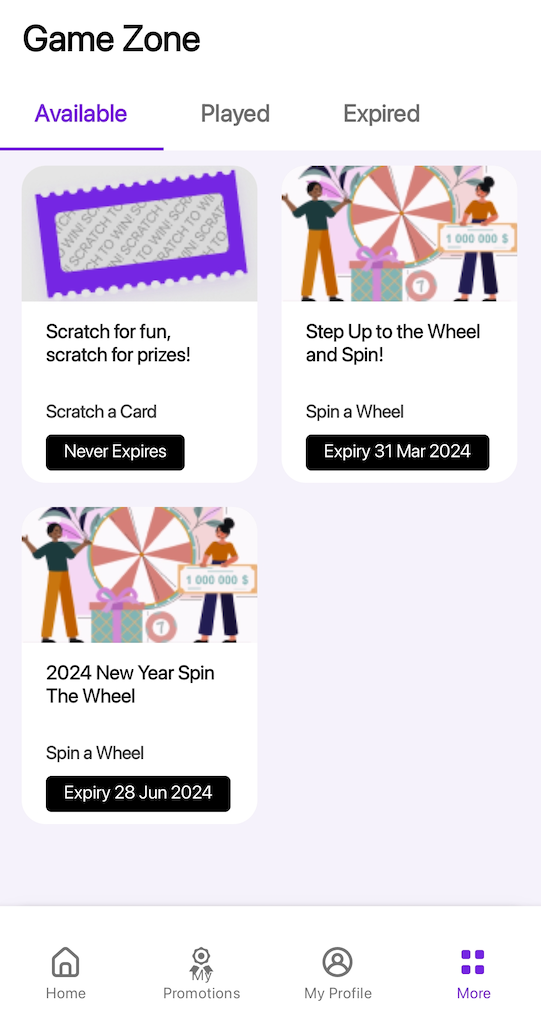
Adam goes to the Game Zone tab. He sees all the games he’s eligible to play to win a reward, the games he has already played, and the expired games.
- Play a game
Adam is excited to play the 2024 New Year Spin the Wheel game. He opens the game, and taps Spin.
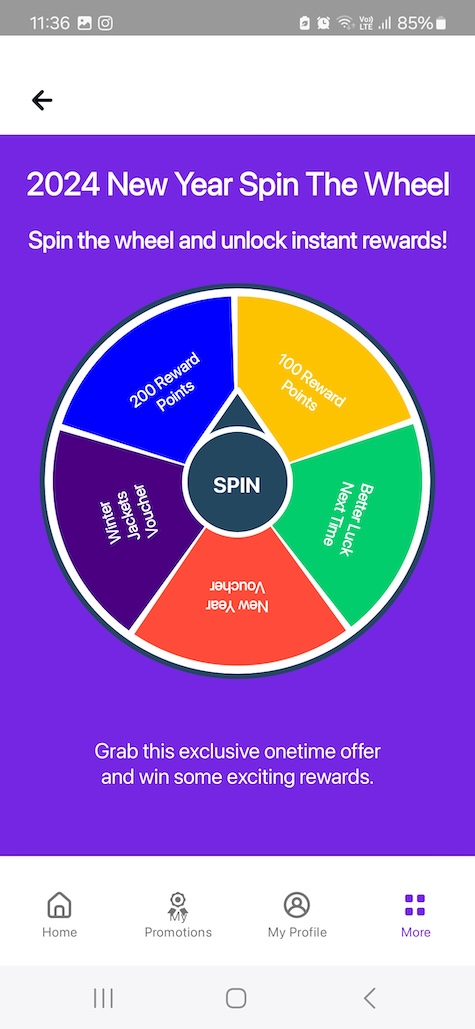
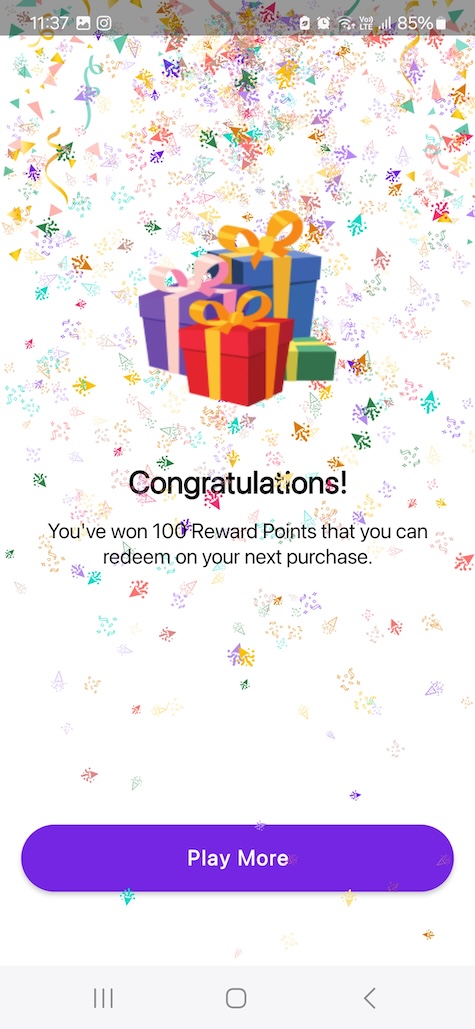
Adam just won 100 reward points, which he can redeem on his next purchase.