Experience Cloud Developer Guide
 j
jNewer Version Available
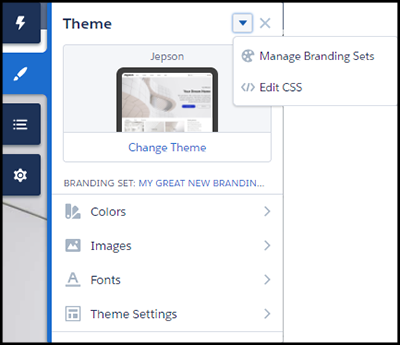
Update a Template with the Theme Panel
Within Experience Builder, the simplest way to change the look of a template is with
the Theme panel. Administrators can quickly style an entire sites using the theme panels to
apply colors, specify fonts, add a logo, or adjust general page structure and
defaults.
The properties set in the Theme panel apply to the pages in a template and most off-the-shelf components. Use Branding Sets to quickly apply bundles of colors, images, and fonts.
The Theme panel’s properties also apply to custom Aura components that use standard design tokens to control their appearance.