


Platform Events Developer Guide
 j
jNewer Version Available
Subscribe to Platform Event Messages with Flows
Launch a Flow When a Platform Event Message Is Received
Create a platform event–triggered flow. From the Start element, choose a platform event whose event messages trigger the flow to run.
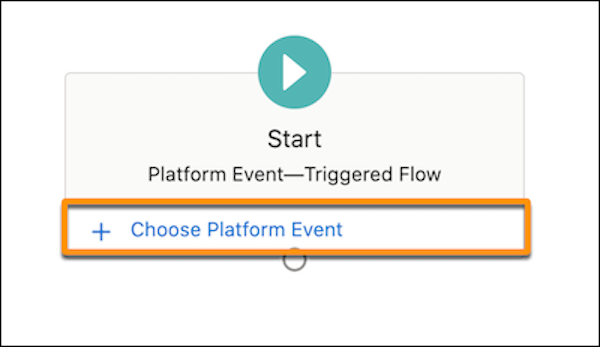
As you build the flow, you can use the field values from the platform event message by referencing the $Record global variable.
Resume a Flow When a Platform Event Message Is Received
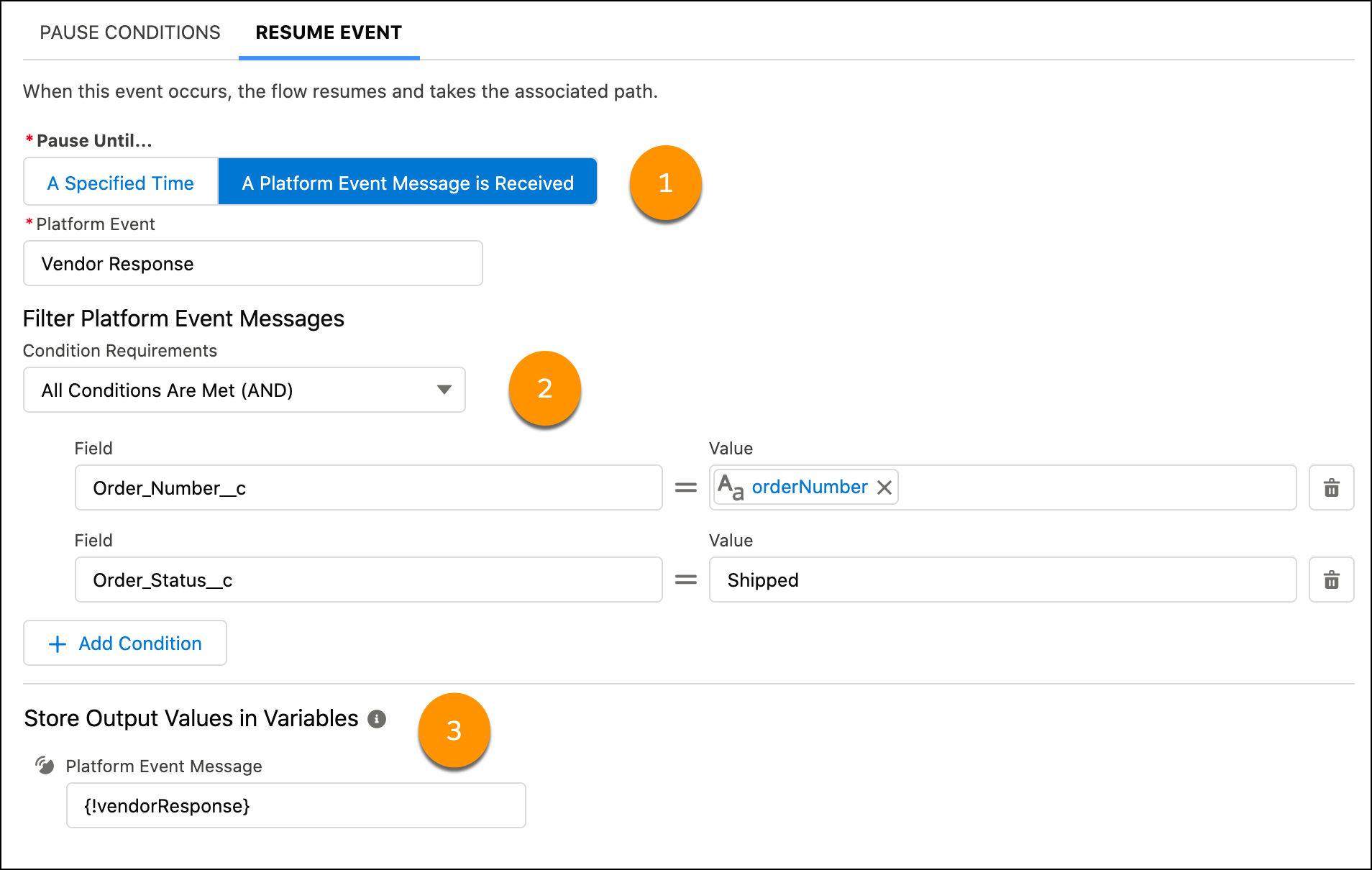
- (Optional) Specify conditions that determine whether to pause a flow interview.
- Select the platform event that the flow interview subscribes to.
- Identify the values that a received event message must have to resume the flow interview.
- (Optional) Create a record variable in the flow to store the data from the event message that resumes the flow interview.
Example
This Pause element is set up to resume a flow interview when a vendor response event message is received (1). The order number in the event message must match the flow’s orderNumber variable value, and the order status must be Shipped (2). When the flow interview resumes, the vendorResponse record variable is populated with the data from the event message (3).
Flow and Platform Event Considerations
If platform event–triggered flows, paused flow interviews, and processes are subscribed to the same platform event, we can’t guarantee which one processes each event message first.
Platform event–triggered flows and flow interviews evaluate platform event messages in the order they’re received. The order of event messages is based on the event replay ID. A flow can receive a batch of event messages at once, up to a maximum of 2,000 event messages. The order of event messages is preserved within each batch. The event messages in a batch can originate from multiple publishers.
Each platform event–triggered flow or resumed flow interview runs asynchronously in a separate transaction from the transaction that published the event message. As a result, there can be a delay between when an event message is published and when the subscribed flow or interview evaluates the event message.
Debug logs for platform event–triggered flows and resumed flow interviews appear under the Automated Process user. But each flow interview runs in the context of the user who published the event message. So, for example, if a flow interview creates or updates records, system fields like CreatedById and LastModifiedById reference the user who published the event message.
If an event fails, the flow doesn't start. Because the flow is never triggered, a flow error email isn't sent. To debug flow-related errors, look for errors generated by the platform event.