


Mobile and Offline Developer Guide
 j
jNewer Version Available
Test Harness Debug Tab
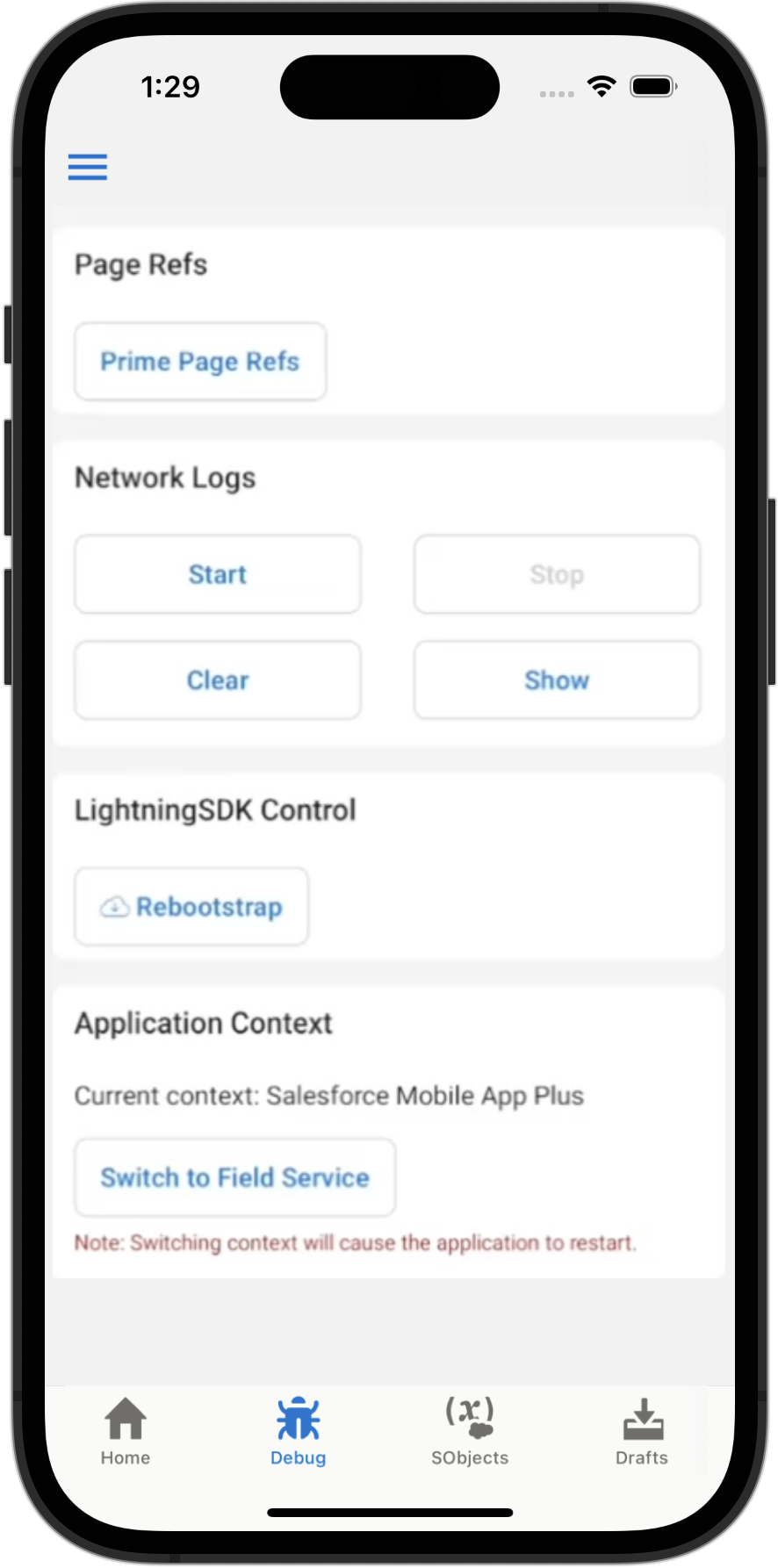
Page Refs
This is an advanced feature. It allows you to provide a list of resources to be primed by the LWC Offline engine. Each resource is specified as a PageReference using JSON.
Network Logs
This card allows you to capture and inspect details regarding the network requests made by your Lightning web components. The tool captures requests after you tap Start, and stops capturing them when you tap Stop. To see a list of captured requests, tap Show. The list shows the type and URL of the request, and the response code and duration. Tap a specific request to see further details, such as the headers and body of the request and response.
LightningSDK Control
This card provides controls for affecting the LWC Offline engine. Currently, the only option is Rebootstrap. Use Rebootstrap to reload a component under development when you’ve made changes to the component’s code. This allows you to quickly reload a custom component, without quitting and restarting the Test Harness app.
Application Context
This card allows you to switch between applications for testing. Currently, the supported apps are the Salesforce Mobile App Plus and the Field Service App.
Field Service App users must have the Field Service Mobile license and permission set enabled. See Field Service Permission Set Licenses for more information.