


Mobile and Offline Developer Guide
 j
jNewer Version Available
Apex Results Are Separate from Other Primed Data
This is because Apex methods return arbitrary data, as an opaque data blob, rather than returning typed records in expected formats.
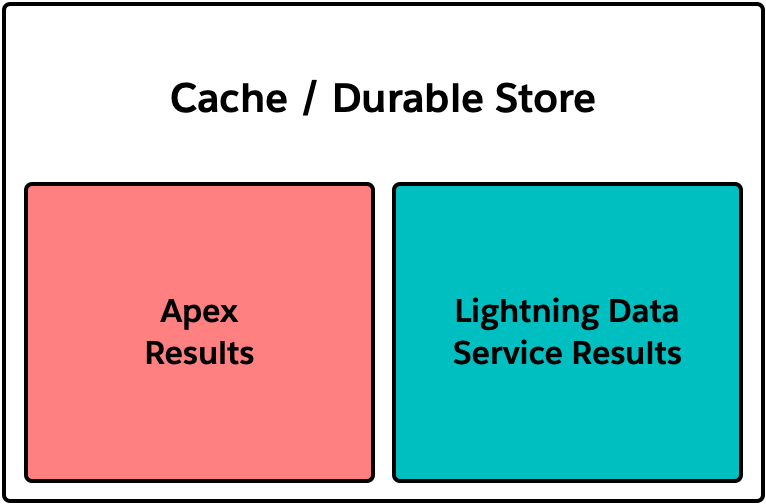
Data that’s loaded during priming activities, or that’s loaded using base components, wire adapters, and other built-in features of Lightning web components, is stored in one consolidated cache. In an offline-enabled mobile app, it’s also saved to the durable store for offline use. As you load new data, it’s merged into the local store of cached data. This merging includes updating existing items with changes loaded from Salesforce.
The mechanism that makes this possible is Lightning Data Service, or LDS. LDS results include metadata about the returned results. This metadata, sometimes referred to as ObjectInfo, allows LDS to treat the results as real Salesforce objects.
Apex requests are different. While Apex methods can return nothing more than records, there’s nothing that ensures this. Apex requests can return arbitrary data, in any format you build in your Apex code. As a result, Apex methods don’t return ObjectInfos for the data contained in the response. And without the ObjectInfos for the results, there’s no way to treat those results as Salesforce records—and therefore no way to merge them in with records saved locally by LDS.
To simplify the actual implementations, think of LDS results as being records that are indexed by record ID, with each record stored in a separate representation of a Salesforce object. In contrast, Apex results are stored as one big opaque blob per request, indexed on the request URL, including parameters.
While you can interpret structured data inside that opaque blob, LDS and the LWC framework can’t. If you load the same records with LDS and Apex, those records are stored separately, as duplicates. Updates to one copy don’t affect the other, unless you fire the Apex request again (to load changes performed via LDS), or tell the framework to reload stale LDS data (to load changes performed via Apex).
This poses a challenge for implementing features that use both the built-in data access features of Lightning Web Components and the fully customizable logic of Apex. Our advice is to use the Lightning base components whenever possible, then use LDS wire adapters, and then if necessary, use Apex. An extensive discussion of this tiered strategy can be found in Data Guidelines in the Lightning Web Components Developer Guide.