


Canvas Developer Guide
 j
jNote: This release is in preview. Features described here don’t become generally available until the latest general availability date that Salesforce announces for this release. Before then, and where features are noted as beta, pilot, or developer preview, we can’t guarantee general availability within any particular time frame or at all. Make your purchase decisions only on the basis of generally available products and features.
Enabling Canvas Personal Apps within an Organization
The administrator of an organization controls whether users can install canvas personal
apps within that organization. Before attempting to create a canvas personal app, verify that
the organization administrator has enabled canvas personal apps.
Here's how the organization administrator enables canvas personal apps.
- From Setup, enter Connected Apps in the Quick Find box, then select the option for managing connected apps.
- Next to App Access Settings, click Edit.
-
Select the Allow users to install canvas personal apps
checkbox.
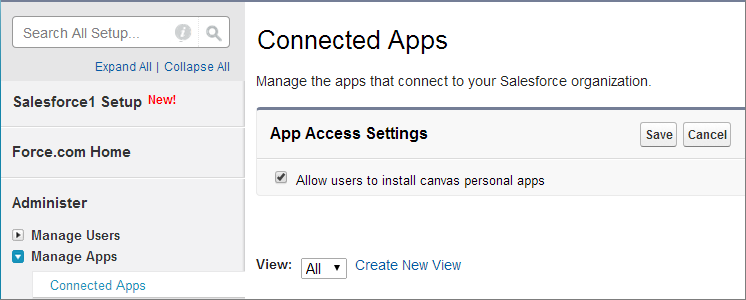
- Click Save.
After the administrator has done these steps, you can designate your canvas app as a canvas personal app. For details, see Making an App a Canvas Personal App.