


Open CTI Developer Guide
 j
jGet Started with Open CTI
| Supported Editions |
|---|
| Available in: Salesforce Classic (not available in all orgs) and Lightning Experience |
| Available in: Essentials, Professional, Enterprise, Performance, Unlimited, and Developer Editions |
To display CTI functionality in Salesforce, Open CTI uses browsers as clients. With Open CTI, you can make calls from a softphone directly in Salesforce without installing CTI adapters on your machines. After you develop an Open CTI implementation, you can integrate it with Salesforce using Salesforce Call Center.
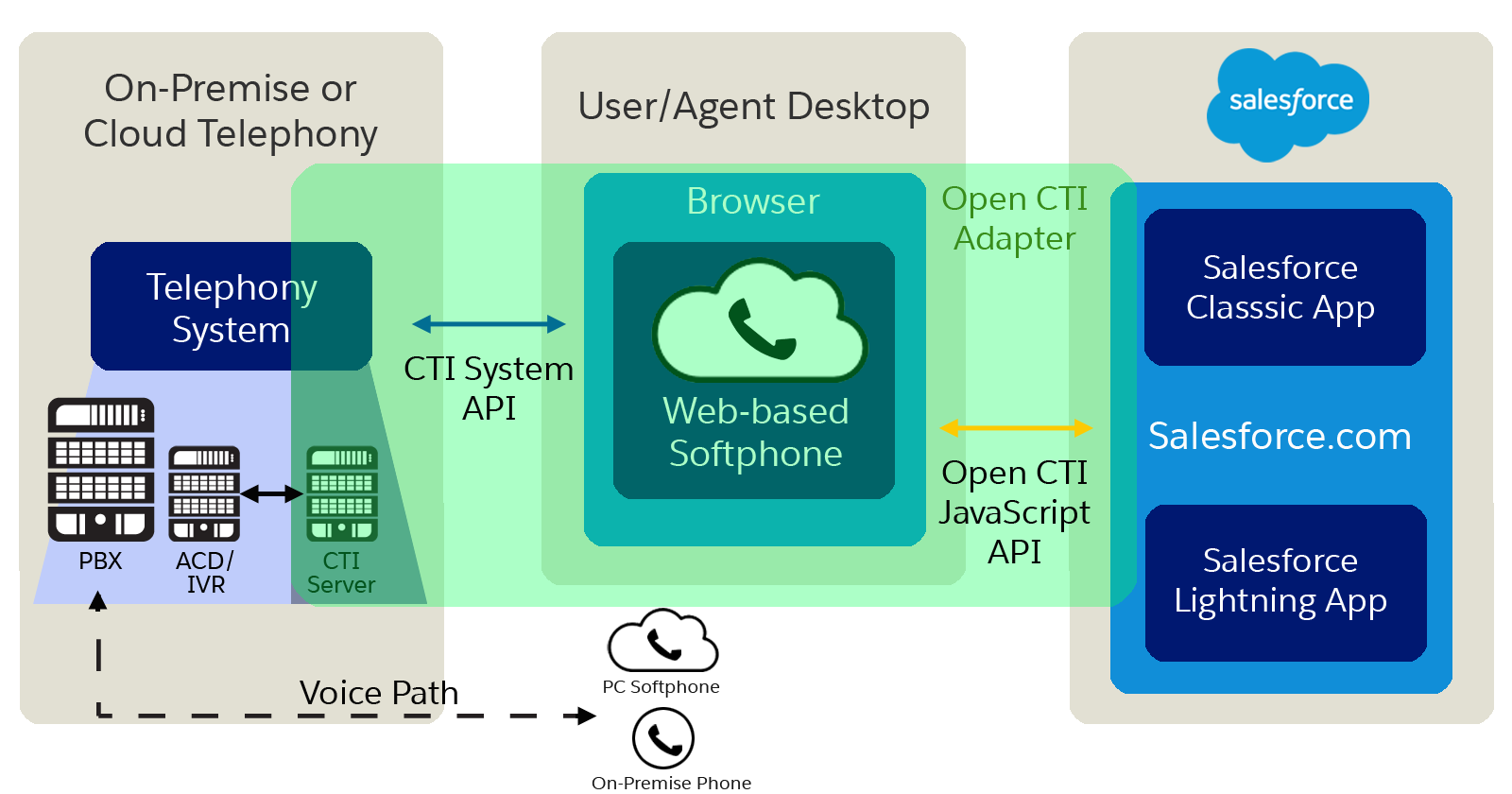
With Open CTI, you can:
- Build CTI systems that integrate with Salesforce without the use of CTI adapters.
- Create customizable softphones (call-control tools) that function as fully integrated parts of Salesforce and the Salesforce console.
- Provide users with CTI systems that are browser and platform agnostic, for example, CTI for Microsoft® Internet Explorer®, Mozilla® Firefox®, Apple® Safari®, or Google Chrome™ on Mac, Linux, or Windows machines.
To implement Open CTI, it helps if you have a basic familiarity with: CTI, JavaScript, Visualforce, web services, software development, the Salesforce console, and the Salesforce Call Center.
Keep in mind that Open CTI is only available for use with JavaScript pages. The examples in this guide are in JavaScript. You can use Open CTI in JavaScript to embed API calls and processes.