


First-Generation Managed Packaging Developer Guide
 j
jAbout Package Conversion and Package Migration
Package conversion takes a managed-released 1GP package version, and creates a 2GP package version with identical metadata. As you explore the package conversion process, you can convert a package to 2GP and still continue your 1GP package development.
After a package conversion completes:
- The original managed 1GP package is unaltered.
- You have both your original managed 1GP package version and a new managed 2GP package version.
Package migration is the process of upgrading your existing 1GP subscribers to the new 2GP package. During package migration there’s no change in package metadata or customer data associated with the package.
Let's look at an example scenario.
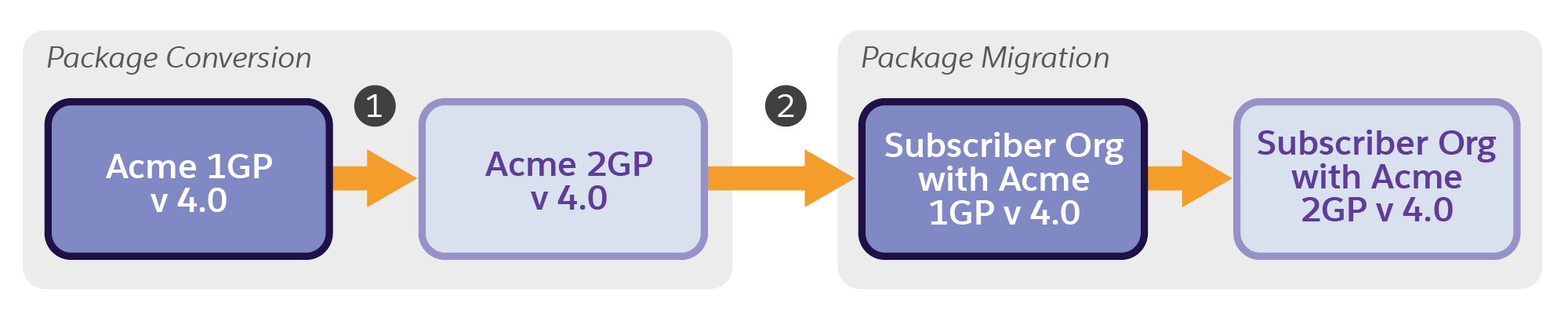
1. The package conversion process takes the latest released major.minor of Acme's 1GP managed package (4.0) and converts it into a 2GP managed package version with the same major.minor version number (4.0).
After package conversion, Acme has a new 2GP managed package version 4.0, and the metadata in both their 1GP and 2GP package versions are identical.
2. Package migration occurs when a 1GP managed package installed in a subscriber org is migrated to the corresponding converted 2GP package.
To migrate a subscriber to the managed 2GP package version, the major.minor version of the managed 2GP and the installed managed 1GP must match. In the example in the diagram, Subscriber A has version 4.0 of Acme's 1GP package installed, and after migration Subscriber A has version 4.0 of Acme's 2GP package installed. Moving forward, if Acme decides to release version 4.2, they must use a 2GP package version to upgrade migrated subscribers to version 4.2.