


Apex 開発者ガイド
 j
jクラスとキャスト
通常、すべての型情報は実行時に利用できます。つまり、Apex はキャストを許可しています。キャストとは、あるクラスのデータ型を別のクラスのデータ型として割り当てることです。ただし、割り当てるクラスが元のクラスのサブクラスである場合に限ります。あるデータ型のオブジェクトを別のデータ型に変換する場合にキャストを使用します。
次の例では、CustomReport が Report クラスを拡張しています。そのため、そのクラスのサブクラスとなっています。つまり、親のデータ型 (Report) のオブジェクトを、サブクラスのデータ型 (CustomReport) のオブジェクトにキャストできます。
1public virtual class Report {
2}1public class CustomReport extends Report {
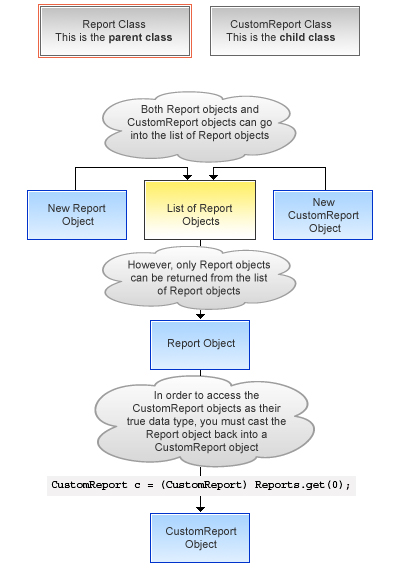
2}次のコードセグメントでは、まずレポートオブジェクトのリストにカスタムレポートオブジェクトが追加されます。その後、カスタムレポートオブジェクトがレポートオブジェクトとして返され、カスタムレポートオブジェクトとして再度キャストされます。
1...
2  // Create a list of report objects
3  Report[] Reports = new Report[5];
4
5  // Create a custom report object
6  CustomReport a = new CustomReport();
7
8  // Because the custom report is a sub class of the Report class,
9  // you can add the custom report object a to the list of report objects
10  Reports.add(a);
11
12  // The following is not legal:
13  // CustomReport c = Reports.get(0);
14  // because the compiler does not know that what you are
15  // returning is a custom report.
16
17  // You must use cast to tell it that you know what
18  // type you are returning. Instead, get the first item in the list
19  // by casting it back to a custom report object
20  CustomReport c = (CustomReport) Reports.get(0);
21...
キャストの例
さらに、インターフェース型は、サブインターフェースまたはそのインターフェースを実装しているクラス型にキャストできます。