


 j
jData 360 Integrated Apps
Object Specific APIs
Language-Specific Client Libraries
Data 360 SQL Query APIs
Query Data 360 Data with Apex
SOQL With Apex
Get Started with the Power BI Connector
Get Started with the Python Connector
As of October 14, 2025, Data Cloud has been rebranded to Data 360. During this transition, you may see references to Data Cloud in our application and documentation. While the name is new, the functionality and content remains unchanged.
Note
Salesforce Data 360 enables you to collect, store, and process data from Salesforce clouds and external systems. After harmonizing and unifying your data, you can create metrics that span all data sources, providing comprehensive insights. To extract valuable insights from your Data 360 data, you can query it using integrated apps, object-specific APIs, client libraries, and Data 360 query APIs. This guide focuses on how to retrieve data from Data 360.
Review this decision flow diagram to determine which data retrieval method works best for you.
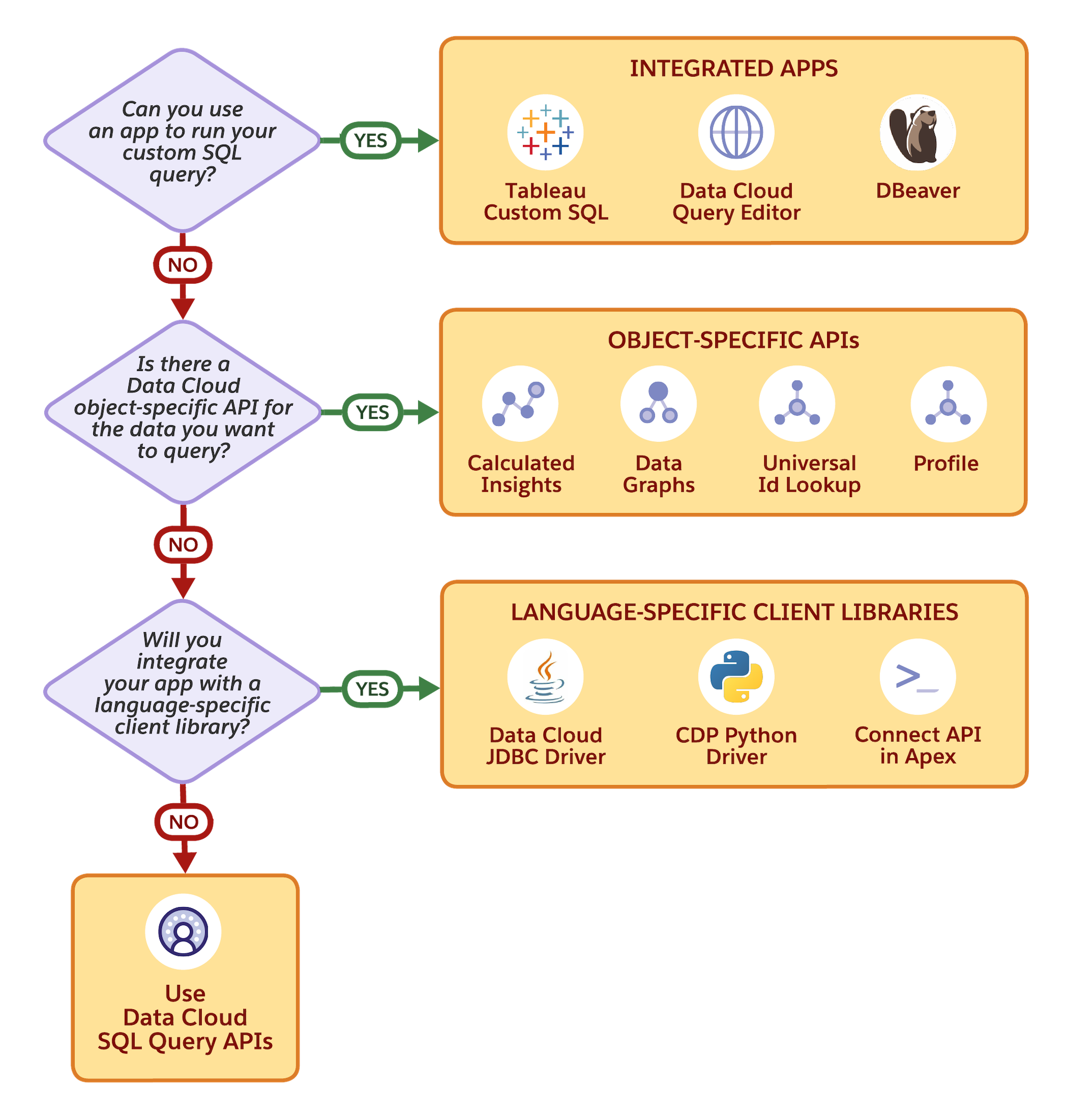
To help you choose the most suitable data retrieval method based on your specific needs, consider the following:
sfsqlquery namespace, see Query Data 360 Data with Apex.As an admin, you’ll likely focus on data exploration, reporting, and user enablement:
Quick Start: Begin with Query Editor to run your first Data 360 SQL queries.
As a developer, you’ll focus on programmatic access and application integration:
Quick Start: Try the Data 360 Quick Start to make your first API call.
Calculated insight and data transformation creation use a different SQL dialect than described in this guide. See Calculated Insights and Streaming Data Transforms in Salesforce Help for more information about the different SQL dialect.
Important
j