Override Standard Actions with Aura Components
Add the lightning:actionOverride interface to an Aura component to enable the component to be used to override a standard action on an object. You can override standard actions on most standard and all custom components. Overriding standard actions allows you to customize your org using Lightning components, including completely customizing the way you view, create, and edit records.
Overriding an action with an Aura component closely parallels overriding an action with a Visualforce page. Choose a Lightning component instead of a Visualforce page in the Override Properties for an action.
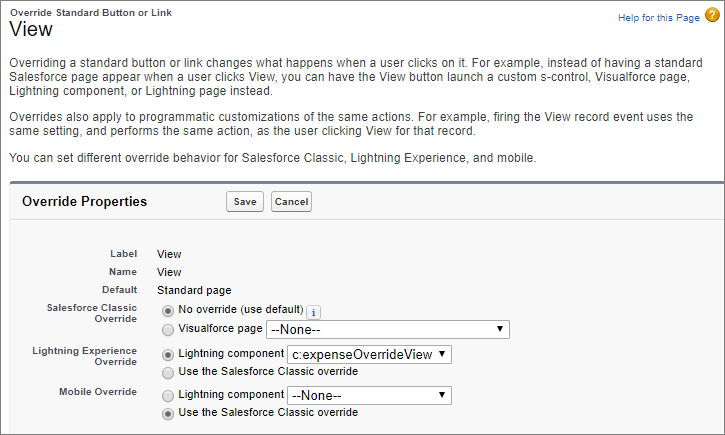
However, there are important differences from Visualforce in how you create Lightning components that can be used as action overrides, and significant differences in how Salesforce uses them. You’ll want to read the details thoroughly before you get started, and test carefully in your sandbox or Developer Edition org before deploying to production.
-
Standard Actions and Overrides Basics
There are six standard actions available on most standard and all custom objects: Tab, List, View, Edit, New, and Delete. In Salesforce Classic, these are all distinct actions.
-
Override a Standard Action with an Aura Component
You can override a standard action with an Aura component in both Lightning Experience and mobile.
-
Creating an Aura Component for Use as an Action Override
Add the lightning:actionOverride interface to an Aura component to allow it to be used as an action override in Lightning Experience or the Salesforce mobile app. Only components that implement this interface appear in the Lightning component menu of an object action Override Properties panel.
-
Packaging Action Overrides
Action overrides for custom objects are automatically packaged with the custom object. Action overrides for standard objects can’t be packaged.


 j
j