Add LWC Quick Actions to Mobile Layouts
For a quick action to appear in the action bar of a record view, it must be assigned to the main page layout for the record’s object type.
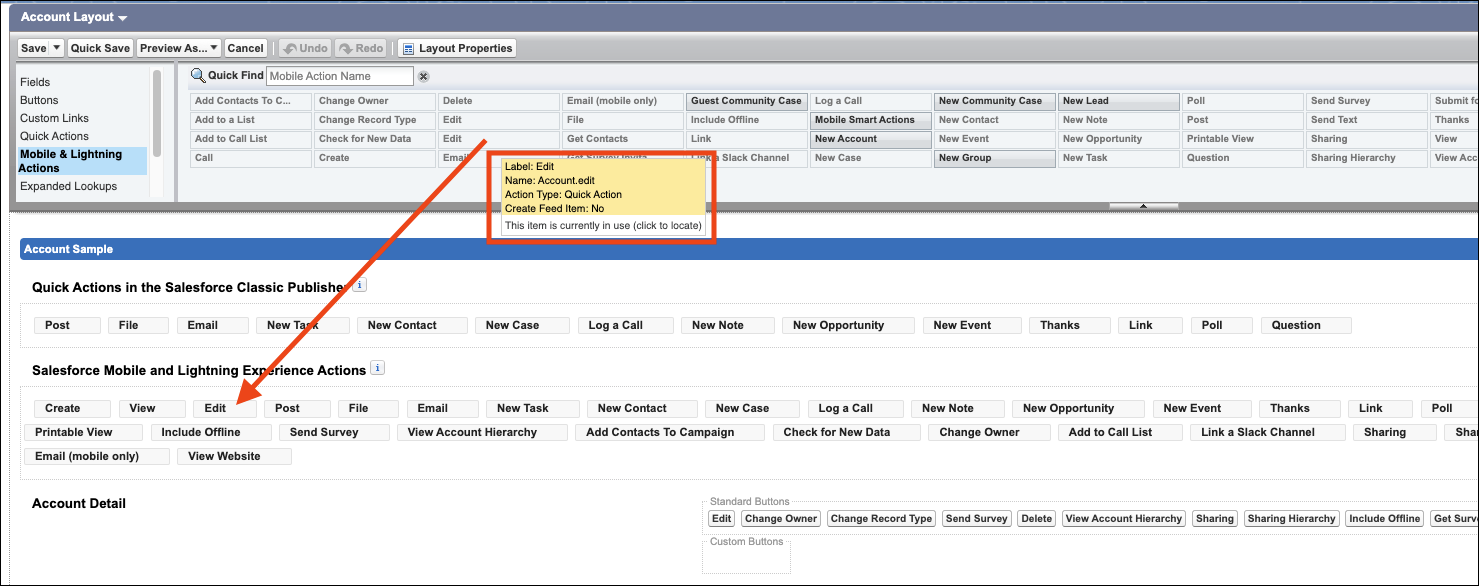
Here’s an example of assigning the Edit quick action for the Account object type:
-
From Setup, open the Object Manager.
-
Enter Account in the Quick Find box, then select Account.
-
From the Account object management settings, go to Page Layouts and click Account Layout.
-
In the Salesforce Mobile and Lightning Experience Actions panel, if you see a link to override the predefined actions, the page layout is using the default actions. Click the link to enable customizing the actions.


 j
j