


Integrate Agentforce Conversation Client in Your React App
Use the Agentforce Conversation Client (ACC) to integrate conversational AI interactions into your React apps for employee use cases. The ACC package is built on the Lightning Out 2.0 platform as a Lightning Web Component Interface (LWCI). With this architecture, you can embed and render the conversational UI within non-LWC tech stacks, such as a React host environment.
Why Use ACC in React?
Agentforce Conversation Client gives users immediate access to agent-driven insights, such as high-demand property data or real-time sales metrics, directly within their web dashboard. When you embed the Agentforce Conversation Client, users can retrieve complex information through natural conversation instead of manually researching vast amounts of data.
- Reduce UI Rebuild Effort: Drop a prebuilt ACC UI container into your app instead of coding an interface and connection logic from scratch.
- Leverage Built-in Streaming Infrastructure: ACC provides the complex infrastructure required to handle continuous, real-time token streaming for a responsive conversational experience.
- Render Rich Components Dynamically: ACC automatically renders rich UI components that use standard and custom Lightning Types within the conversation.
- Support Personalization at Runtime: ACC automatically interprets the Employee Agent’s response and renders the correct UI component on the fly without hard-coding.
- Enable Write Once, Deploy Anywhere: Support a consistent experience whether the Employee Agent is accessed by an employee in Service Cloud, a customer on a public website, or embedded in a custom app.
- Direct Agent Connection: Seamlessly connect your custom UI to Employee Agents configured with specific topics, actions, and instructions for domain-specific tasks.
Key Capabilities
-
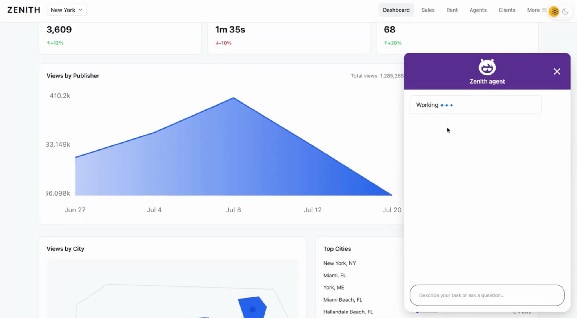
Token-by-Token Streaming: Handles end-to-end token streaming for various content types, displaying true progress status updates in the ACC UI to indicate the current execution step, to reduce perceived latency.
-
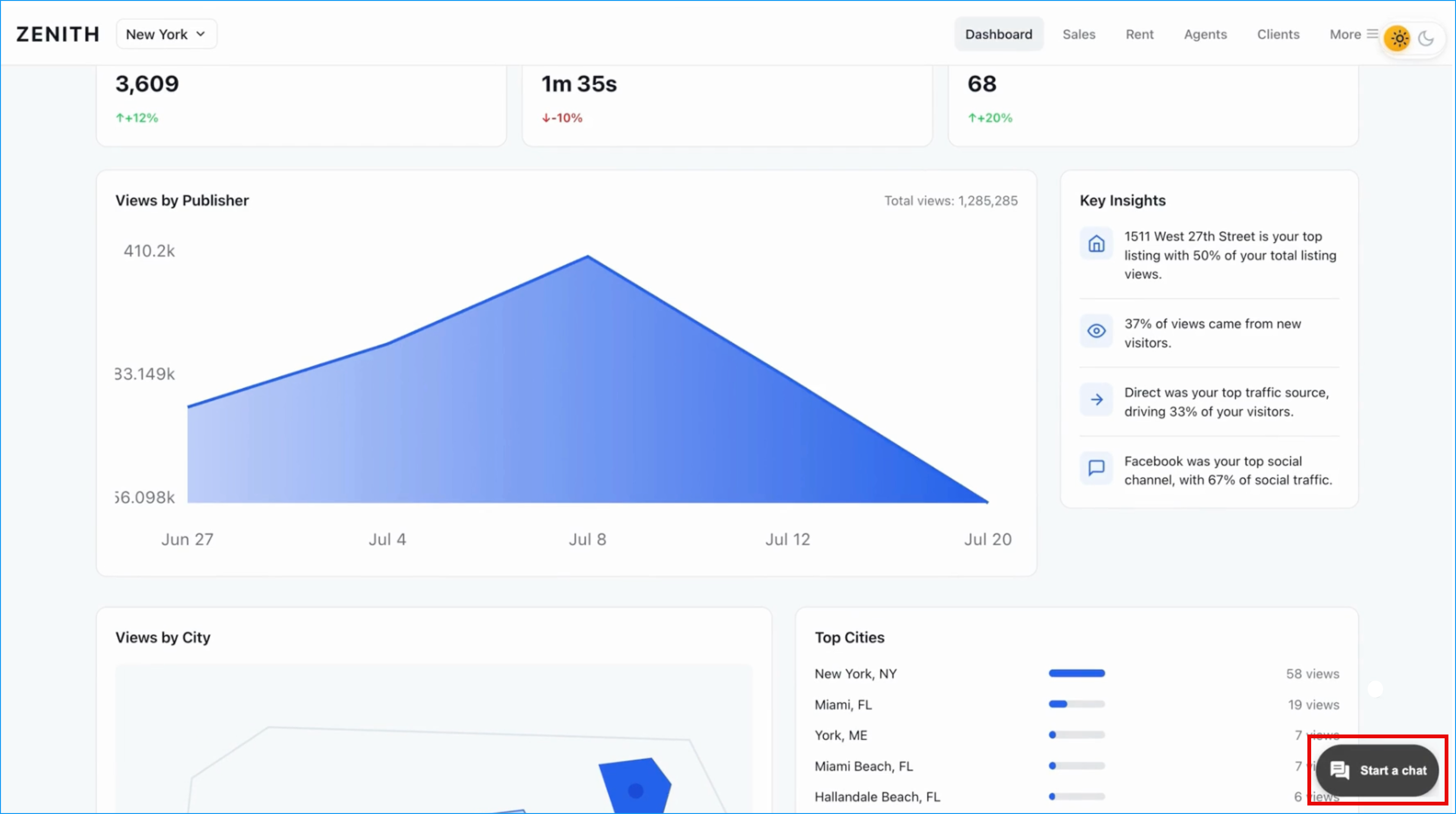
Conversation Entry Point: Provides a default Floating Action Button (FAB) experience that serves as the primary entry point for the Agentforce Conversation Client. Upon interaction, it initializes the conversational interface and displays a configured welcome message confirming a secure connection to the Agentforce Employee Agent.
-
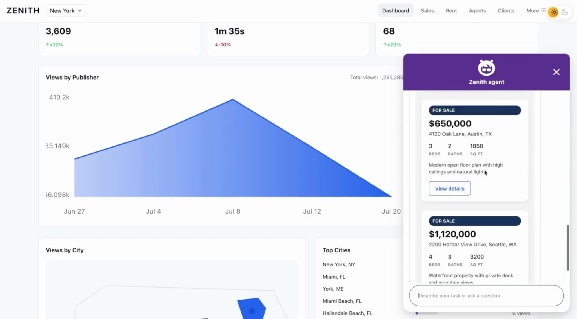
Lightning Types Integration: Automatically maps Salesforce Lightning Types to the correct UI renderers for input, output, list, and picklist. This allows it to render complex, interactive UI components, such as flight bookings or property listings, directly within the React application. For more information about Lightning Types, see Lightning Types in Agent Action.
-
Dynamic Rendering Engine: Constructs UI components in real time based on inputs from the Agentforce Employee Agent planner and Lightning type responses. The engine dynamically assembles elements on the fly and injects them into the designated panel.
-
Brand Styling and Theming: Provides customizable brand styling hooks (fonts, colors, borders, spacing) and component substitutions to match your custom branding.
-
Customizable UI Branding via SDK Tokens: Enables developers to use Agentforce Vibes and natural language prompts to refine the conversational interface. This capability uses the ACC SDK’s UI style tokens to update elements, such as header colors and message block styling, to match the host application’s branding.
-
Responsive Display Configurations (Inline Mode): Provides a highly responsive interface across various dashboard layouts and supports specialized configurations, such as Inline Mode, which renders the ACC UI inside a designated parent container within the internal React app.
Determine Your Integration Path
If you’re building an internal, employee-facing (B2E) React app for an Employee Agent that’s hosted on Salesforce, you can add ACC manually or use Agentforce Vibes to speed up the process.
Alternatively, if you’re:
- Building an external-facing React app for Service Agent, use Enhanced Chat v2. To learn more, see What’s Enhanced Chat v2 in Salesforce Help.
- Building a standalone web application hosted outside of Salesforce, refer to the Agentforce Conversation Client Developer Guide.
- Not building a React app and only need to programmatically open or close the native side panel from a custom Lightning web component (LWC) inside Salesforce, refer to the Agentforce Conversation Client API.
Add ACC to Your React App with Agentforce Vibes
With Agentforce Vibes, you can generate and refine conversational interfaces using natural language prompts. Agentforce Vibes uses rules and skills to understand your intent, automatically updates project files such as index.tsx, and manages npm dependency installations.
For more information, see Add ACC to Your React App with Agentforce Vibes in the Agentforce Vibes Developer Guide.
Add ACC to Your React App Manually
To implement the ACC interface manually, use the @salesforce/agentforce-conversation-client npm package.
Implement the React Host Component
Manual integration requires invoking the createAccWidget method. This method wraps the ACC widget with Lightning Out 2.0 and injects the conversational interface into a designated DOM container.
Implement the code using a standard React reference (useRef) and a lifecycle hook (useEffect) to manage the mounting and unmounting of the widget relative to the React component tree.
1import { useEffect, useRef } from "react";
2import { embedAgentforceClient } from "@salesforce/agentforce-conversation-client";
3
4export function AgentforceConversation() {
5 const containerRef = useRef < HTMLDivElement > null;
6
7 useEffect(() => {
8 const container = containerRef.current;
9 if (!container) return;
10
11 embedAgentforceClient({
12 container,
13 frontdoorUrl: "https://...", // when embedding outside Salesforce / no org session
14 agentforceClientConfig: {
15 agentId: "YOUR_AGENT_ID", // required
16 agentLabel: "Support", // optional
17 renderingConfig: { mode: "floating" }, // or "inline" + width/height
18 },
19 });
20
21 return () => {
22 container.replaceChildren();
23 };
24 }, []);
25
26 // For mode: "inline", give the wrapper a real height (e.g. flex parent or fixed height).
27 return <div ref={containerRef} style={{ width: "100%", height: "100%" }} />;
28} j
j