Develop and Package Agent Templates Using Scratch Orgs
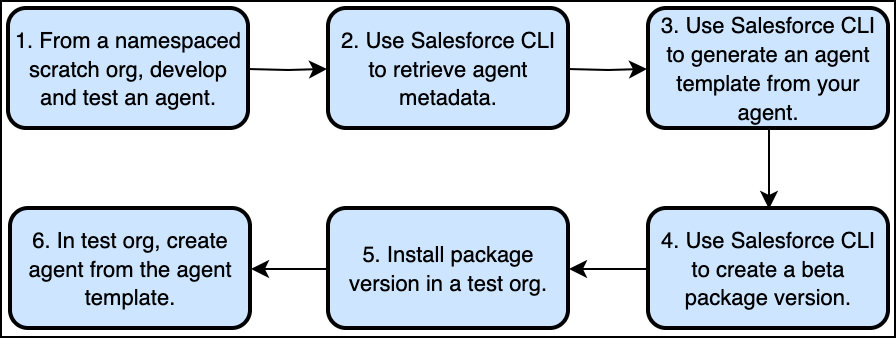
At a high-level, agents are distributed by ISVs as agent templates. To package an agent template, you first create and test an agent in a namespaced scratch org. Then retrieve the agent to your Salesforce DX project, generate an agent template from the agent using Salesforce CLI, and finally package the agent template.
You can’t create packageable agent templates from agents that use Agent Script as their blueprint.
Important
Workflow for Agent Template Development
Agent and Agent Template Metadata
To package an agent template, it helps to first understand the metadata types that make up an agent and an agent template.
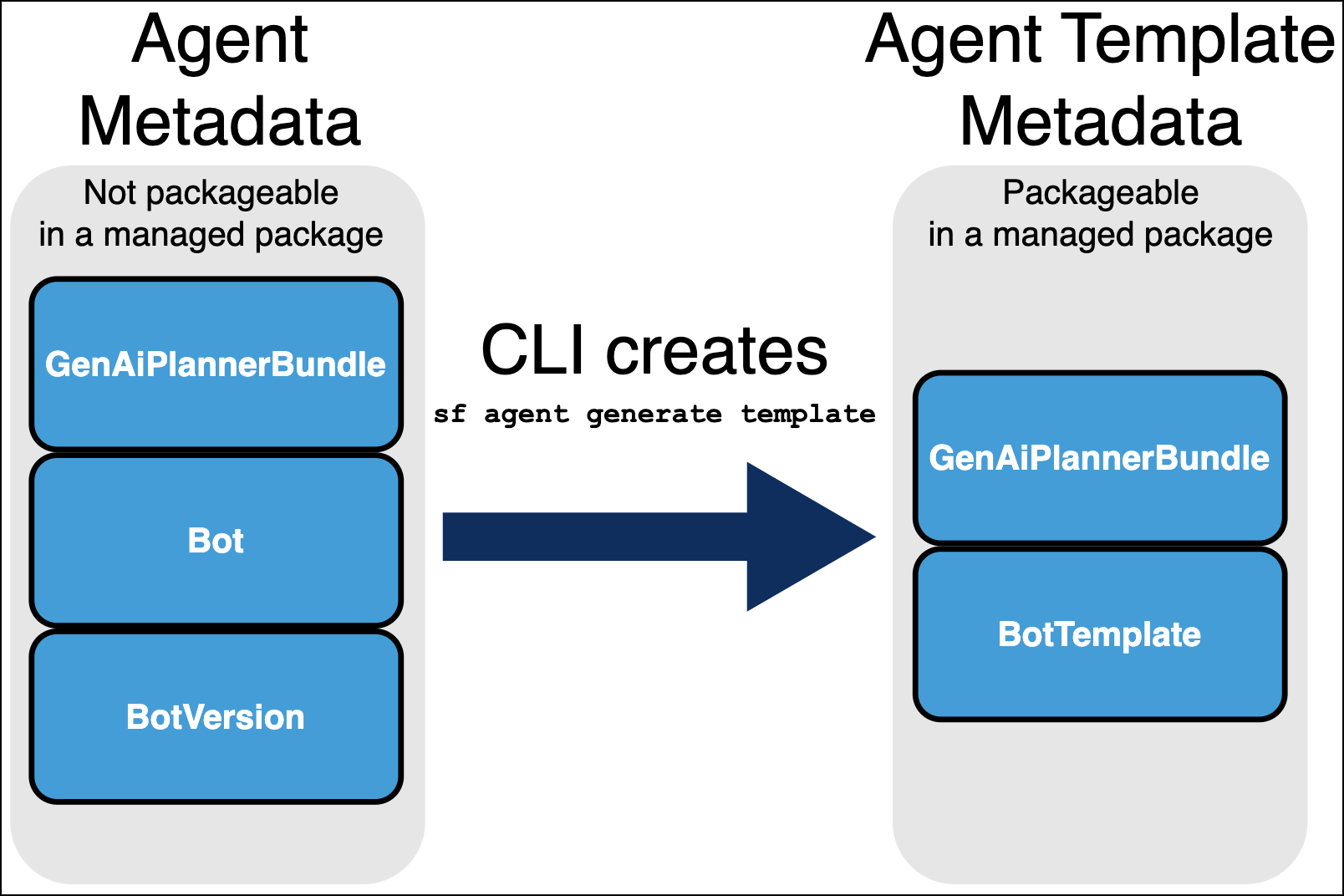
Agents are defined by these major metadata types.
Bot
BotVersion
GenAiPlannerBundle
The GenAiPlannerBundle type in turn defines the agent’s actions and subagents. The agent generate template Salesforce CLI command brings together the metadata files for these three types and generates a BotTemplate file for a specific agent (Bot and BotVersion). The command also generates a new GenAiPlannerBundle file, which is different from the original file. Specifically, the new packageable GenAiPlannerBundle file replaces references to the local version of assets (which can’t be packaged) with references to their global equivalents.
You then use the BotTemplate file, and the new GenAiPlannerBundle file, to package the agent template in a managed package.
Create an Agent
Create and test your agent.
Before You Begin
From Setup in your scratch org, enter Agents in the Quick Find box, and select Agentforce Agents. Then locate and enable the Agentforce setting and refresh the page.
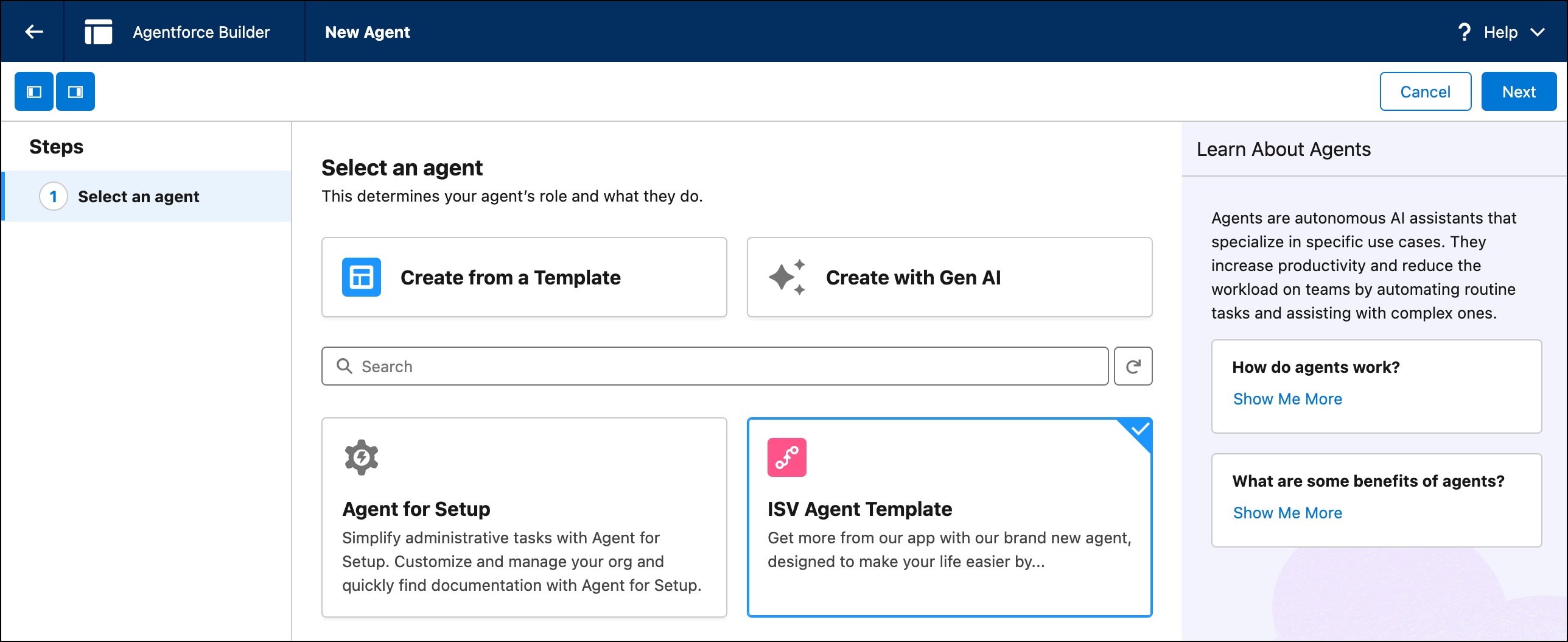
Click New Agent, and then select an agent type.
Follow the guided setup steps, and then click Create.
Next Steps
For more guidance, see the documentation for the agent type you chose. For details about creating an agent, see Set Up Your Agent.
Agentforce-enabled scratch orgs have access to the Agentforce Testing Center. For more detailed information on testing your agents directly in your DX project, see Test an Agent with Agentforce DX in the Agentforce Developer Guide.
Set Up Your Salesforce DX Project and Scratch Org
To set up a Salesforce DX project and scratch org, you must already have a namespace and scratch org ready to use.
To package BotTemplate metadata, you must first enable Einstein Chatbot in your Dev Hub org. You must also specify this metadata in your project-scratch-def.json file.
Note
If you’re using an existing Salesforce DX project that contains Apex classes, flows, or prompt templates for your agent, deploy them to the scratch org.
In this example, we’re generating an agent template from a Bot metadata file in your DX project that corresponds to the My_Awesome_Agent agent. A single Bot can have multiple BotVersions. Use the --agent-version flag to specify the version. Set the required --source-org flag to your scratch org.
Test your agent template in your scratch org by creating an agent using the template you just deployed. Ensure that the new agent works as you expect.
When you’re satisfied with your agent template, remove the following metadata from your package directory.
The GenAiPlannerBundle file that was part of your original agent. This file was used to create a new, separate GenAiPlannerBundle file for your agent template and is not necessary to package. Remove the GenAiPlannerBundle file that does not have “Template” in the name.
The Bot and BotVersion. Removing these metadata types prevents errors during packaging, since agents aren’t packageable.
Create a new package version that contains the template and all dependencies. Possible dependencies include: topics, actions, Apex classes, flows, and prompt templates.


 j
j