


 j
jFlows
Processes
Salesforce APIs
Pub/Sub API
Encrypting Platform Event Messages at Rest in the Event Bus
Previous Versions
Use Process Builder to publish event messages from a Salesforce app as part of an automated process.
To publish event messages, add a Create a Record action to the appropriate process. Where you’d usually pick an object to create, select the custom platform event.
If a platform event is configured to publish immediately, the process publishes each event message outside of the database transaction. If the transaction fails and is rolled back, the event message is still published and can’t be rolled back. So if you see an informational message under the selected platform event, consider whether you want the process to publish an event message only after the transaction commits successfully.
Tip
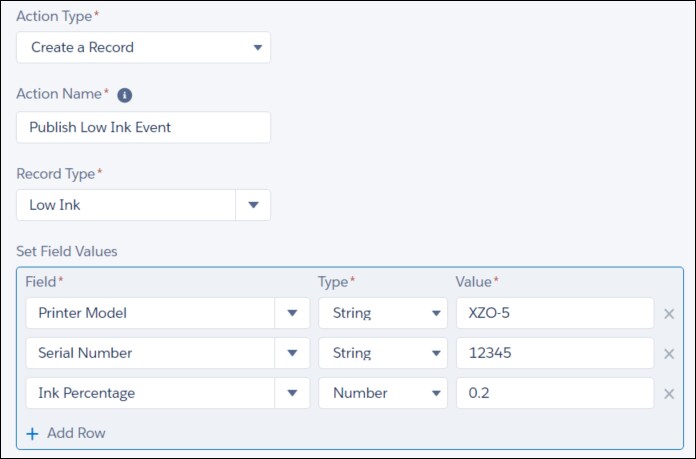
For example, here’s how to configure a Create a Record action that publishes a Low Ink event message. This example assumes that the Low Ink platform event is defined in your org and that the event has these custom fields.
For Record Type, enter low and select Low Ink.
Set the field values.
| Field | Type | Value |
|---|---|---|
| Printer Model | String | XZO-5 |
| Serial Number | String | 12345 |
| Ink Percentage | Number | 0.2 |
Save the action and activate the process.
See Also
j