Editing Records with List Controllers
You can edit a set of records using list controllers, too. For example, if you create a page with the following markup:
1<apex:page standardController="Opportunity" recordSetVar="opportunities" tabStyle="Opportunity" sidebar="false">
2    <apex:form >
3        <apex:pageBlock >
4            <apex:pageMessages />
5            <apex:pageBlockButtons >
6                <apex:commandButton value="Save" action="{!save}"/>
7            </apex:pageBlockButtons>
8            <apex:pageBlockTable value="{!opportunities}" var="opp">
9                <apex:column value="{!opp.name}"/>
10                <apex:column headerValue="Stage">
11                    <apex:inputField value="{!opp.stageName}"/>
12                </apex:column>
13                <apex:column headerValue="Close Date">
14                    <apex:inputField value="{!opp.closeDate}"/>
15                </apex:column>
16            </apex:pageBlockTable>
17        </apex:pageBlock>
18    </apex:form>
19</apex:page>
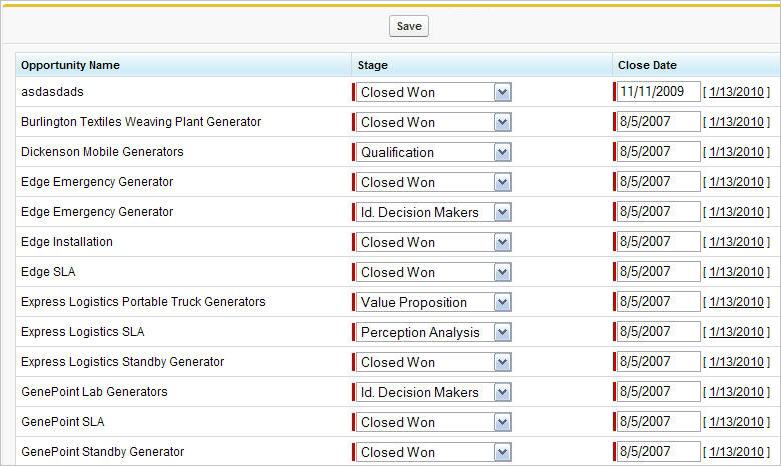
you see a page that allows you to update and save the Stage and Close Date on your opportunities, like the following:For more information, see Mass Updating Records with a Custom List Controller.
Command buttons and links that are associated with save, quicksave, or edit actions in a list controller are not rendered if the user does not have the appropriate permissions. Likewise if no particular record is associated with a page, command buttons and links associated with the edit actions are not rendered.


 j
j