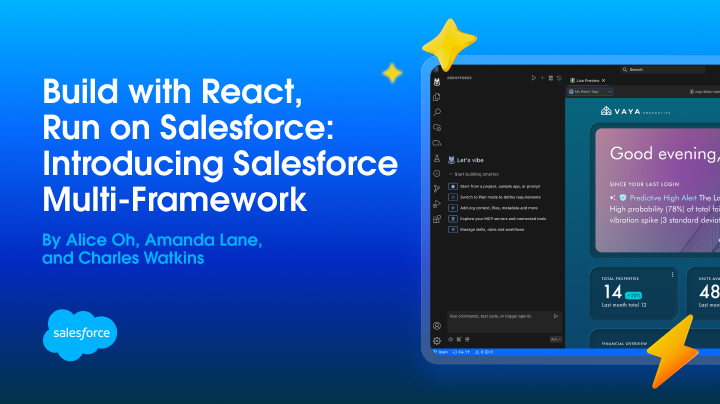
Salesforce Multi-Framework is a framework-agnostic runtime that lets developers build modern web apps with the frontend frameworks they already know and run them directly on the Salesforce Platform. Apps can securely access Salesforce data and platform capabilities while inheriting Salesforce authentication, security, and governance, all without a separate hosting stack or manual token management.
We introduced Salesforce Multi-Framework in open beta with React support, then made React apps production-ready in our first generally available (GA) release. With the Winter ’27 release, we’re expanding the ways that developers, admins, and partners can build and deliver Multi-Framework experiences with support for new frameworks, new distribution channels, and new capabilities.
What’s new in Salesforce Multi-Framework
Here are the highlights for Winter ’27:
- Angular is GA: Build, vibe code, preview, deploy, and run production Angular apps natively on Salesforce. Angular joins React as the second generally available UI framework for Multi-Framework.
- Microfrontend is GA: Embed React and Angular experiences in Lightning Experience, Experience Cloud, the Salesforce mobile app, and Mobile Publisher apps.
- Managed packages: Package, distribute, install, and upgrade non-site (internal, employee-facing) Multi-Framework apps as managed packages.
- Localization and internationalization support: Create experiences for users across languages and regions with locale-aware formatting and localized labels.
- Multi-factor authentication (MFA) support: Build more secure applications that work with Salesforce MFA requirements.
- Multi-Framework Insights is Beta: Review industry-standard performance and key usage insights for Multi-Framework apps.
Together, these Winter ’27 updates make Multi-Framework a more complete platform for building, embedding, distributing, and operating modern Salesforce experiences. Teams can choose React or Angular, surface apps across Salesforce with Microfrontend, distribute non-site apps through managed packages, meet enterprise requirements with localization and MFA, and monitor performance and usage with Multi-Framework Insights (Beta).
Let’s look at each capability in more detail.
Build native Angular apps on Salesforce
Angular joins React as a generally available framework for Salesforce Multi-Framework. Developers can bring their Angular skills, libraries, component systems, and existing development workflows to Salesforce while building on trusted platform services.
Multi-Framework provides three Angular templates:
angularinternalappfor employee-facing apps opened from the Salesforce App Launcherangularexternalappfor customer- and partner-facing apps delivered through Experience Cloudangularbasicfor a minimal starting point
The internal and external templates include the metadata and platform integration needed for their target audiences.
Developers can get started from the Agentforce Vibes welcome page or generate a project from the command line. To scaffold an employee-facing Angular app with the Salesforce CLI, run:
1sf template generate project --name account-pulse --template angularinternalappThe generated project uses familiar Angular tooling. Develop and test locally with the Angular CLI, build with your existing npm workflow, and deploy with the same Salesforce DX commands that you use for the rest of your project.
When deployed, the app becomes a UIBundle metadata type. Internal apps run on the dedicated salesforce.app domain, where browser-native origin boundaries isolate each app from the Lightning runtime and other apps. Users still get seamless Salesforce sign-on, while the platform continues to enforce object-level security, field-level security, sharing rules, and validation rules on supported data requests and saves.
The framework-agnostic Data SDK provides Angular apps with the same GraphQL operations and platform capabilities as React apps. Choosing Angular doesn’t change the app’s Salesforce security model or require a separate authentication layer.
New Angular samples in the Multi-Framework Recipes repository demonstrate common platform integration patterns.
Embed apps across Salesforce with Microfrontend
Microfrontend is now generally available. You can embed externally hosted apps built with any frameworks across:
- Lightning Experience
- Experience Cloud
- Salesforce mobile app
- Mobile Publisher
You don’t have to rebuild an existing app in Lightning Web Components (LWC) to surface it within a Salesforce experience. The lightning-ui-embedding base component hosts the app in a secure, sandboxed iframe and provides a two-way communication channel between the embedded app and its surrounding Salesforce page.
This channel makes the embedded experience feel like part of the host page. An LWC can pass properties to the app, and the app can send events back to the LWC. Teams can combine a rich React or Angular workflow with native Salesforce components while maintaining a clear security boundary between them.
For example, an LWC can pass a selected industry into an embedded Angular account dashboard. When a user selects an account in the Angular app, the app can send the record ID back to the LWC, which then renders the account with native Salesforce components.
Pass data from the host page to the embedded app
Set the props attribute on lightning-ui-embedding. When a host value changes, Salesforce sends the updated properties to the app.
1<template>
2    <lightning-radio-group
3        label="Filter the embedded app"
4        type="button"
5        options={industryOptions}
6        value={industry}
7        onchange={handleIndustryChange}>
8    </lightning-radio-group>
9
10    <lightning-ui-embedding
11        lwc:ref="embedding"
12        src={appUrl}
13        props={embedProps}
14        width="100%"
15        height="560">
16    </lightning-ui-embedding>
17</template>
Inside the React or Angular app, use the View SDK to read the initial state and subscribe to changes.
1import { getViewSDK } from '@salesforce/platform-sdk';
2
3const view = await getViewSDK();
4const ui = view?.getUiState?.();
5
6if (ui) {
7    applyFilters(ui.state.props);
8    ui.subscribe((next) => applyFilters(next.props));
9}
Send events from the embedded app to the host page
The same channel works in the other direction. Dispatch a CustomEvent through the View SDK, and Salesforce forwards it to the host component.
1view?.dispatchEvent?.(
2    new CustomEvent('accountpulse.accountselected', {
3        detail: {
4            recordId: account.id,
5            name: account.name
6        }
7    })
8);
The host LWC can use the event details to update native components, navigate to a record, or coordinate with other elements on the page.
With Microfrontend, teams can continue using LWC where deep platform composition is the priority, use React or Angular for self-contained application experiences, and connect them when a page needs both.
Distribute apps with managed packages
Partners can now package, distribute, install, and upgrade non-site Multi-Framework apps with managed packages.
A package can include the Multi-Framework app and the supporting Salesforce metadata that makes up the complete solution, such as its UIBundle, Custom Application metadata, permission sets, Apex, custom objects, and other dependencies.
This support is important because a Multi-Framework app is rarely just frontend code. It often depends on a schema, permissions, server-side logic, and configuration. Partners can version and distribute the complete application as one installable, upgradeable unit instead of coordinating separate deployment paths for the UI and its Salesforce dependencies.
Managed packages provide the namespace and lifecycle controls that ISVs need to distribute protected solutions. Customers can install and upgrade the application through the standard package lifecycle, and partners can make their Multi-Framework solutions available through AgentExchange.
In Winter ’27, managed packaging support applies to non-site apps. Site-based Multi-Framework apps aren’t supported in managed packages.
Localize apps for users across languages and regions
Multi-Framework apps can now use Salesforce internationalization context instead of maintaining separate regional preferences in the frontend.
The @salesforce/platform-sdk/i18n module retrieves the running user’s context and creates locale-aware formatters for dates, times, numbers, percentages, and currencies. Here’s an example that formats revenue using the user’s Salesforce locale and currency:
1import { createDataSDK } from '@salesforce/platform-sdk';
2import {
3    createI18nFormatters,
4    fetchI18nContext
5} from '@salesforce/platform-sdk/i18n';
6
7const sdk = await createDataSDK();
8const context = await fetchI18nContext(sdk);
9const format = createI18nFormatters(context);
10
11const annualRevenue = format.formatCurrency(5080000, {
12    maximumFractionDigits: 0
13});
The Data SDK also includes a labels extension for retrieving custom labels by namespace and locale. This keeps translatable UI copy separate from application code and lets packaged apps resolve the correct namespaced labels at runtime.
Localization is more than translating strings. A currency value, date, time, or decimal can be interpreted differently across locales even when the underlying data is the same. By using the context already maintained by Salesforce, an app can present that information consistently with the rest of the platform.
Support enterprise authentication with MFA
Multi-Framework apps now support Salesforce multi-factor authentication, helping organizations apply their enterprise authentication requirements consistently to modern frontend experiences.
Developers don’t need to build a separate MFA flow into the application. Authentication remains managed by Salesforce, and the Multi-Framework app participates in the organization’s existing identity and access policies.
Combined with the salesforce.app security boundary and server-side enforcement of object-level security, field-level security, and sharing rules, MFA support makes Multi-Framework apps ready for a broader range of enterprise use cases.
Understand app performance and usage with Multi-Framework Insights (Beta)
Multi-Framework Insights gives teams industry-standard performance metrics and key usage insights for Multi-Framework apps.
From Setup, click Multi-Framework Insights (Beta) in Scale Center and generate an insights report. The dashboard surfaces performance and usage metrics and trends so teams can identify optimization opportunities for their most-viewed apps.
Multi-Framework Insights closes an important operational gap: developers can go beyond successfully deploying an app and begin understanding how it performs for real users. Because this feature is Beta, review its current availability and limitations before relying on it for production monitoring workflows.
Choose how you want to build Multi-Framework apps
Multi-Framework supports developers, admins, and business users with three different ways to create modern Salesforce experiences.
These options provide different entry points into the same broader platform: code-first development with Agentforce Vibes, prompt-first app creation with Builder Central, and description-based page generation with Quick Pages.
Agentforce Vibes: GA, now with Angular support
Agentforce Vibes is the Salesforce vibe coding environment for developers, available through a VS Code extension and web IDE. It helps teams plan, write, test, preview, and deploy apps and agents.
Agentforce Vibes now supports Angular in addition to React. Developers can start an Angular Multi-Framework app directly from the welcome page, describe what they want to build, preview the result, and deploy it to Salesforce.
Winter ’27 also improves agent-assisted development workflows. Expanded evaluations validate more generated React and Angular code, while new branding and Salesforce CMS skills help coding agents find brand guidance and search, update, and publish managed content.
Because a Multi-Framework app remains a standard Salesforce DX project with an npm-based build, teams can also use tools such as Claude Code and other AI coding assistants as part of their workflow.
Builder Central: Beta
Builder Central is the Salesforce natural-language-based app builder. Start with an idea, then create and refine the application through conversation before deploying it in your org.
Builder Central gives admins a guided way to build Multi-Framework experiences without beginning in a traditional code editor. It generates the application and its Salesforce configuration while letting you iterate with natural-language prompts.
Quick Pages: Beta
Quick Pages enables business users to describe the page they need in plain language and create an interactive page with multiple tabs, dynamic charts, and data tables, built on live Salesforce data. There is no application project to start and no changes to Salesforce metadata.
Quick Pages runs inside Salesforce and builds Multi-Framework apps, and every page respects the field- and object-level security of the person viewing it, so people see only the data they already have access to. Admins decide who can create and view pages, and everything stays inside your org’s security boundary.
What’s next
We want to keep making the Salesforce Platform easier to build on and more flexible, so teams can choose the frameworks and tools that work best for them.
Next, we’re working on Vue as the next supported UI framework, new agentic experiences enabled by Multi-Framework, and support for Government Cloud. We’ll share more as these capabilities become available.
We’re excited to see what you build. Try the new capabilities, explore the recipes, and share your feedback with the Salesforce Developers community.
Resources
- Salesforce Multi-Framework documentation
- Winter ’27 Release Note
- Multi-Framework React recipes
- Multi-Framework Angular recipes
- Multi-Framework Microfrontend recipes
- The Salesforce Developer’s Guide to the Winter ’27 Release
About the Authors
Alice Oh is a Director of Product at Salesforce building foundational products that enable flexible and extensible ways to create, vibe code, and surface apps across the Salesforce ecosystem. In her free time, she bikes around the Bay Area in search of the flakiest croissants. Follow and connect with her on LinkedIn.
Charles Watkins is a self-taught software developer and Lead Developer Advocate at Salesforce. He spends his time blogging, crafting code samples, and finding new places to hike in the Pacific Northwest. You can follow him on LinkedIn.