Use SAQL date functions to perform time-based analysis.
Understanding How Date Information is Uploaded to Analytics
When you upload a date field to Analytics, it creates dimension and measure fields to contain the date and time information. You can use SAQL date functions to convert the dimensions and measures to dates. You can then use the dates to sort, filter, and group data in your SAQL queries.
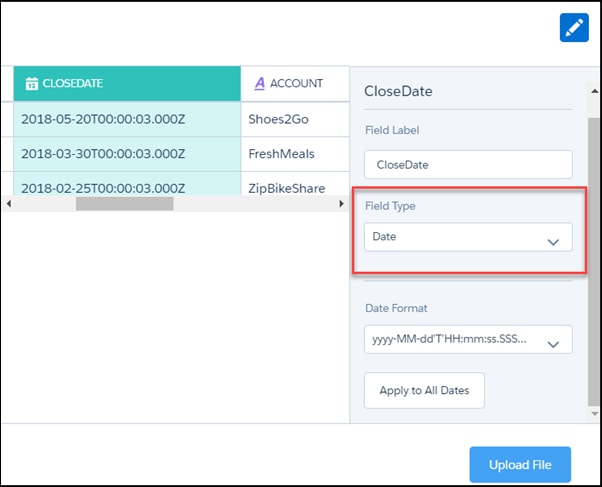
For example, suppose that you upload a dataset that contains the CloseDate date field.
During the dataflow processing, Analytics creates these fields. All the fields are dimensions, except for the epoch fields, which are measures.
Field
Description
CloseDate
A dimension containing the date and time. For example, 2018-02-25T00:00:03.000Z. You can’t use this string in a date filter. Instead, ‘cast’ it to a date type using toDate().
CloseDate (Day)
Dimension containing the day in the month, for example 30.
CloseDate (Hour)
Dimension containing the hour, for example, 11. If the original date did not contain the hour, this field contains 00.
CloseDate (Minute)
Dimension containing the minute, for example, 59. If the original date did not contain the minute, this field contains 00
CloseDate (Month)
Dimension containing the month, for example, 12.
CloseDate(Quarter)
Dimension containing the quarter, for example, 4.
CloseDate (Second)
Dimension containing the second, for example, 59. If the original date did not contain the second, this field contains 00.
CloseDate (Week)
Dimension containing the week, for example, 52.
CloseDate_day_epoch
Measure containing the UNIX epoch time, which is the number of days that have elapsed since 00:00:00, Thursday, 1 January 1970.
CloseDate_sec_epoch
Measure containing the Unix epoch time in seconds. Seconds epoch time is the number of seconds that have elapsed since 00:00:00, Thursday, 1 January 1970.
Analytics creates fields ending in _Fiscal for dates associated with a custom fiscal year. Querying dates with this field works the same way as it does for standard fiscal years.
Converts a string or Unix epoch seconds to a date. Returns a date that can be used in another function such as daysBetween(). The returned date cannot be used in a filter.
SAQL gives you many ways to specify the range of dates that you want to look at, such as “all ops from the last fiscal quarter” or “all cases from the last seven days”.
Returns the day in the specified time period for a given date. These functions answer questions like “do we close more deals at the beginning or end of a quarter?”.
For Date fields, specify the format of the date by using one of the following supported formats. Dates must match the format exactly and can’t have any extra text.


 j
j