


Analytics SAQL Developer Guide
 j
jNewer Version Available
Date Functions
Use SAQL date functions to perform time-based analysis.
Understanding How Date Information is Uploaded to Analytics
When you upload a date field to Analytics, it creates dimension and measure fields to contain the date and time information. You can use SAQL date functions to convert the dimensions and measures to dates. You can then use the dates to sort, filter, and group data in your SAQL queries.
For example, suppose that you upload a dataset that contains the CloseDate date field.
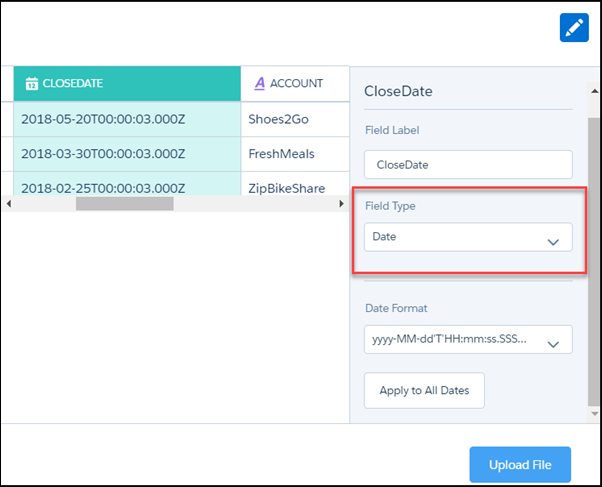
During the dataflow processing, Analytics creates these fields. All the fields are dimensions, except for the epoch fields, which are measures.
| Field | Description |
|---|---|
| CloseDate | A dimension containing the date and time. For example, 2018-02-25T00:00:03.000Z. You can’t use this string in a date filter. Instead, ‘cast’ it to a date type using toDate(). |
| CloseDate (Day) | Dimension containing the day in the month, for example 30. |
| CloseDate (Hour) | Dimension containing the hour, for example, 11. If the original date did not contain the hour, this field contains 00. |
| CloseDate (Minute) | Dimension containing the minute, for example, 59. If the original date did not contain the minute, this field contains 00 |
| CloseDate (Month) | Dimension containing the month, for example, 12. |
| CloseDate(Quarter) | Dimension containing the quarter, for example, 4. |
| CloseDate (Second) | Dimension containing the second, for example, 59. If the original date did not contain the second, this field contains 00. |
| CloseDate (Week) | Dimension containing the week, for example, 52. |
| CloseDate_day_epoch | Measure containing the UNIX epoch time, which is the number of days that have elapsed since 00:00:00, Thursday, 1 January 1970. |
| CloseDate_sec_epoch | Measure containing the Unix epoch time in seconds. Seconds epoch time is the number of seconds that have elapsed since 00:00:00, Thursday, 1 January 1970. |