ISVforce Guide
 j
jNewer Version Available
Define a Channel Order App Email Service
After you install the Channel Order App (COA), define an email service to make your org
ready to sync your product catalog and contract terms.
| User Permissions Needed | |
|---|---|
| To configure Apex email services and email service addresses: | Modify All Data |
- Log in to the org where the COA is installed.
- From Setup, enter Email Services in the Quick Find box, then click Email Services.
- Click New Email Service.
-
Specify values for the following fields. Leave the other fields as is.
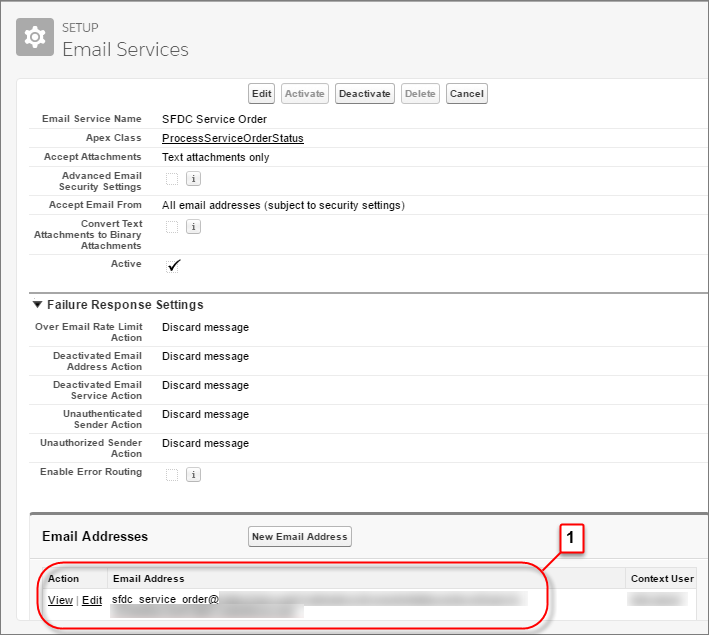
Field Value Email Service Name SFDC Service Order Apex Class ProcessServiceOrderStatus Accept Attachments Text attachments only Active Select to enable - Click Save and New Email Address.
-
Specify values for the following fields. Leave the other fields as is.
Field Value Email Service Name SFDC_Service_Order Active Select to enable Context User Select a Salesforce admin in your org - For Accept Email From, remove the autopopulated email address. This field must be blank. Otherwise, the email service can’t connect to Salesforce.
-
Click Save. Salesforce generates a unique address for
the email service (1), which is used later in the setup process.