


Lightning Communities Developer Guide
 j
jNewer Version Available
Export Customized Lightning Bolt Pages
Export pages that you’ve customized in the Customer Service (Napili) template to
use as a base for new pages, or package and distribute them for others to use.
| Available in: Salesforce Classic and Lightning Experience |
| Available in: Enterprise, Performance, Unlimited, and Developer Editions |
| User Permissions Needed | |
|---|---|
| To customize or publish a community: | Create and Set Up Communities |
To export a page and its components:
-
In Community Builder, select and click Export a Page.
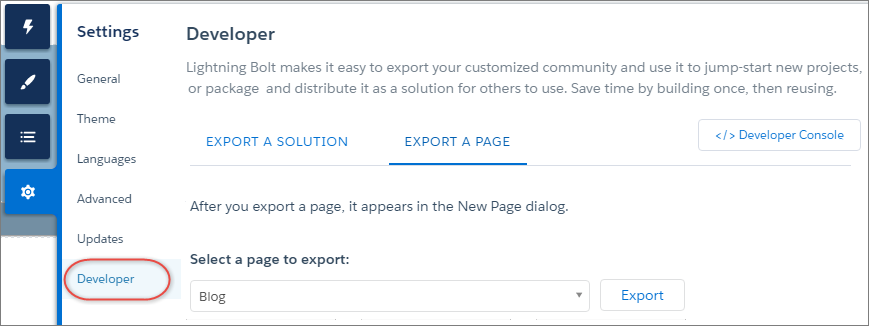
- Select the page to export.
-
Click Export.
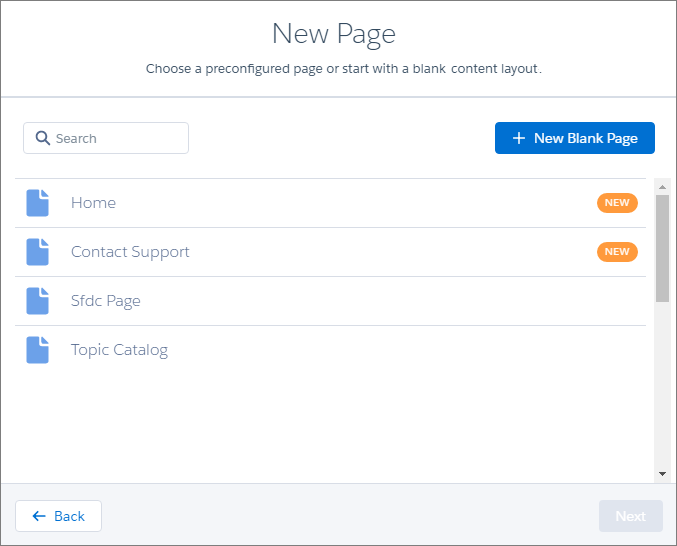
After you export a page, it appears in the New Page dialog box in all the communities in your org. Similarly, if you package the page and install it in another org, it appears in the New Page dialog box of that org. Newly installed pages are highlighted as New for 30 days.
- To distribute your customized page for others to use, create a managed package.