Force.com IDE Developer Guide
 j
jNotable Lightning Components Features in the Force.com IDE
The Force.com IDE includes
lots of cool features to make working with Lightning components easier. Here are a few of
our favorites.
Documentation Browser
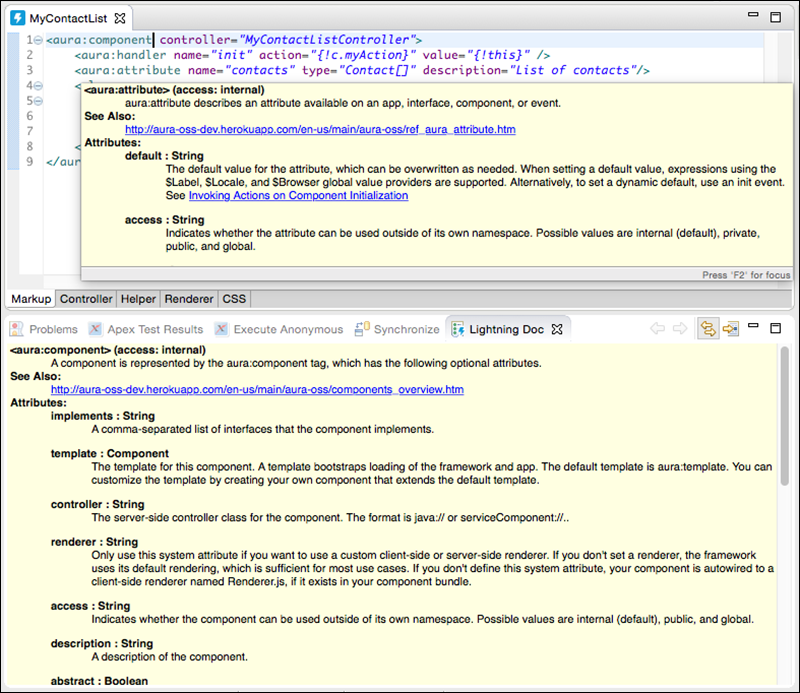
Everyone loves documentation! In the Force.com IDE, we give you two handy ways to peruse it.
Access documentation for built-in tags and functions without leaving the IDE. To open the Lightning Doc view, select .
You can also view an element’s documentation by hovering over the element in your code.
Add a description attribute to each aura:component that you create, so that you can take full advantage of these useful documentation-related features.