


Service Cloud Voice Implementation Guide
 j
jNewer Version Available
Contact Flow: Queue Transfer
This flow can be used when an agent transfers a call to another queue.
Since this contact flow is large, we break it into sections.
Prepare for Transfer
This first section of the contact flow sets up the transfer and checks for availability.

| Block | Description |
|---|---|
| Set logging behavior [1] | This block turns on logging in Amazon Connect for this flow. We recommend logging for debugging and evaluating the contact flow. |
| Loop [2] | This block sets up a loop so that we can try to invoke the Lambda function up to two times. We try twice in case that the Lambda isn’t warmed up and it times out. (See Keep the InvokeTelephonyIntegrationApiFunction Lambda Function Warm to prevent this scenario from ever occurring.) |
| Invoke AWS Lambda function [3] |
This block calls the InvokeTelephonyIntegrationApiFunction Lambda Function, which is used to create a VoiceCall record for a transfer (createTransferVC) in Salesforce. Salesforce provides the InvokeTelephonyIntegrationApiFunction Lambda Function with Voice. |
| Set contact attributes [4] | This block executes only if the Lambda invocation fails multiple times and the loop completes. This block adds an error attribute in the Amazon contact trace record (CTR) to help you see which calls experienced an error. Some errors are recoverable and don’t prevent the call from being handled. |
| Set contact attributes [5] | This block sets a voiceCallId attribute in the contact flow. The voiceCallId is the ID of the VoiceCall record. This value is case-sensitive and is required to fetch the VoiceCall record when the call is routed to the agent. |
| Check hours of operation [6] | An example of a block that checks whether the call takes place during the hours of operation. Error handling is described in the next section. |
| Check staffing [7] | An example of a block that checks to see whether there are agents staffed in the queue. Error handling is described in the next section. |
Transfer Failure
This next section describes the blocks related to handling situations where we can’t transfer to an agent.
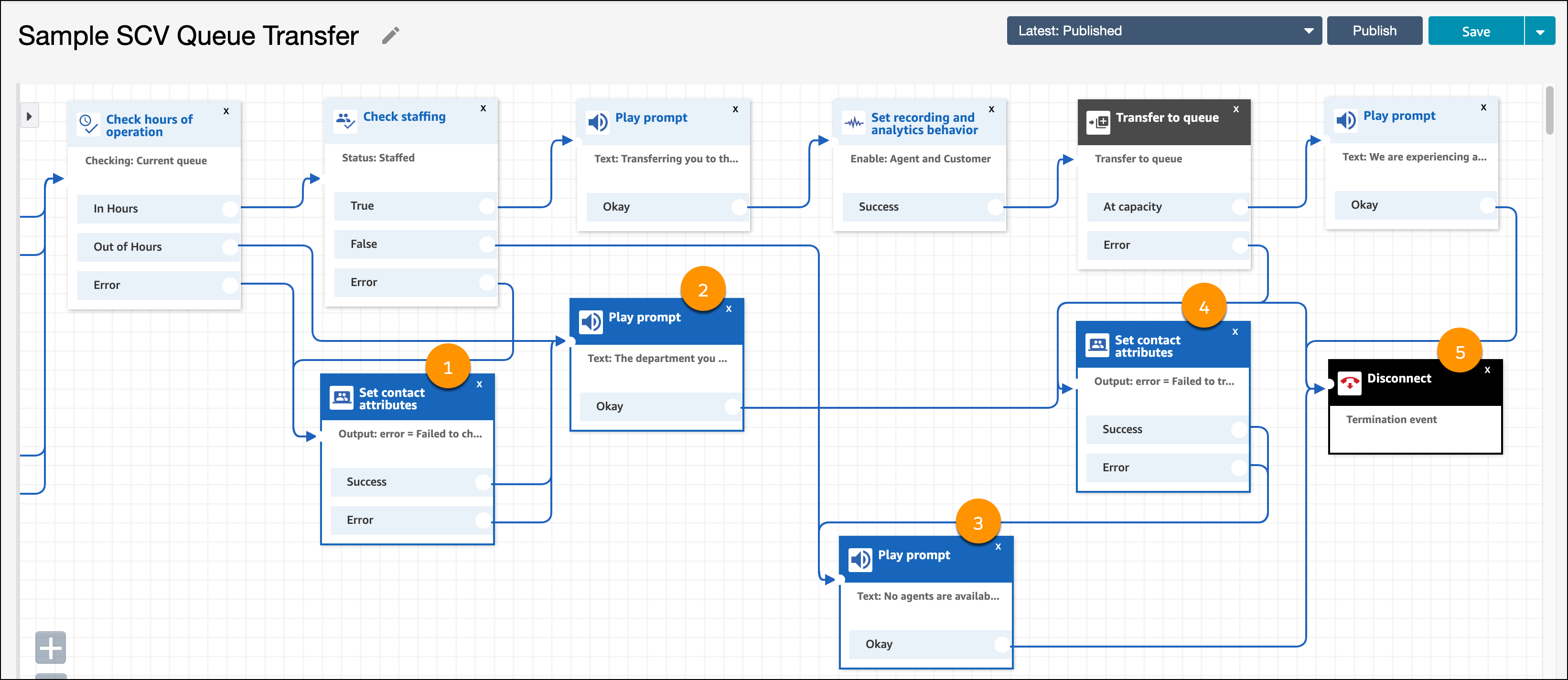
| Block | Description |
|---|---|
| Set contact attributes [1] | This block adds an error attribute in the Amazon contact trace record (CTR) when the system is unable to check for hours of operation or staffing. |
| Play prompt [2] | This block plays a prompt that the department can’t be reached. |
| Play prompt [3] | This block plays a prompt that there are no agents available (for when the staffing block returns false). |
| Set contact attributes [4] | This block adds an error attribute in the Amazon contact trace record (CTR) when the system can’t transfer call to the queue. |
| Disconnect [5] | This block disconnects the call. |
Perform Transfer
This final section of the contact flow transfers the caller to the queue.
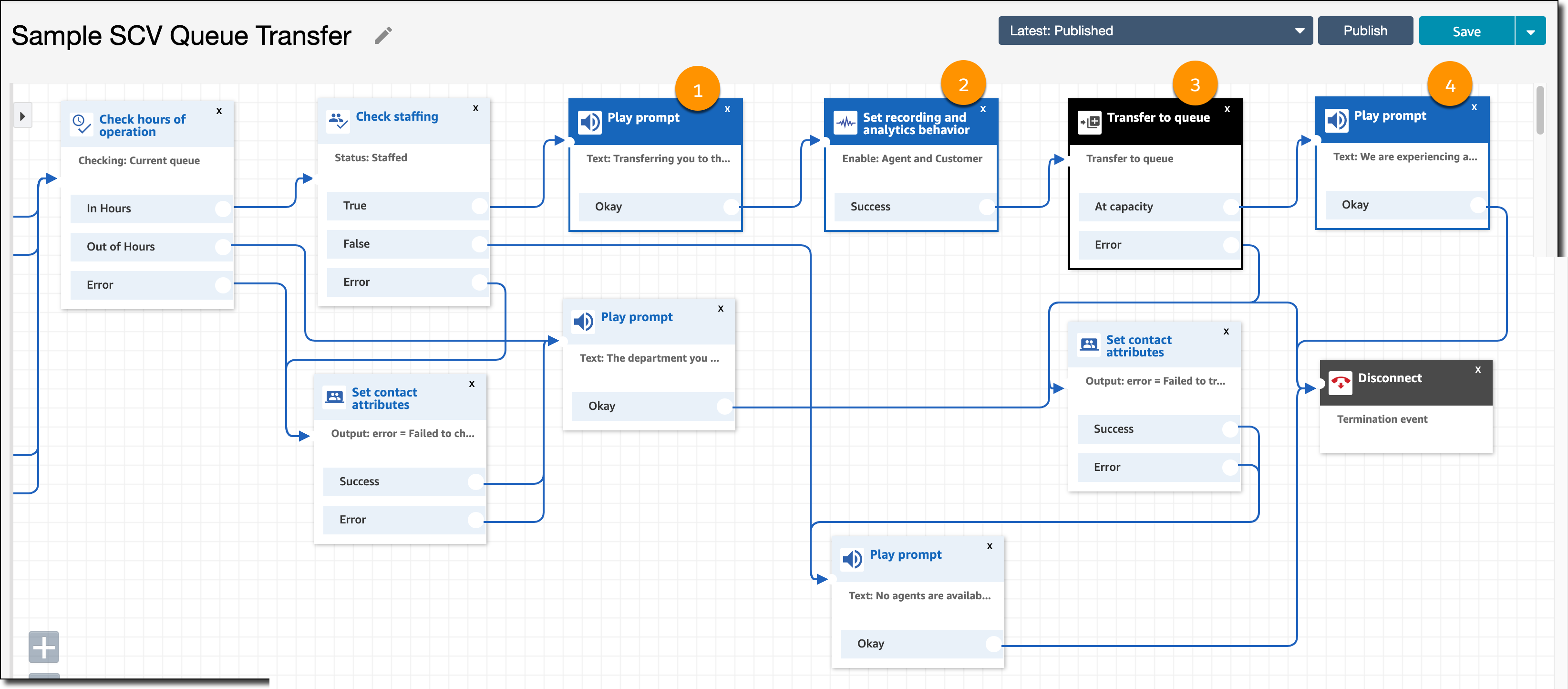
| Block | Description |
|---|---|
| Play prompt [1] | This block plays a prompt that a transfer to queue is occurring. |
| Set recording and analytics behavior [2] | This block sets the recording behavior to On. This action records the audio conversation between the agent and the customer, which can be accessed later from the VoiceCall record. |
| Transfer to queue [3] | This block transfers the caller to the queue. |
| Play prompt [4] | This block plays a prompt in the event that the queue is at capacity. The call is disconnected in the subsequent block. |