


Mobile and Offline Developer Guide
 j
jNewer Version Available
Add LWC Quick Actions to Mobile Layouts
For a quick action to appear in the action bar of a record view, it must be assigned to
the main page layout for the record's object type.
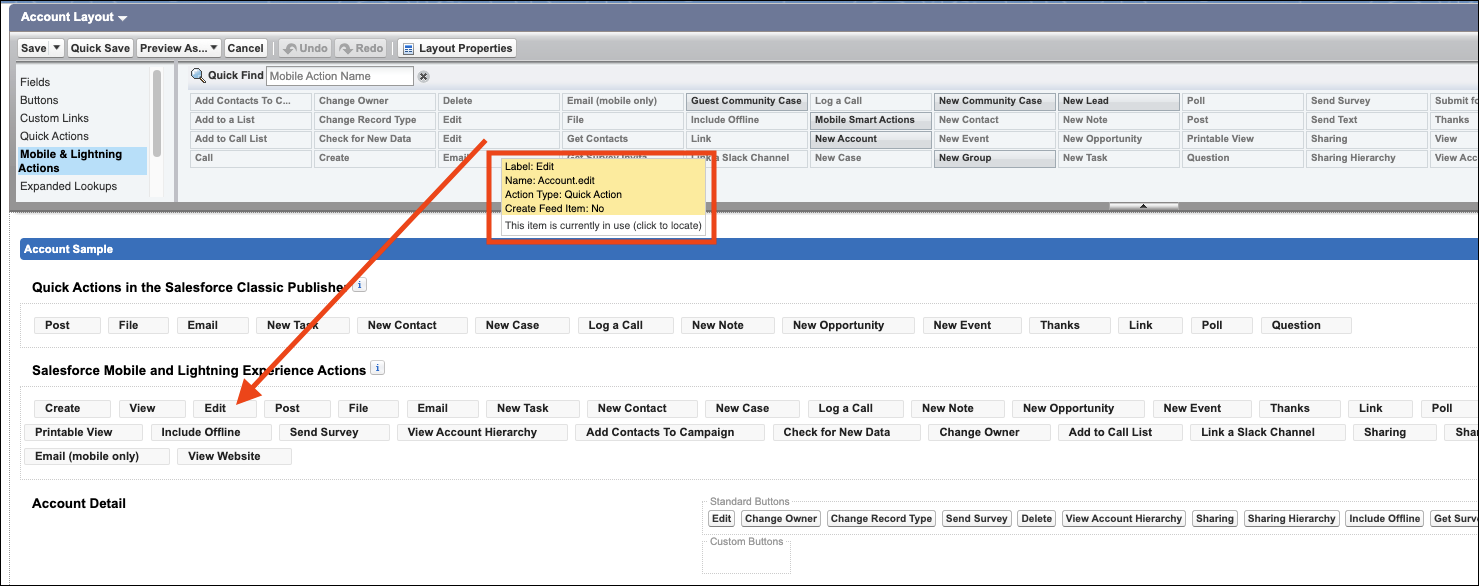
Here's an example of assigning the Edit quick action for the Account object type:
- From Setup, open the Object Manager.
- Enter Account in the Quick Find box, then select Account.
- From the Account object management settings, go to Page Layouts and click Account Layout.
- In the Salesforce Mobile and Lightning Experience Actions panel, if you see a link to override the predefined actions, the page layout is using the default actions. Click the link to enable customizing the actions.
At this time, only actions added to the main page layout are accessible in the Offline
App. Support for record types will be available in a future release.