


Mobile and Offline Developer Guide
 j
jNewer Version Available
Add LWC Quick Actions to Mobile Layouts
For a quick action to appear in the action bar of a record view, it must be assigned to
the main page layout for the record's object type.
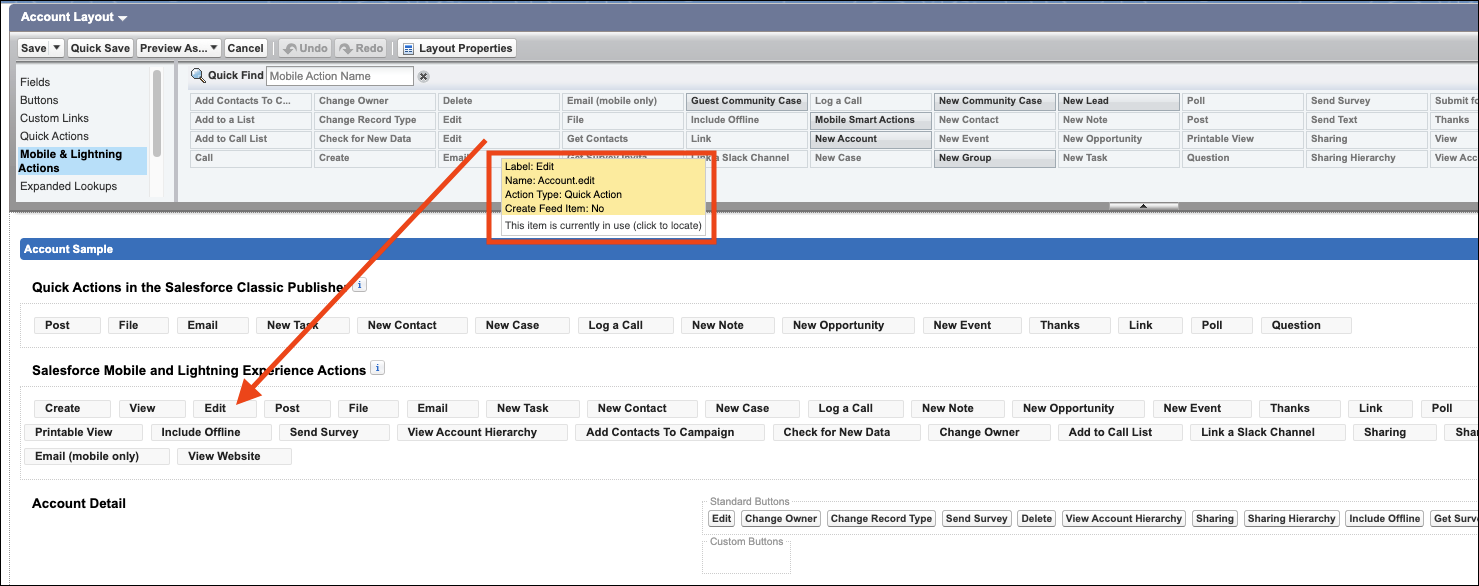
Here's an example of assigning the Edit quick action for the Account object type:
- From Setup, open the Object Manager.
- Enter Account in the Quick Find box, then select Account.
- From the Account object management settings, go to Page Layouts and click Account Layout.
- In the Salesforce Mobile and Lightning Experience Actions panel, if you see a link to override the predefined actions, the page layout is using the default actions. Click the link to enable customizing the actions.